SwiftSearch
SwiftSearch: A free Windows utility for rapid filename and path searches on local NTFS volumes. Ranked #48 of 57 in Desktop Search Software by our editors (3.9/10); pricing: Free plan; best for free users needing fast NTFS filename search.
At a glance
- Editor score3.9 / 10
- PricingFree plan
- Best forFree users needing fast NTFS filename search
- Free planYes
- Paid fromFree
- Content searchNo
- Facts checked21 Sep 2026
Where it wins
- Searches NTFS file tables directly without drive indexing
- Supports wildcards, regular expressions, filenames, and paths
- Displays full directory sizes and typically returns results in about 10 seconds or less
Where it doesn't
- Works only on Windows and local NTFS volumes
- Does not search file contents, email, messages, or OCR text
- Requires administrator privileges and was last updated in 2019
Our verdict on SwiftSearch
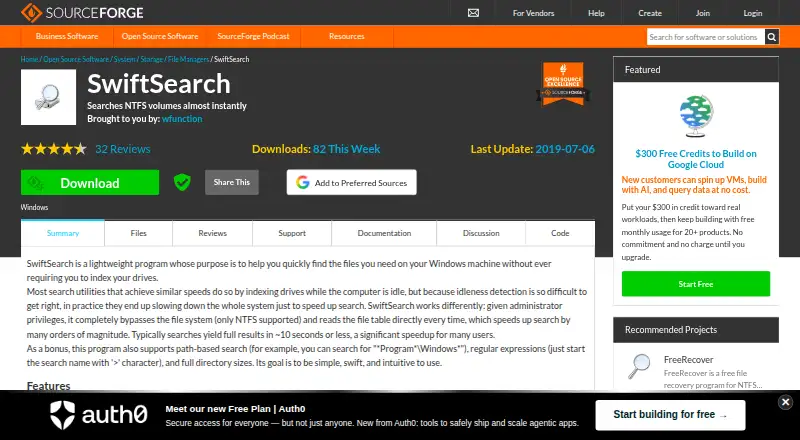
SwiftSearch is a free Windows desktop utility for finding files and folders on local NTFS volumes. It reads the NTFS file table directly instead of maintaining a drive index, making it suited to desktop users who want rapid filename and path lookup. Searches can use wildcard patterns or regular expressions, and the utility also displays full directory sizes. SwiftSearch is focused on local file-system search rather than general-purpose document discovery.
Its narrow scope is also its main strength. The published feature set centers on filename and path-based searches, with results typically returning in about 10 seconds or less. Because it avoids drive indexing, SwiftSearch offers a direct approach for users who need to locate items by name, folder path, or pattern. Regular-expression support adds control for more precise searches, while directory-size display helps when the task includes reviewing folder contents or storage distribution.
SwiftSearch is a good fit for Windows users working with local NTFS volumes who value speed, pattern matching, and a free price. It is not the right choice for full-text document search, email or message discovery, OCR-based lookup, or searches across non-NTFS locations. Administrator privileges are required, and the latest listed release is version 7.5.1, with the project page listing a last update of 2019-07-06. Users who need a broader search system should choose software built around content indexing and wider data-source coverage instead.
Your product? Our editors can test SwiftSearch in depth and publish a review, labelled as paid · from $149/mo →
SwiftSearch pricing
SwiftSearch fact sheet
| Free plan | Yes |
|---|---|
| Paid from | Free |
| Supported platforms | Windows |
| Index locations | Local NTFS volumes |
| Content search | No |
| Email search | No |
| Message search | No |
| OCR search | No |
| Indexed-item limit | Not verified |
| Deployment | Desktop |
| Platforms | Windows |
| Built for | Solo, Small business (editorial estimate) |
| Pricing | Free plan |
| Website | sourceforge.net |
| Facts checked | 21 Sep 2026 |
Alternatives to SwiftSearch
- EverythingA free Windows search utility for instant filename and path discovery.9.3
- Copernic Desktop SearchA Windows search tool for broad local, network, email, and cloud indexing.9.2
- DocFetcherA free, portable full-text search tool for local files, archives, and PST email.9.0



See all SwiftSearch alternatives →
Used SwiftSearch? Be the first to review it
The editor score above is our own research. What this page doesn't have yet is a reader's view — what you used SwiftSearch for, what worked and what didn't. No stars are seeded and no review is paid for; an editor reads every one before it appears.
Write a reviewTwo minutes · verified accounts only · read by an editor before it appears
Featured on iTechGuides

SwiftSearch is listed in our Desktop Search Software directory. Add the badge to your site — it links back to this page.
<a href="https://www.itechguides.com/products/swiftsearch/"><img src="https://www.itechguides.com/best/badge/swiftsearch.svg" alt="Featured on iTechGuides" width="230" height="46"></a>
Reviewed by iTechGuides Editors · Editorial team · Updated Oct 2026
Advertiser disclosure: iTechGuides is reader-supported. Vendors can pay for top positions in our rankings and for a place on other products' pages, and we may earn a commission when you click some links. Bought places stand at the number bought; this page and our disclosure say so. Paying vendors may get a fuller, more detailed review from our editors, and that review can change their score. How we rank.
Last updated · How we research and update