SuperPuTTY
SuperPuTTY: A free, open-source PuTTY companion for organized Windows sessions and PSCP transfers. Ranked #30 of 33 in SSH Clients by our editors (6.2/10); pricing: Free plan; best for windows users needing a tabbed PuTTY wrapper.
At a glance
- Editor score6.2 / 10
- PricingFree plan
- Best forWindows users needing a tabbed PuTTY wrapper
- Free planYes
- Paid fromFree
- Supported platformsWindows
- Facts checked21 Sep 2026
Where it wins
- Tabbed interface organizes multiple embedded PuTTY sessions
- Saved layouts restore sessions and window positions
- Open source with PSCP transfers, logging, and command bar
Where it doesn't
- Requires PuTTY for SSH and terminal functionality
- Windows-only desktop application
- Narrower protocol coverage than broader SSH clients
Our verdict on SuperPuTTY
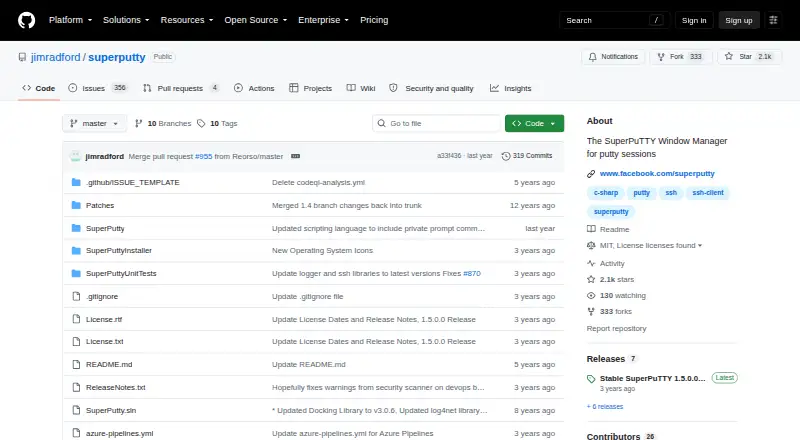
SuperPuTTY is an open-source Windows desktop application for users who want to organize PuTTY SSH terminals in one workspace. It embeds PuTTY terminal sessions in tabs, manages multiple sessions, imports and exports session settings, and supports saved layouts for restoring sessions and window positions. It also handles SSH, SCP, and RDP workflows, making it relevant to Windows administrators and technical users whose existing workflow is built around PuTTY rather than a standalone SSH client.
Its main strength is session organization. The tabbed interface, multi-session management, command bar, session logging, and log viewer add structure around open terminals. Saved layouts are useful for recurring groups of connections, while PSCP support provides file transfers alongside terminal access. SuperPuTTY can also launch RDP, PowerShell, MinTTY, and other local terminal applications, so it can act as a central Windows workspace for related tools without replacing them.
The important limitation is its scope: SuperPuTTY relies on PuTTY for SSH and does not provide its own SSH or terminal implementation. Its protocol coverage is SSH, SCP, and RDP, and it is available for Windows only. Choose it if you want free, open-source tabbed management around PuTTY sessions, especially with layouts and logging. Choose another SSH client if you need broader protocol coverage, a standalone SSH implementation, or support beyond Windows.
Your product? Our editors can test SuperPuTTY in depth and publish a review, labelled as paid · from $149/mo →
SuperPuTTY pricing
SuperPuTTY fact sheet
| Free plan | Yes |
|---|---|
| Paid from | Free |
| Supported protocols | SSH, SCP, RDP |
| Supported platforms | Windows |
| SFTP support | Not verified |
| Port forwarding | Not verified |
| Session management | Tabs |
| Team session sharing | Not verified |
| Deployment | Desktop |
| Platforms | Windows |
| Support | Community, Docs |
| Built for | Solo, Small business (editorial estimate) |
| Pricing | Free plan |
| Website | github.com |
| Facts checked | 21 Sep 2026 |
Alternatives to SuperPuTTY
- TabbyA free, open-source terminal with broad shell support and advanced SSH workflows.9.2
- OpenSSHA mature, foundational SSH suite for command-line remote access, transfer, and tunneling.9.1
- PuTTYA capable free SSH client with broad protocol support and basic session management.9.0


See all SuperPuTTY alternatives →
Used SuperPuTTY? Be the first to review it
The editor score above is our own research. What this page doesn't have yet is a reader's view — what you used SuperPuTTY for, what worked and what didn't. No stars are seeded and no review is paid for; an editor reads every one before it appears.
Write a reviewTwo minutes · verified accounts only · read by an editor before it appears
Featured on iTechGuides

SuperPuTTY is listed in our SSH Clients directory. Add the badge to your site — it links back to this page.
<a href="https://www.itechguides.com/products/superputty/"><img src="https://www.itechguides.com/best/badge/superputty.svg" alt="Featured on iTechGuides" width="230" height="46"></a>
Reviewed by iTechGuides Editors · Editorial team · Updated Oct 2026
Advertiser disclosure: iTechGuides is reader-supported. Vendors can pay for top positions in our rankings and for a place on other products' pages, and we may earn a commission when you click some links. Bought places stand at the number bought; this page and our disclosure say so. Paying vendors may get a fuller, more detailed review from our editors, and that review can change their score. How we rank.
Last updated · How we research and update