PuTTY
PuTTY: A capable free SSH client with broad protocol support and basic session management. Ranked #3 of 33 in SSH Clients by our editors (9.0/10); pricing: Free plan; best for users wanting a proven free SSH client.
At a glance
- Editor score9.0 / 10
- PricingFree plan
- Best forUsers wanting a proven free SSH client
- Free planYes
- Paid fromFree
- Supported platformsWindows and Unix
- Facts checked20 Sep 2026
Where it wins
- Free and open source with SSH, SFTP, SCP, and port forwarding
- Supports public-key authentication, Pageant, proxying, and X11 forwarding
- Includes saved sessions, PSFTP, PSCP, and the Plink command-line client
Where it doesn't
- Session management is basic
- No release-quality Android, iOS, or macOS ports
- Unix support is provided as source code rather than Windows-style executables
Our verdict on PuTTY
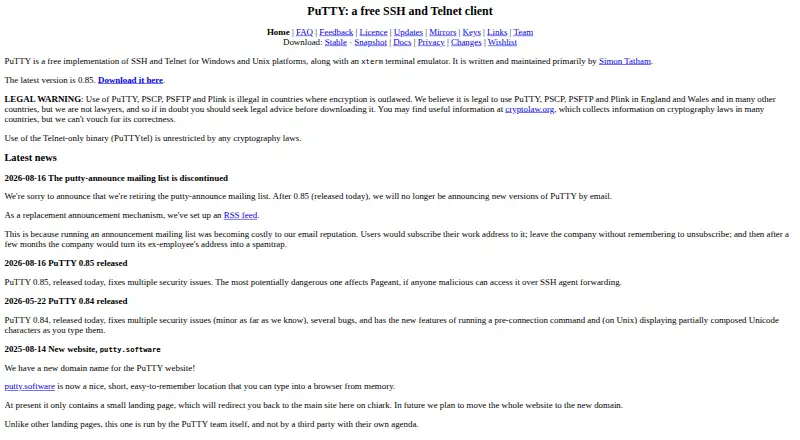
PuTTY is a free, open-source client for terminal access, file transfer, and SSH networking. It supports SSH, Telnet, Rlogin, SUPDUP, raw network connections, and serial sessions, making it suitable for users who work across different remote-access protocols. Its xterm-style terminal emulation, saved session configurations, and companion tools also fit administrators, developers, and technical users who need repeatable access to remote systems. Windows releases are available, while Unix support is provided through source code, with some Linux distributions offering prebuilt packages.
Its strongest advantage is the breadth of its SSH toolkit. PuTTY includes local, remote, and dynamic port forwarding, plus proxy support for SOCKS and HTTP CONNECT. Public-key authentication, Pageant agent forwarding, and X11 forwarding cover common SSH networking and access requirements. File transfer is handled through PSFTP and PSCP, while Plink provides command-line SSH connections. Together, these components give users terminal access, secure file movement, automation-oriented access, and forwarding features within one open-source project.
The main trade-off is a relatively basic session-management experience. Saved configurations are available, but users seeking more extensive organization or workflow features may prefer another SSH client. Platform coverage also narrows its fit: the project supports Windows and Unix systems, but does not provide release-quality Android, iOS, or macOS ports. Choose PuTTY when free access, open-source availability, protocol breadth, and established SSH features matter more than advanced session organization or broad desktop and mobile coverage.
Your product? Our editors can test PuTTY in depth and publish a review, labelled as paid · from $149/mo →
PuTTY pricing
PuTTY fact sheet
| Free plan | Yes |
|---|---|
| Paid from | Free |
| Supported protocols | SSH, Telnet, Rlogin, SUPDUP, raw, serial, SFTP, SCP |
| Supported platforms | Windows and Unix |
| SFTP support | Yes |
| Port forwarding | Yes |
| Session management | Basic |
| Team session sharing | Not verified |
| Deployment | Desktop |
| Platforms | Windows, Linux |
| Support | Email, Docs |
| Built for | Solo, Small business, Mid-market, Enterprise (editorial estimate) |
| Pricing | Free plan |
| Website | chiark.greenend.org.uk |
| Facts checked | 20 Sep 2026 |
Alternatives to PuTTY
- TabbyA free, open-source terminal with broad shell support and advanced SSH workflows.9.2
- OpenSSHA mature, foundational SSH suite for command-line remote access, transfer, and tunneling.9.1
- Solar-PuTTYA portable, free Windows client with tabs, file transfer, and automatic reconnection.8.9


PuTTY vs the competition
- PuTTY vs Tabby
- PuTTY vs OpenSSH
- PuTTY vs Solar-PuTTY
- PuTTY vs WinSCP
- PuTTY vs Tectia SSH Client
- PuTTY vs Termius



Compare PuTTY with any tool side by side →
Also Ranked In
PuTTY is ranked in 2 of our directories.
Used PuTTY? Be the first to review it
The editor score above is our own research. What this page doesn't have yet is a reader's view — what you used PuTTY for, what worked and what didn't. No stars are seeded and no review is paid for; an editor reads every one before it appears.
Write a reviewTwo minutes · verified accounts only · read by an editor before it appears
Featured on iTechGuides

PuTTY is listed in our SSH Clients directory. Add the badge to your site — it links back to this page.
<a href="https://www.itechguides.com/products/putty/"><img src="https://www.itechguides.com/best/badge/putty.svg" alt="Featured on iTechGuides" width="230" height="46"></a>
Reviewed by iTechGuides Editors · Editorial team · Updated Oct 2026
Advertiser disclosure: iTechGuides is reader-supported. Vendors can pay for top positions in our rankings and for a place on other products' pages, and we may earn a commission when you click some links. Bought places stand at the number bought; this page and our disclosure say so. Paying vendors may get a fuller, more detailed review from our editors, and that review can change their score. How we rank.
Last updated · How we research and update