Start Menu 8
Start Menu 8: A focused, paid classic Start Menu replacement for Windows 10. Ranked #9 of 39 in Start Menu Customization Software by our editors (8.0/10); pricing: Paid; best for windows 10 users wanting a simple paid replacement.
At a glance
- Editor score8.0 / 10
- PricingPaid
- Best forWindows 10 users wanting a simple paid replacement
- Free planNo
- Paid from$7.99 one-time
- Supported WindowsWindows_10
- Founded2004 · San Francisco, California, USA
- Facts checked20 Sep 2026
Where it wins
- Classic and modern menu styles with Start button icon customization
- Application and file search, pinning, and custom menu groups
- One-time $7.99 price with useful taskbar controls
Where it doesn't
- No free plan is offered
- Windows 10 is the verified supported Windows version
- Customization is focused on Windows Start and taskbar controls
Our verdict on Start Menu 8
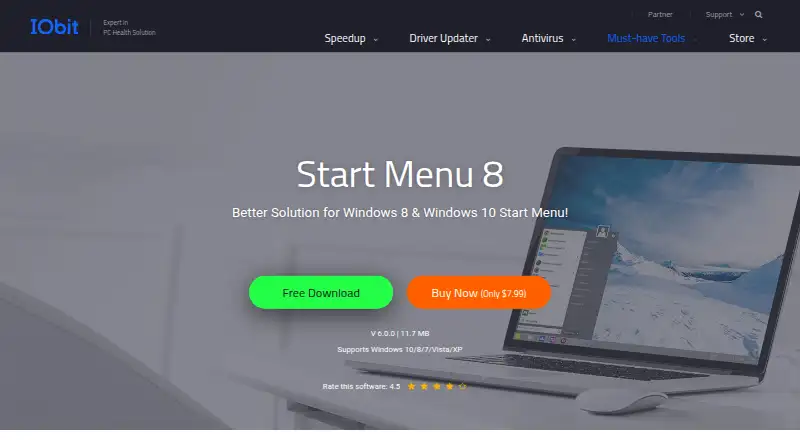
Start Menu 8 is a Windows desktop utility from IObit that replaces the standard Start experience with a classic Start Menu and customizable Start button. It is aimed at Windows 10 users who want a familiar menu layout, faster access to applications and files, and more control over how menu items are organized. Users can switch between classic and modern menu styles, pin applications, create custom groups, search applications and files, and choose a different Start button icon. The product also includes selected taskbar appearance and visibility controls.
The paid structure is straightforward. Start Menu 8 Pro costs $7.99 as a one-time purchase and includes the Classic Start Menu, Start button customization, and file and application search. There is no free plan, so the product is positioned as a low-cost replacement rather than an ongoing free utility. Beyond the core menu, its feature set includes scheduled automatic shutdown and a screenshot shortcut from the Start button menu. These additions broaden its desktop utility, while the main value remains the combination of classic navigation, search, pinning, and grouping.
Its fit is strongest for Windows 10 users who specifically want a shell replacement with direct control over the Start Menu and selected taskbar settings. The published product positioning supports Windows 10, while the verified category specification identifies Windows 10 as the supported version. That makes platform fit an important buying consideration for users on other Windows versions. Choose Start Menu 8 for a focused, paid customization layer with a one-time price; consider an alternative if broader Windows-version support or a free plan is central to the decision.
Your product? Our editors can test Start Menu 8 in depth and publish a review, labelled as paid · from $149/mo →
Start Menu 8 pricing
All 1 Start Menu 8 plans and prices →
Start Menu 8 fact sheet
| Free plan | No |
|---|---|
| Paid from | $7.99 one-time |
| Supported Windows | Windows_10 |
| Replacement mode | Shell_replacement |
| Start button controls | Yes |
| Custom search | Yes |
| Taskbar controls | Extensive |
| Saved profiles | Not verified |
| Deployment | Desktop |
| Platforms | Windows |
| Support | Email, Community, Docs |
| Built for | Solo, Small business (editorial estimate) |
| Pricing | Paid (source) |
| Website | iobit.com |
| Facts checked | 20 Sep 2026 |
Alternatives to Start Menu 8
- Start11A paid Windows customization tool for detailed Start menu, taskbar, search, and deployment control.9.3
- Seelen UIA broad, free Windows shell replacement for users who want more than Start menu tweaks.9.1
- Open-Shell MenuA flexible classic Start menu replacement with useful search and shortcut controls.8.9
See all Start Menu 8 alternatives →
Used Start Menu 8? Be the first to review it
The editor score above is our own research. What this page doesn't have yet is a reader's view — what you used Start Menu 8 for, what worked and what didn't. No stars are seeded and no review is paid for; an editor reads every one before it appears.
Write a reviewTwo minutes · verified accounts only · read by an editor before it appears
Featured on iTechGuides

Start Menu 8 is listed in our Start Menu Customization Software directory. Add the badge to your site — it links back to this page.
<a href="https://www.itechguides.com/products/start-menu-8/"><img src="https://www.itechguides.com/best/badge/start-menu-8.svg" alt="Featured on iTechGuides" width="230" height="46"></a>
Reviewed by iTechGuides Editors · Editorial team · Updated Oct 2026
Advertiser disclosure: iTechGuides is reader-supported. Vendors can pay for top positions in our rankings and for a place on other products' pages, and we may earn a commission when you click some links. Bought places stand at the number bought; this page and our disclosure say so. Paying vendors may get a fuller, more detailed review from our editors, and that review can change their score. How we rank.
Last updated · How we research and update