Start11
Start11: A paid Windows customization tool for detailed Start menu, taskbar, search, and deployment control. Ranked #1 of 39 in Start Menu Customization Software by our editors (9.3/10); pricing: Paid; best for power users and organizations needing deep control.
At a glance
- Editor score9.3 / 10
- PricingPaid
- Best forPower users and organizations needing deep control
- Free planNo
- Supported WindowsBoth
- Founded1991 · Plymouth, Michigan, United States
- Facts checked20 Sep 2026
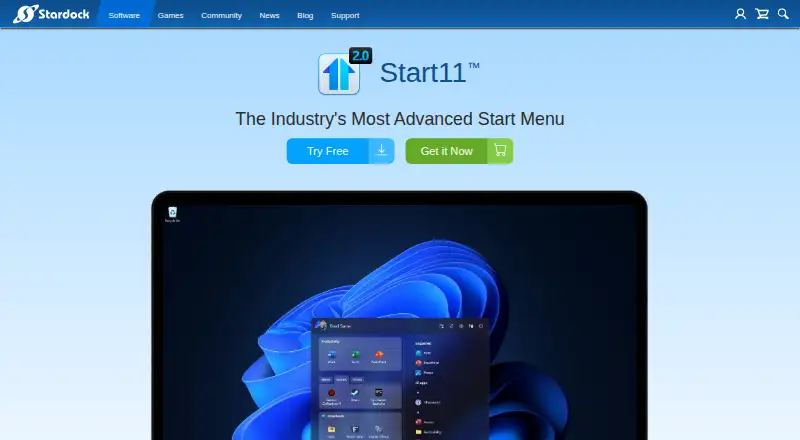
Where it wins
- Multiple Start menu layouts with detailed visual and organizational controls
- Extensive taskbar customization, pinning, positioning, and ungrouping
- Backup, kiosk locking, scripting, and deployment configuration tools
Where it doesn't
- Available for Windows only
- No free plan is offered
- Search integrations are centered on Everything and Microsoft Edge
Our verdict on Start11
Start11 is a paid Windows desktop customization application from Stardock Corporation. It replaces and enhances the Start menu on Windows 10 and Windows 11, with support for ARM systems. The product is aimed at power users who want more control over menu appearance and organization, as well as organizations that need consistent layouts and configuration options across managed systems. Its menu styles include classic, modern, professional, app, and launcher layouts, while controls cover colors, transparency, spacing, alignment, icon size, tabs, and sections.
The strongest case for Start11 is its breadth of customization across both the Start menu and taskbar. Users can create custom Start button icons, including their own icons, and can add taskbar colors, textures, rounded corners, floating mode, and positioning controls. Files and folders can be pinned to the taskbar, folder menus can be created, and the taskbar context menu and window ungrouping can be enhanced. Local search improvements include Everything integration and indexing for Microsoft Edge tabs. These options make Start11 a fit for people who want a desktop layout that differs substantially from the standard Windows experience.
Organizations get additional controls through backup and restore, kiosk locking, login-based layouts, scripting, and deployment configuration tools. The Annual plan includes the next version of Start, while the Permanent plan includes updates for Start11 v2; both list five simultaneous activations and 30 days of support. Start11 is less suited to users who want a free or cross-platform utility, or who need a broader integration ecosystem beyond Everything and Microsoft Edge. Choose it for deep Windows interface control and organizational configuration; choose another option for simpler, free, or non-Windows use cases.
Your product? Our editors can test Start11 in depth and publish a review, labelled as paid · from $149/mo →
Start11 pricing
All 2 Start11 plans and prices →
Start11 fact sheet
| Free plan | No |
|---|---|
| Paid from | Not verified |
| Supported Windows | Both |
| Replacement mode | Overlay |
| Start button controls | Yes |
| Custom search | Yes |
| Taskbar controls | Extensive |
| Saved profiles | Not verified |
| Deployment | Desktop |
| Platforms | Windows |
| Support | Phone, Tickets, Community, Docs |
| Built for | Solo, Small business, Mid-market, Enterprise (editorial estimate) |
| Integrations | 2 integrations: Everything, Microsoft Edge |
| Pricing | Paid (source) |
| Website | stardock.com |
| Facts checked | 20 Sep 2026 |
Start11 integrations
Start11 lists 2 integrations on its own site.
- Everything
- Microsoft Edge
Alternatives to Start11
- Seelen UIA broad, free Windows shell replacement for users who want more than Start menu tweaks.9.1
- Open-Shell MenuA flexible classic Start menu replacement with useful search and shortcut controls.8.9
- StartIsBackA focused, low-cost way to restore classic Start and taskbar behavior on Windows 10.8.8


See all Start11 alternatives →
Start11 vs the competition
- Start11 vs Seelen UI
- Start11 vs Open-Shell Menu
- Start11 vs StartIsBack
- Start11 vs StartAllBack
- Start11 vs Start Menu X
- Start11 vs Power8



Compare Start11 with any tool side by side →
Also Ranked In
Start11 is ranked in 2 of our directories.
Used Start11? Be the first to review it
The editor score above is our own research. What this page doesn't have yet is a reader's view — what you used Start11 for, what worked and what didn't. No stars are seeded and no review is paid for; an editor reads every one before it appears.
Write a reviewTwo minutes · verified accounts only · read by an editor before it appears
Featured on iTechGuides

Start11 is listed in our Start Menu Customization Software directory. Add the badge to your site — it links back to this page.
<a href="https://www.itechguides.com/products/start11/"><img src="https://www.itechguides.com/best/badge/start11.svg" alt="Featured on iTechGuides" width="230" height="46"></a>
Reviewed by iTechGuides Editors · Editorial team · Updated Oct 2026
Advertiser disclosure: iTechGuides is reader-supported. Vendors can pay for top positions in our rankings and for a place on other products' pages, and we may earn a commission when you click some links. Bought places stand at the number bought; this page and our disclosure say so. Paying vendors may get a fuller, more detailed review from our editors, and that review can change their score. How we rank.
Last updated · How we research and update