
Seelen UI
Seelen UI: A broad, free Windows shell replacement for users who want more than Start menu tweaks. Ranked #2 of 39 in Start Menu Customization Software by our editors (9.1/10); pricing: Free plan; best for free users wanting broad Windows customization.
At a glance
- Editor score9.1 / 10
- PricingFree plan
- Best forFree users wanting broad Windows customization
- Free planYes
- Paid fromFree
- Supported WindowsBoth
- Facts checked20 Sep 2026
Where it wins
- Free and open source with Windows 10 and Windows 11 support
- Combines Start search, pinned grids, folders, and extensive taskbar controls
- Adds tiling, wallpapers, widgets, previews, and custom Alt+Tab switching
Where it doesn't
- Windows-only, with no support for other platforms
- Shell replacement changes more than Start menu behavior
- Focuses on Windows desktop customization rather than integrations
Our verdict on Seelen UI
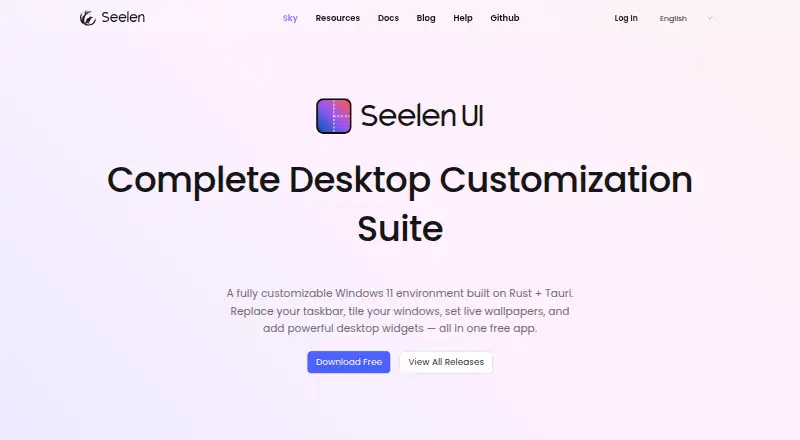
Seelen UI is a free, open-source Windows desktop customization application for personal users who want to replace or enhance the default taskbar and Start menu. It supports Windows 10 and Windows 11, and its shell-replacement approach goes well beyond changing the Start button. Users can configure a replacement dock and taskbar, search applications, files, and the web, and organize pinned applications in customizable grids and folders.
Its strongest point is breadth. Alongside Start menu and taskbar controls, Seelen UI includes live window thumbnail previews, custom Alt+Tab switching, automatic window tiling with multiple layouts, virtual-desktop support, and live video or interactive HTML wallpapers. A scriptable toolbar can show CPU, RAM, network, disk, and battery widgets, while desktop clock, media, notification, Wi-Fi, and Bluetooth widgets cover everyday desktop information. This makes it a fit for users who want one Windows layer for navigation, window management, and desktop presentation rather than a narrowly focused Start menu editor.
The trade-off is that the product changes the wider Windows shell, so it may be more involved than a lightweight utility intended only for Start menu styling. Its scope is also centered on Windows desktop customization rather than integrations with other software ecosystems. Choose Seelen UI if you want extensive taskbar controls, custom search, pinned layouts, tiling, widgets, and wallpapers in a free package. Choose a narrower Start menu tool instead if you only want a small visual adjustment or prefer to leave the rest of the Windows desktop unchanged.
Your product? Our editors can test Seelen UI in depth and publish a review, labelled as paid · from $149/mo →
Seelen UI pricing
Seelen UI fact sheet
| Free plan | Yes |
|---|---|
| Paid from | Free |
| Supported Windows | Both |
| Replacement mode | Shell_replacement |
| Start button controls | Yes |
| Custom search | Yes |
| Taskbar controls | Extensive |
| Saved profiles | Not verified |
| Deployment | Desktop |
| Platforms | Windows |
| Support | Community |
| Built for | Solo, Small business (editorial estimate) |
| Pricing | Free plan |
| Website | seelen.io |
| Facts checked | 20 Sep 2026 |
Alternatives to Seelen UI
- Start11A paid Windows customization tool for detailed Start menu, taskbar, search, and deployment control.9.3
- Open-Shell MenuA flexible classic Start menu replacement with useful search and shortcut controls.8.9
- StartIsBackA focused, low-cost way to restore classic Start and taskbar behavior on Windows 10.8.8

See all Seelen UI alternatives →
Seelen UI vs the competition
- Seelen UI vs Start11
- Seelen UI vs Open-Shell Menu
- Seelen UI vs StartIsBack
- Seelen UI vs StartAllBack
- Seelen UI vs Start Menu X
- Seelen UI vs Power8



Compare Seelen UI with any tool side by side →
Used Seelen UI? Be the first to review it
The editor score above is our own research. What this page doesn't have yet is a reader's view — what you used Seelen UI for, what worked and what didn't. No stars are seeded and no review is paid for; an editor reads every one before it appears.
Write a reviewTwo minutes · verified accounts only · read by an editor before it appears
Featured on iTechGuides

Seelen UI is listed in our Start Menu Customization Software directory. Add the badge to your site — it links back to this page.
<a href="https://www.itechguides.com/products/seelen-ui/"><img src="https://www.itechguides.com/best/badge/seelen-ui.svg" alt="Featured on iTechGuides" width="230" height="46"></a>
Reviewed by iTechGuides Editors · Editorial team · Updated Oct 2026
Advertiser disclosure: iTechGuides is reader-supported. Vendors can pay for top positions in our rankings and for a place on other products' pages, and we may earn a commission when you click some links. Bought places stand at the number bought; this page and our disclosure say so. Paying vendors may get a fuller, more detailed review from our editors, and that review can change their score. How we rank.
Last updated · How we research and update