Sidebery
Sidebery: A deep, free tab manager for Firefox users who want tree-based control. Ranked #10 of 27 in Tab Management Software by our editors (8.2/10); pricing: Free plan; best for firefox users wanting deep tree-based management.
At a glance
- Editor score8.2 / 10
- PricingFree plan
- Best forFirefox users wanting deep tree-based management
- Free planYes
- Paid fromFree
- Tab searchYes
- Facts checked22 Sep 2026
Where it wins
- Tree and flat vertical layouts with named groups and panels
- Search, snapshots, unloading, bookmarks, history, and containers
- Free, open-source add-on with extensive customization
Where it doesn't
- Browser coverage is focused on Firefox
- Sync is optional rather than the default storage approach
- Extensive controls may be more than simple tab lists require
Our verdict on Sidebery
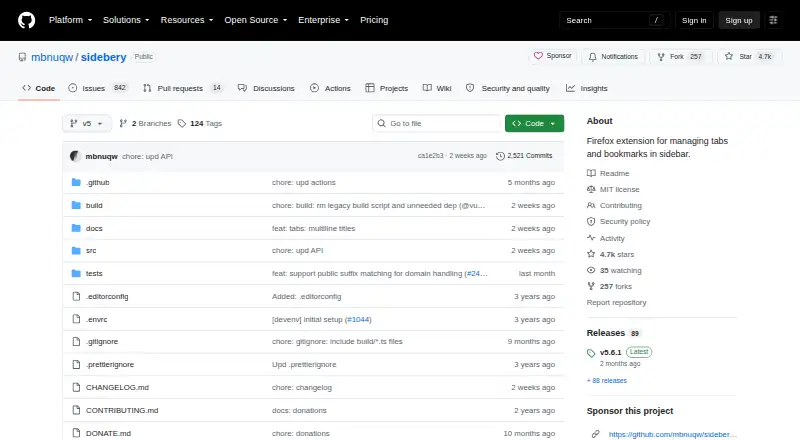
Sidebery is a free, open-source Firefox extension for organizing tabs, bookmarks, and browsing history in customizable sidebar panels. It suits Firefox users who want more structure than a standard tab strip, especially people managing many related tabs across named groups or panels. Its core model supports tree or flat vertical layouts, tab search, session snapshots, containers, and rules based on URLs. Data is stored locally by default, and the add-on is distributed under the MIT License.
The standout feature is its depth of tree-based tab management. Users can arrange tabs in folded branches, named tab groups, and separate panels, then automatically unload tabs in folded branches or inactive panels. Sidebery also adds snapshots of open windows, panels, and tabs, alongside dedicated bookmarks and browsing-history panels. Customizable styles, context menus, mouse controls, and keyboard controls make the interface adaptable, but this breadth is aimed at users willing to shape the sidebar around their workflow rather than those seeking a minimal tab list.
Sidebery’s ecosystem fit is centered on Firefox. The published feature set includes Firefox Sync and Google Drive for optional synchronization, while the local-storage default gives the extension a local-first setup. Container configuration and URL-based tab rules add useful control for users who separate browsing contexts. Firefox users seeking tree layouts, workspace-style panels, search, unloading, and session recovery should find a strong match in Sidebery. Users who need broad browser coverage or a simpler, less configurable tab manager should consider a more narrowly focused alternative.
Your product? Our editors can test Sidebery in depth and publish a review, labelled as paid · from $149/mo →
Sidebery pricing
Sidebery fact sheet
| Free plan | Yes |
|---|---|
| Paid from | Free |
| Tab search | Yes |
| Session restore | Yes |
| Tab suspension | Yes |
| Workspaces | Yes |
| Browser support | Firefox |
| Cross-device sync | Yes |
| Saved session limit | Not verified |
| Deployment | Browser extension |
| Platforms | Chrome extension |
| Support | Email, Community, Docs |
| Built for | Solo, Small business (editorial estimate) |
| Integrations | 2 integrations: Firefox Sync, Google Drive |
| Pricing | Free plan |
| Website | github.com |
| Facts checked | 22 Sep 2026 |
Sidebery integrations
Sidebery lists 2 integrations on its own site.
- Firefox Sync
- Google Drive
Alternatives to Sidebery
- PinakoA broad tab workspace for power users managing complex browser projects.9.4
- WorkonaA structured tab manager for teams coordinating browser work by project.9.2
- TobyA collaborative tab manager with AI organization, cross-device sync, and a useful free tier.9.0



See all Sidebery alternatives →
Used Sidebery? Be the first to review it
The editor score above is our own research. What this page doesn't have yet is a reader's view — what you used Sidebery for, what worked and what didn't. No stars are seeded and no review is paid for; an editor reads every one before it appears.
Write a reviewTwo minutes · verified accounts only · read by an editor before it appears
Featured on iTechGuides

Sidebery is listed in our Tab Management Software directory. Add the badge to your site — it links back to this page.
<a href="https://www.itechguides.com/products/sidebery/"><img src="https://www.itechguides.com/best/badge/sidebery.svg" alt="Featured on iTechGuides" width="230" height="46"></a>
Reviewed by iTechGuides Editors · Editorial team · Updated Oct 2026
Advertiser disclosure: iTechGuides is reader-supported. Vendors can pay for top positions in our rankings and for a place on other products' pages, and we may earn a commission when you click some links. Bought places stand at the number bought; this page and our disclosure say so. Paying vendors may get a fuller, more detailed review from our editors, and that review can change their score. How we rank.
Last updated · How we research and update