
Shortcut
Shortcut: A deep Excel automation platform, but its paid pricing is aimed at larger budgets. Ranked #26 of 31 in AI Spreadsheet Tools by our editors (6.8/10); pricing: Free plan; best for enterprise Excel automation.
At a glance
- Editor score6.8 / 10
- PricingFree plan
- Best forEnterprise Excel automation
- Free planYes
- Paid from$100/user/mo
- Primary platformMicrosoft_excel
- Facts checked20 Sep 2026
Where it wins
- AI formula generation, optimization, and financial-model analysis
- Cell-level auditing with revert, restore, and undo
- Excel, cloud storage, database, API, and command-line integrations
Where it doesn't
- Pro costs $100/month with annual billing
- Teams costs $320/month plus $100 per seat/month
- Its primary focus is Excel rather than general spreadsheet work
Our verdict on Shortcut
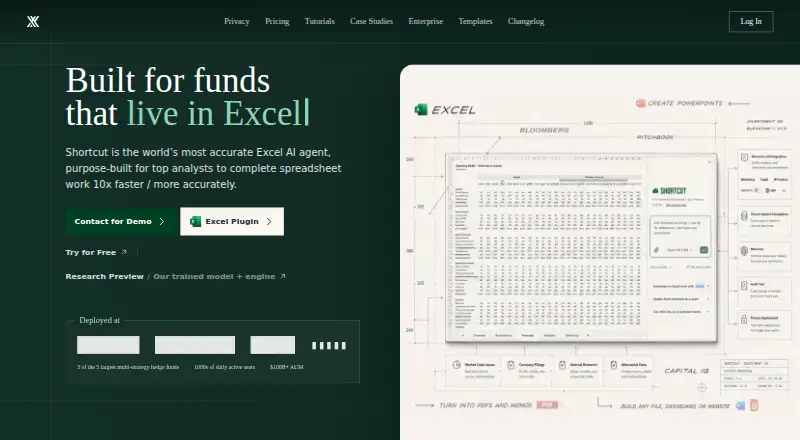
Shortcut is an AI-powered spreadsheet platform for financial analysts, investment teams, and organizations working with Excel models. It generates and optimizes formulas, analyzes and enhances financial models, automates spreadsheet workflows, and produces functional Excel files. Access spans the web, Windows desktop app, Excel plugin, Google Sheets plugin, command-line tools, and Platform API, with support for file uploads, data transformation, reporting, and spreadsheet jobs.
The published plans show a freemium structure. Free includes 20 weekly credits and access to the web, desktop app, Excel plugin, and Google Sheets plugin. Pro costs $100 per month with annual billing and adds 1,000 monthly credits, unlimited file creation and edits, and Platform API access. Teams costs $320 per month with annual billing, plus $100 per seat per month; it adds 1,000 monthly team credits, a shared workspace, usage analytics, centralized billing and seat management, and shared resources. Enterprise adds SSO, custom permissions, BYOK, a private gateway, dedicated support, custom contracts and SLAs, custom integrations, and optional unlimited seats or credits.
Shortcut’s strongest fit is work that depends on complex Excel models and repeatable spreadsheet operations. Its feature set covers formula-driven outputs, professional formatting, real-time processing, automated reporting, PDF table extraction, data transformation, file creation and editing, and cell-level change auditing with revert, restore, and undo. Integrations include Microsoft Excel, Google Sheets, OneDrive, SharePoint, Google Drive, Dropbox, Box, MCP connectors, databases, command-line tools, and the Platform API. Organizations needing enterprise controls and custom support should consider Enterprise, while smaller users should weigh the high Pro and Teams pricing against their spreadsheet workload.
Your product? Our editors can test Shortcut in depth and publish a review, labelled as paid · from $149/mo →
Shortcut pricing
All 4 Shortcut plans and prices →
Shortcut fact sheet
| Free plan | Yes |
|---|---|
| Paid from | $100/user/mo |
| Primary platform | Microsoft_excel |
| Formula generation | Yes |
| Table transformation | Yes |
| Spreadsheet analysis | Yes |
| Workflow automation | Yes |
| Custom functions | Not verified |
| API access | Yes |
| Deployment | Cloud, Self-hosted, Desktop |
| Platforms | Web, Windows |
| Compliance & security | SOC 2, GDPR, SSO/SAML, 2FA |
| Support | Email, Community |
| Built for | Solo, Small business, Mid-market, Enterprise (editorial estimate) |
| Integrations | 11 integrations: Microsoft Excel, Google Sheets, OneDrive, SharePoint, Google Drive, Dropbox … |
| Pricing | Free plan (source) |
| Website | mog.shortcut.ai |
| Facts checked | 20 Sep 2026 |
Shortcut integrations
Shortcut lists 11 integrations on its own site.
- Microsoft Excel
- Google Sheets
- OneDrive
- SharePoint
- Google Drive
- Dropbox
- Box
- MCP connectors
- Databases
- Command-line tools
- Platform API
Alternatives to Shortcut
- RowsRows suits teams that need AI analysis, connected data, automation, and collaboration in one spreadsheet.9.4
- GPTExcelA wide-ranging spreadsheet copilot with a free tier and paid usage limits.9.2
- QuadraticA collaborative spreadsheet that combines AI, code, databases, and familiar exports.9.1



See all Shortcut alternatives →
Used Shortcut? Be the first to review it
The editor score above is our own research. What this page doesn't have yet is a reader's view — what you used Shortcut for, what worked and what didn't. No stars are seeded and no review is paid for; an editor reads every one before it appears.
Write a reviewTwo minutes · verified accounts only · read by an editor before it appears
Featured on iTechGuides

Shortcut is listed in our AI Spreadsheet Tools directory. Add the badge to your site — it links back to this page.
<a href="https://www.itechguides.com/products/shortcut-ai-spreadsheet-tool/"><img src="https://www.itechguides.com/best/badge/shortcut-ai-spreadsheet-tool.svg" alt="Featured on iTechGuides" width="230" height="46"></a>
Reviewed by iTechGuides Editors · Editorial team · Updated Oct 2026
Advertiser disclosure: iTechGuides is reader-supported. Vendors can pay for top positions in our rankings and for a place on other products' pages, and we may earn a commission when you click some links. Bought places stand at the number bought; this page and our disclosure say so. Paying vendors may get a fuller, more detailed review from our editors, and that review can change their score. How we rank.
Last updated · How we research and update