SearchMyFiles
SearchMyFiles: A focused, free Windows search utility for duplicates, file attributes, text, and binary content. Ranked #43 of 57 in Desktop Search Software by our editors (4.5/10); pricing: Free plan; best for free Windows duplicate and advanced file searches.
At a glance
- Editor score4.5 / 10
- PricingFree plan
- Best forFree Windows duplicate and advanced file searches
- Free planYes
- Paid fromFree
- Founded2001
- Facts checked19 Sep 2026
Where it wins
- Duplicate search includes byte-by-byte content comparison.
- Wildcard, metadata, text, and binary-content searches are supported.
- Portable operation requires no installation and exports results in four formats.
Where it doesn't
- Runs on Windows only.
- Searches are centered on selected folders, drives, and subfolders.
- OneDrive access uses NTFS symbolic links or junction points.
Our verdict on SearchMyFiles
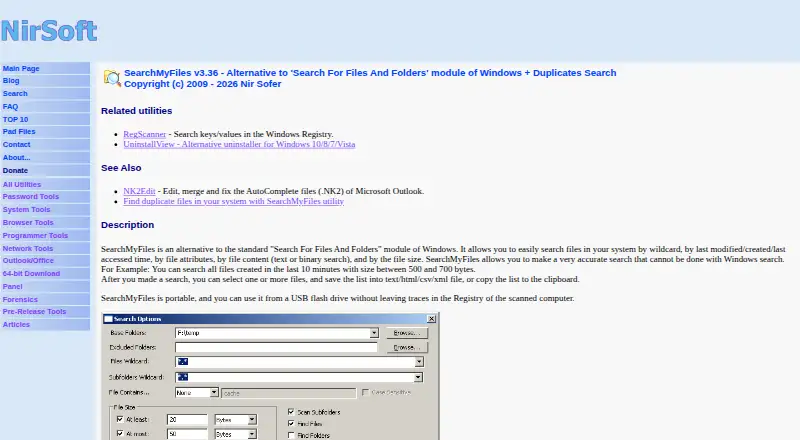
SearchMyFiles is a free, portable Windows utility for people who need targeted file and folder searches rather than a general-purpose desktop search experience. It searches selected folders, drives, and subfolders using wildcards, dates, attributes, sizes, text, or binary content. Its Duplicate Search mode compares same-size files byte by byte, while separate duplicate-name modes can identify files with identical or non-identical content. The utility supports Windows versions from Windows 2000 through Windows 11 and runs without installation.
Its strongest area is duplicate and criteria-based file discovery. Users can include or exclude folders, search local folders and drives, and move selected files to the Recycle Bin. Search results can be exported to text, CSV, HTML, or XML, and command-line search and export options suit repeatable workflows. The combination of filename, size, binary-content, date, attribute, and text matching gives SearchMyFiles a narrower but useful focus for cleanup, investigation, and file inventory tasks.
SearchMyFiles is a good choice for Windows users who want a free utility with portable operation, duplicate detection, detailed filters, and export controls. It is less suitable for people looking for a broad desktop search product with a wider platform scope or a primarily indexed search experience. OneDrive folders can be scanned through NTFS symbolic links or junction points, which adds a setup consideration for that location. The Freeware plan includes the full listed utility features, with no paid tier described.
Your product? Our editors can test SearchMyFiles in depth and publish a review, labelled as paid · from $149/mo →
SearchMyFiles pricing
All 1 SearchMyFiles plans and prices →
SearchMyFiles fact sheet
| Free plan | Yes |
|---|---|
| Paid from | Free |
| Supported platforms | Not verified |
| Index locations | Not verified |
| Content search | Not verified |
| Email search | Not verified |
| Message search | Not verified |
| OCR search | Not verified |
| Indexed-item limit | Not verified |
| Deployment | Desktop |
| Platforms | Windows |
| Pricing | Free plan (source) |
| Website | nirsoft.net |
| Facts checked | 19 Sep 2026 |
Alternatives to SearchMyFiles
- EverythingA free Windows search utility for instant filename and path discovery.9.3
- Copernic Desktop SearchA Windows search tool for broad local, network, email, and cloud indexing.9.2
- DocFetcherA free, portable full-text search tool for local files, archives, and PST email.9.0



See all SearchMyFiles alternatives →
Also Ranked In
SearchMyFiles is ranked in 2 of our directories.
Used SearchMyFiles? Be the first to review it
The editor score above is our own research. What this page doesn't have yet is a reader's view — what you used SearchMyFiles for, what worked and what didn't. No stars are seeded and no review is paid for; an editor reads every one before it appears.
Write a reviewTwo minutes · verified accounts only · read by an editor before it appears
Featured on iTechGuides

SearchMyFiles is listed in our Desktop Search Software directory. Add the badge to your site — it links back to this page.
<a href="https://www.itechguides.com/products/searchmyfiles/"><img src="https://www.itechguides.com/best/badge/searchmyfiles.svg" alt="Featured on iTechGuides" width="230" height="46"></a>
Reviewed by iTechGuides Editors · Editorial team · Updated Sep 2026
Advertiser disclosure: iTechGuides is reader-supported. Vendors can pay for top positions in our rankings and for a place on other products' pages, and we may earn a commission when you click some links. Bought places stand at the number bought; this page and our disclosure say so. Paying vendors may get a fuller, more detailed review from our editors, and that review can change their score. How we rank.
Last updated · How we research and update