SbieShell
SbieShell: A free, open-source shell for Sandboxie users who need Start menu and taskbar controls. Ranked #21 of 39 in Start Menu Customization Software by our editors (6.8/10); pricing: Free plan; best for sandboxie users needing an isolated desktop shell.
At a glance
- Editor score6.8 / 10
- PricingFree plan
- Best forSandboxie users needing an isolated desktop shell
- Free planYes
- Paid fromFree
- Facts checked20 Sep 2026
Where it wins
- Free and open source under the LGPL-2.1 license
- Includes configurable Start menu actions and taskbar styling
- Supports Classic Shell and third-party file-explorer binding
Where it doesn't
- Designed for isolated Sandboxie desktops rather than general Windows use
- Windows-only platform support
- Taskbar controls are limited to basic configuration
Our verdict on SbieShell
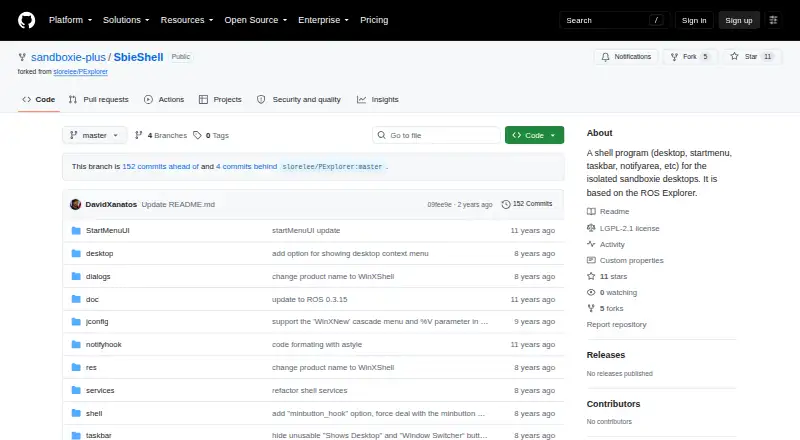
SbieShell is a Windows shell component for isolated Sandboxie desktops, aimed at users who want a usable desktop environment inside that context. It provides core shell functions including a desktop, Start menu, taskbar, notification area, and file-explorer functionality. The project is free and open source, with source code available under the LGPL-2.1 license. Its best fit is Sandboxie users who need an isolated desktop shell with familiar Windows-style controls rather than a general-purpose Start menu replacement.
Its standout strength is the breadth of shell functions included in a focused package. Users can configure Start menu actions, adjust taskbar color and height, display tray icons, set desktop wallpaper, and drag and drop desktop icons. SbieShell also supports a Windows-style file explorer host and automatic file-explorer refresh. These capabilities make it more than a Start menu alone, while keeping its purpose tied to the isolated Sandboxie desktop experience.
Ecosystem fit is centered on Explorer compatibility. SbieShell supports third-party file explorers and integrates with Classic Shell, giving users options for file management and Start menu behavior. The tradeoff is its narrow scope: it is documented as a shell component for isolated Sandboxie desktops, not as a broad Windows customization tool. It also runs on Windows only, and its taskbar controls are basic. Choose SbieShell when Sandboxie integration and an open-source shell matter most; choose another product when you need a general-purpose Start menu customizer or deeper taskbar control.
Your product? Our editors can test SbieShell in depth and publish a review, labelled as paid · from $149/mo →
SbieShell pricing
SbieShell fact sheet
| Free plan | Yes |
|---|---|
| Paid from | Free |
| Supported Windows | Not verified |
| Replacement mode | Shell_replacement |
| Start button controls | Not verified |
| Custom search | Not verified |
| Taskbar controls | Basic |
| Saved profiles | Not verified |
| Deployment | Desktop |
| Platforms | Windows |
| Support | Community |
| Built for | Solo, Small business (editorial estimate) |
| Integrations | 2 integrations: Classic Shell, third-party file explorers |
| Pricing | Free plan |
| Website | github.com |
| Facts checked | 20 Sep 2026 |
SbieShell integrations
SbieShell lists 2 integrations on its own site.
- Classic Shell
- third-party file explorers
Alternatives to SbieShell
- Start11A paid Windows customization tool for detailed Start menu, taskbar, search, and deployment control.9.3
- Seelen UIA broad, free Windows shell replacement for users who want more than Start menu tweaks.9.1
- Open-Shell MenuA flexible classic Start menu replacement with useful search and shortcut controls.8.9

See all SbieShell alternatives →
Used SbieShell? Be the first to review it
The editor score above is our own research. What this page doesn't have yet is a reader's view — what you used SbieShell for, what worked and what didn't. No stars are seeded and no review is paid for; an editor reads every one before it appears.
Write a reviewTwo minutes · verified accounts only · read by an editor before it appears
Featured on iTechGuides

SbieShell is listed in our Start Menu Customization Software directory. Add the badge to your site — it links back to this page.
<a href="https://www.itechguides.com/products/sbieshell/"><img src="https://www.itechguides.com/best/badge/sbieshell.svg" alt="Featured on iTechGuides" width="230" height="46"></a>
Reviewed by iTechGuides Editors · Editorial team · Updated Oct 2026
Advertiser disclosure: iTechGuides is reader-supported. Vendors can pay for top positions in our rankings and for a place on other products' pages, and we may earn a commission when you click some links. Bought places stand at the number bought; this page and our disclosure say so. Paying vendors may get a fuller, more detailed review from our editors, and that review can change their score. How we rank.
Last updated · How we research and update