Qlipper
Qlipper: A focused open-source clipboard manager for history restoration and basic synchronization. Ranked #34 of 39 in Clipboard Manager Software by our editors (4.7/10); pricing: Open source; best for users needing cross-platform basic synchronization.
At a glance
- Editor score4.7 / 10
- PricingOpen source
- Best forUsers needing cross-platform basic synchronization
- Paid fromFree
- Cross-device syncYes
- Facts checked20 Sep 2026
Where it wins
- Restores saved clipboard history entries from a system-tray applet
- Supports multiple MIME types, including rich text
- Runs on Windows, macOS, and Linux with optional network sharing
Where it doesn't
- Organization features beyond history restoration are limited
- Network clipboard sharing is optional rather than central
- No AI-assisted clipboard features
Our verdict on Qlipper
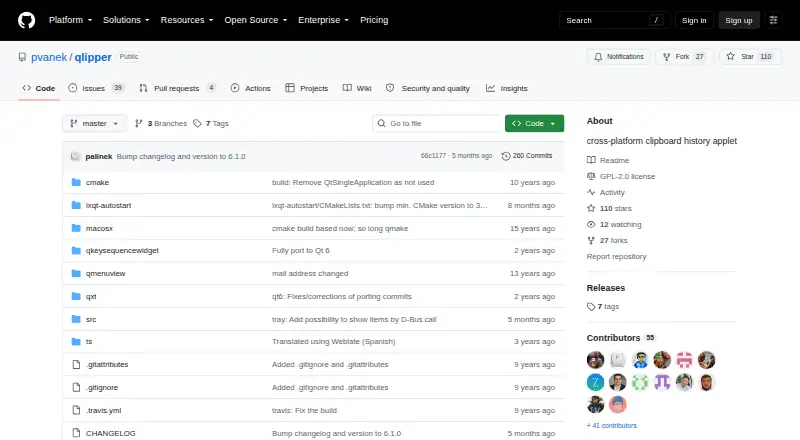
Qlipper is an open-source clipboard history applet for desktop users who want to save clipboard entries and restore them later. It runs from the system tray and supports Windows, macOS, and Linux, with the project also documenting BSD support. Its focus is deliberately narrow: keep clipboard history available locally, synchronize persistent history to storage, and provide a lightweight way to retrieve past items. That makes it a practical fit for users who need basic cross-platform clipboard continuity rather than a broad productivity workspace.
The published project details show several useful capabilities for a clipboard manager. Qlipper supports multiple clipboard MIME types, including rich text, and its changelog documents persistent history synchronization and optional network clipboard sharing. Wayland support using KF6 and Qt 6 support add relevance for Linux environments, while translations for multiple languages broaden its desktop usability. The system-tray format also keeps the core workflow compact: entries are saved in the background and restored when needed. Cross-platform availability is the main reason to consider it, especially when basic synchronization matters more than extensive organization.
Qlipper is distributed as open source under the GPLv2+ license, with no paid plan structure to compare. Its limitations are equally clear. The product is centered on clipboard history and synchronization, while verified organization features are limited; users seeking richer categorization or advanced clipboard workflows should consider a more feature-dense alternative. Optional network sharing may suit users who want clipboard access across a network, but it is not the same as a broader collaboration platform. Choose Qlipper for a lightweight, open-source utility across Windows, macOS, and Linux; look elsewhere if advanced organization or AI-assisted features are priorities.
Your product? Our editors can test Qlipper in depth and publish a review, labelled as paid · from $149/mo →
Qlipper pricing
Qlipper fact sheet
| Free plan | Not verified |
|---|---|
| Paid from | Free |
| History search | Not verified |
| Cross-device sync | Yes |
| Snippets | Not verified |
| Rich text support | Yes |
| History limit | Not verified |
| Supported platforms | Linux, Windows, Mac OS X |
| Deployment | Desktop |
| Platforms | Windows, macOS, Linux |
| Built for | Solo, Small business (editorial estimate) |
| Pricing | Open source |
| Website | github.com |
| Facts checked | 20 Sep 2026 |
Alternatives to Qlipper
- DittoPowerful free clipboard history, search, organization, and scripting for Windows.9.1
- CopyQA flexible, cross-platform clipboard history tool for users who want control and automation.8.5
- Screenshot CaptorA Windows screenshot tool with scrolling capture, annotation, image editing, and clipboard copying.7.9

See all Qlipper alternatives →
Used Qlipper? Be the first to review it
The editor score above is our own research. What this page doesn't have yet is a reader's view — what you used Qlipper for, what worked and what didn't. No stars are seeded and no review is paid for; an editor reads every one before it appears.
Write a reviewTwo minutes · verified accounts only · read by an editor before it appears
Featured on iTechGuides

Qlipper is listed in our Clipboard Manager Software directory. Add the badge to your site — it links back to this page.
<a href="https://www.itechguides.com/products/qlipper/"><img src="https://www.itechguides.com/best/badge/qlipper.svg" alt="Featured on iTechGuides" width="230" height="46"></a>
Reviewed by iTechGuides Editors · Editorial team · Updated Oct 2026
Advertiser disclosure: iTechGuides is reader-supported. Vendors can pay for top positions in our rankings and for a place on other products' pages, and we may earn a commission when you click some links. Bought places stand at the number bought; this page and our disclosure say so. Paying vendors may get a fuller, more detailed review from our editors, and that review can change their score. How we rank.
Last updated · How we research and update