
CopyQ
CopyQ: A flexible, cross-platform clipboard history tool for users who want control and automation. Ranked #2 of 39 in Clipboard Manager Software by our editors (8.5/10); pricing: Free plan; best for open-source users across desktop platforms.
At a glance
- Editor score8.5 / 10
- PricingFree plan
- Best forOpen-source users across desktop platforms
- Free planYes
- Paid fromFree
- Facts checked20 Sep 2026
Where it wins
- Stores text, HTML, images, and custom clipboard formats
- Adds tabs, filtering, notes, tags, and item editing
- Supports scripting, command-line access, and custom commands
Where it doesn't
- Focuses on Windows, macOS, and Linux desktop platforms
- Advanced automation may require scripting or command-line knowledge
- Its broad feature set may exceed simple clipboard-history needs
Our verdict on CopyQ
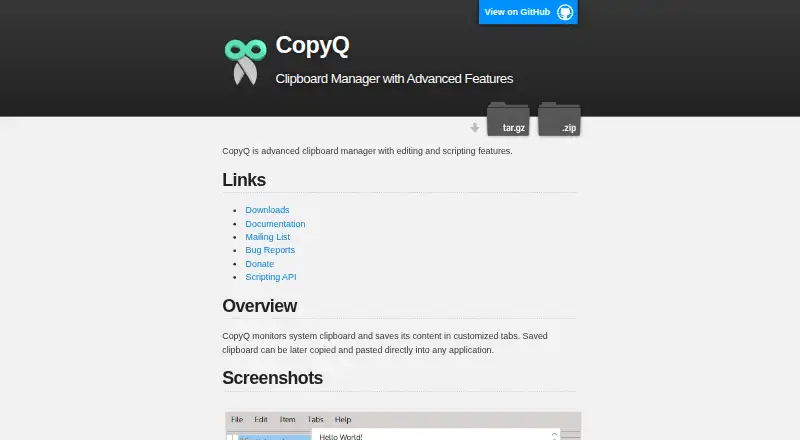
CopyQ is an open-source desktop clipboard manager for users who want more control than a basic clipboard history utility provides. It monitors the system clipboard and stores copied text, HTML, images, and custom formats across Windows, macOS, and Linux. Clipboard entries can be organized in customizable tabs, making it suitable for developers, technical users, and anyone who regularly reuses varied content.
Its strongest area is clipboard history depth. Users can browse and filter stored items, then edit, sort, remove, copy, paste, or drag and drop them. Notes and tags add organization, while system-wide keyboard shortcuts and customizable commands support faster access. Rules can ignore content from selected windows or text that matches defined conditions, which helps keep unwanted material out of the history. The published feature set also includes command-line access and scripting for workflows that need more than manual clipboard management.
CopyQ’s GPL-3.0 open-source distribution and Windows, macOS, and Linux coverage make it a practical choice for users who prefer an inspectable, configurable desktop tool. Its free availability suits individuals who want clipboard history without a commercial plan structure. The trade-off is focus: CopyQ is designed for desktop clipboard workflows rather than a broader device-sync or mobile ecosystem. Its command-line, scripting, rules, and customization options may also be more than casual users need. Choose CopyQ for cross-platform clipboard control, rich content handling, and automation; choose a simpler clipboard utility if basic history access is the main requirement.
Your product? Our editors can test CopyQ in depth and publish a review, labelled as paid · from $149/mo →
CopyQ pricing
CopyQ fact sheet
| Free plan | Yes |
|---|---|
| Paid from | Free |
| History search | Yes |
| Cross-device sync | Not verified |
| Snippets | Not verified |
| Rich text support | Yes |
| History limit | Not verified |
| Supported platforms | Linux, Windows, macOS |
| Deployment | Desktop |
| Platforms | Windows, macOS, Linux |
| Support | Community, Docs |
| Built for | Solo, Small business (editorial estimate) |
| Pricing | Free plan |
| Website | hluk.github.io |
| Facts checked | 20 Sep 2026 |
Alternatives to CopyQ
- DittoPowerful free clipboard history, search, organization, and scripting for Windows.9.1
- Screenshot CaptorA Windows screenshot tool with scrolling capture, annotation, image editing, and clipboard copying.7.9
- PasteablePasteable combines encrypted sync, AI actions, search, and clipboard workflows across six platforms.7.8

CopyQ vs the competition
- CopyQ vs Ditto
- CopyQ vs Screenshot Captor
- CopyQ vs Pasteable
- CopyQ vs Relic
- CopyQ vs Clipman
- CopyQ vs Octoclip


Compare CopyQ with any tool side by side →
Used CopyQ? Be the first to review it
The editor score above is our own research. What this page doesn't have yet is a reader's view — what you used CopyQ for, what worked and what didn't. No stars are seeded and no review is paid for; an editor reads every one before it appears.
Write a reviewTwo minutes · verified accounts only · read by an editor before it appears
Featured on iTechGuides

CopyQ is listed in our Clipboard Manager Software directory. Add the badge to your site — it links back to this page.
<a href="https://www.itechguides.com/products/copyq/"><img src="https://www.itechguides.com/best/badge/copyq.svg" alt="Featured on iTechGuides" width="230" height="46"></a>
Reviewed by iTechGuides Editors · Editorial team · Updated Oct 2026
Advertiser disclosure: iTechGuides is reader-supported. Vendors can pay for top positions in our rankings and for a place on other products' pages, and we may earn a commission when you click some links. Bought places stand at the number bought; this page and our disclosure say so. Paying vendors may get a fuller, more detailed review from our editors, and that review can change their score. How we rank.
Last updated · How we research and update