ProtonSearch
ProtonSearch: A broad, free Windows search and launcher for power users who work locally. Ranked #38 of 57 in Desktop Search Software by our editors (5.0/10); pricing: Free plan; best for windows power users needing search plus launcher tools.
At a glance
- Editor score5.0 / 10
- PricingFree plan
- Best forWindows power users needing search plus launcher tools
- Free planYes
- Paid fromFree
- Content searchYes
- Facts checked20 Sep 2026
Where it wins
- Searches documents, PDFs, source files, images, clipboard data, and Git content
- Combines launcher, calculator, snippets, settings, and Windows utility search
- Free, open-source Windows app with OCR and approved local-task workflows
Where it doesn't
- Windows-only, with no support for other desktop platforms
- Focuses on local sources rather than network-source search
- Its broad feature set may be more than users seeking simple file search need
Our verdict on ProtonSearch
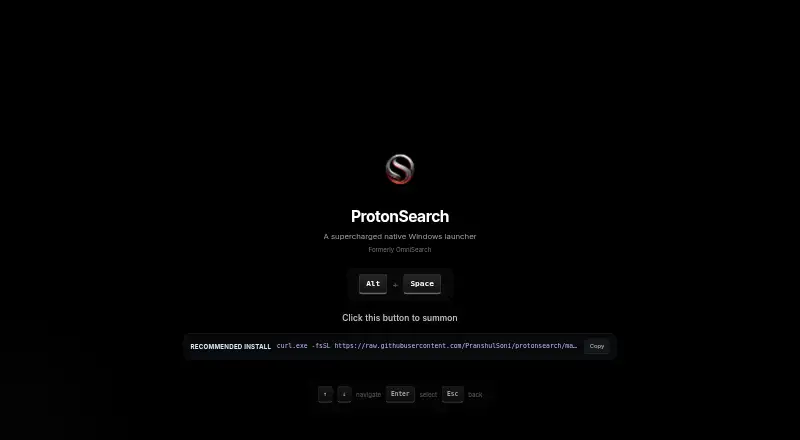
ProtonSearch is a native Windows launcher for people who want one keyboard-driven entry point for applications, files, folders, utilities, and local content. Opened with Alt + Space, it searches supported documents, PDFs, source files, notes, configurations, screenshots, copied images, browser history, bookmarks, Git repositories, Windows settings, commands, open windows, games, and AI chats. Windows power users are the clearest audience, especially those who want search, quick actions, and launcher utilities in one application.
Its standout strength is breadth. Full-text and OCR search extend beyond filenames, while clipboard history adds pinning, editing, multiselect, and image support. Git search covers repositories, commits, branches, and TODO/FIXME comments. Calculator functions, unit conversion, quicklinks, reusable text snippets, and a configurable shortcut make ProtonSearch useful for recurring desktop tasks as well as retrieval. Hermes agent integration adds approved local tasks and PC-control workflows, giving the launcher an automation angle without moving its focus away from the Windows desktop.
The ecosystem fit is centered on Windows and familiar local applications: ProtonSearch integrates with Google Lens, Chromium-based browsers, Firefox, Steam, and ChatGPT. It is distributed under the MIT License and available as a Windows installer from GitHub releases. The trade-off is scope: users needing macOS or Linux support, or search across network sources, should choose another tool. ProtonSearch is a strong match for Windows users who value a wide local search index and launcher functions; people seeking a minimal file-search utility may find its wider toolkit unnecessary.
Your product? Our editors can test ProtonSearch in depth and publish a review, labelled as paid · from $149/mo →
ProtonSearch pricing
ProtonSearch fact sheet
| Free plan | Yes |
|---|---|
| Paid from | Free |
| Supported platforms | windows |
| Index locations | local files and folders |
| Content search | Yes |
| Email search | Not verified |
| Message search | Not verified |
| OCR search | Yes |
| Indexed-item limit | Not verified |
| Deployment | Desktop |
| Platforms | Windows |
| Built for | Solo, Small business (editorial estimate) |
| Integrations | 5 integrations: Google Lens, Chromium-based browsers, Firefox, Steam, ChatGPT |
| Pricing | Free plan |
| Website | protonsearch-windows.vercel.app |
| Facts checked | 20 Sep 2026 |
ProtonSearch integrations
ProtonSearch lists 5 integrations on its own site.
- Google Lens
- Chromium-based browsers
- Firefox
- Steam
- ChatGPT
Alternatives to ProtonSearch
- EverythingA free Windows search utility for instant filename and path discovery.9.3
- Copernic Desktop SearchA Windows search tool for broad local, network, email, and cloud indexing.9.2
- DocFetcherA free, portable full-text search tool for local files, archives, and PST email.9.0



See all ProtonSearch alternatives →
Used ProtonSearch? Be the first to review it
The editor score above is our own research. What this page doesn't have yet is a reader's view — what you used ProtonSearch for, what worked and what didn't. No stars are seeded and no review is paid for; an editor reads every one before it appears.
Write a reviewTwo minutes · verified accounts only · read by an editor before it appears
Featured on iTechGuides

ProtonSearch is listed in our Desktop Search Software directory. Add the badge to your site — it links back to this page.
<a href="https://www.itechguides.com/products/protonsearch/"><img src="https://www.itechguides.com/best/badge/protonsearch.svg" alt="Featured on iTechGuides" width="230" height="46"></a>
Reviewed by iTechGuides Editors · Editorial team · Updated Oct 2026
Advertiser disclosure: iTechGuides is reader-supported. Vendors can pay for top positions in our rankings and for a place on other products' pages, and we may earn a commission when you click some links. Bought places stand at the number bought; this page and our disclosure say so. Paying vendors may get a fuller, more detailed review from our editors, and that review can change their score. How we rank.
Last updated · How we research and update