
Prompt
Prompt: A polished Apple-focused SSH client with Mosh, forwarding, sync, and hardware-backed authentication. Ranked #14 of 33 in SSH Clients by our editors (7.9/10); pricing: 7-day trial; best for apple users wanting polished SSH and Mosh.
At a glance
- Editor score7.9 / 10
- Pricing7-day trial
- Best forApple users wanting polished SSH and Mosh
- Free planNo
- Paid from$9.99/yr
- Supported platformsmacOS, iOS/iPadOS, and visionOS
- Founded1997 · Portland, Oregon, United States
- Facts checked20 Sep 2026
Where it wins
- Supports SSH, Telnet, Mosh, Eternal Terminal, and port forwarding
- Panic Sync synchronizes servers, passwords, keys, and clips
- Secure Enclave and YubiKey authentication across Apple platforms
Where it doesn't
- No SFTP support
- No free plan
- Primarily focused on Apple platforms
Our verdict on Prompt
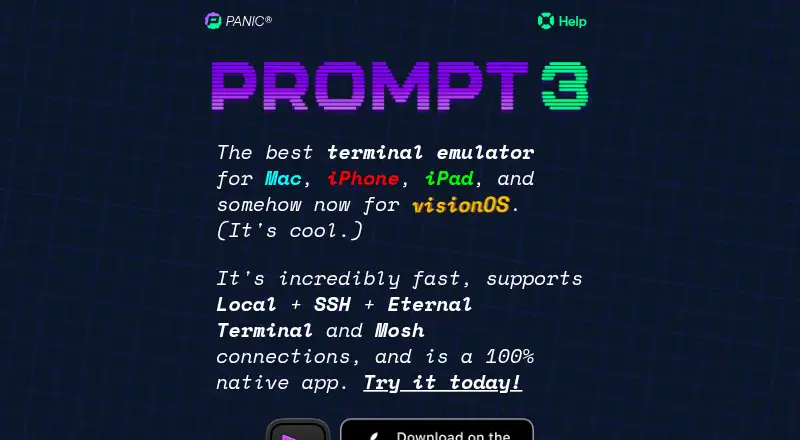
Prompt is a native terminal and SSH client from Panic for connecting to remote servers across Mac, iPhone, iPad, and visionOS. It suits Apple users who need more than basic SSH, with support for SSH, Telnet, Mosh, Eternal Terminal, port forwarding, jump hosts, agent forwarding, terminal tabs, and local shells on Mac. Omniview, reusable Clips, custom themes, and custom fonts add organization and personalization for recurring remote work.
Pricing is straightforward for the annual plan: Prompt 3 iOS + Mac costs $9.99 per year and includes unlimited access on macOS, iOS, iPadOS, and visionOS, Panic Sync, and future major versions while subscribed. A seven-day free trial is available. Prompt 3 One Time provides access across Mac, iOS/iPadOS, and visionOS with no future charges. Panic Sync extends the Apple ecosystem fit by synchronizing servers, passwords, keys, and clips, while Secure Enclave and YubiKey authentication support hardware-backed access workflows.
Prompt’s main limitation is scope: it is a terminal and SSH client rather than an SFTP tool, so users who need file transfer should choose an alternative with SFTP support. The product also centers its experience on Apple platforms, making it a less natural fit for teams working across other operating systems. For Apple-based professionals who value Mosh, forwarding, synchronized connection data, tabs, and hardware-backed authentication, Prompt offers a focused feature set. Users seeking a free plan, SFTP, or broader platform coverage should look elsewhere.
Questions about Prompt
Does Prompt have a free plan? No free plan is listed; paid plans start at $9.99/yr (Prompt 3 iOS + Mac (Annual)).
Is there a free trial of Prompt? Yes: a 7-day free trial.
What does Prompt run on? macOS and iOS. It runs as a desktop app and as a mobile app.
Who is Prompt built for? Solo users and small businesses (our editorial estimate).
Your product? Our editors can test Prompt in depth and publish a review, labelled as paid · from $149/mo →
Prompt pricing
All 2 Prompt plans and prices →
Prompt fact sheet
| Free plan | No |
|---|---|
| Paid from | $9.99/yr |
| Supported protocols | SSH, Telnet, Mosh, Eternal Terminal, and port forwarding |
| Supported platforms | macOS, iOS/iPadOS, and visionOS |
| SFTP support | Not verified |
| Port forwarding | Yes |
| Session management | Tabs |
| Team session sharing | Not verified |
| Free trial | 7 days |
| Deployment | Desktop, Mobile |
| Platforms | macOS, iOS |
| Support | Email, Docs |
| Built for | Solo, Small business (editorial estimate) |
| Pricing | 7-day trial (source) |
| Website | panic.com |
| Facts checked | 20 Sep 2026 |
Alternatives to Prompt
- TabbyA free, open-source terminal with broad shell support and advanced SSH workflows.9.2
- OpenSSHA mature, foundational SSH suite for command-line remote access, transfer, and tunneling.9.1
- PuTTYA capable free SSH client with broad protocol support and basic session management.9.0


Used Prompt? Be the first to review it
The editor score above is our own research. What this page doesn't have yet is a reader's view — what you used Prompt for, what worked and what didn't. No stars are seeded and no review is paid for; an editor reads every one before it appears.
Write a reviewTwo minutes · verified accounts only · read by an editor before it appears
Featured on iTechGuides

Prompt is listed in our SSH Clients directory. Add the badge to your site — it links back to this page.
<a href="https://www.itechguides.com/products/prompt/"><img src="https://www.itechguides.com/best/badge/prompt.svg" alt="Featured on iTechGuides" width="230" height="46"></a>
Reviewed by iTechGuides Editors · Editorial team · Updated Nov 2026
Advertiser disclosure: iTechGuides is reader-supported. Vendors can pay for top positions in our rankings and for a place on other products' pages, and we may earn a commission when you click some links. Bought places stand at the number bought; this page and our disclosure say so. Paying vendors may get a fuller, more detailed review from our editors, and that review can change their score. How we rank.
Last updated · How we research and update