ProFind
ProFind: A feature-rich Mac search tool for users who need more than filename matching. Ranked #37 of 57 in Desktop Search Software by our editors (5.1/10); pricing: 14-day trial; best for mac users wanting natural-language local search.
At a glance
- Editor score5.1 / 10
- Pricing14-day trial
- Best forMac users wanting natural-language local search
- Free planNo
- Content searchYes
- Facts checked20 Sep 2026
Where it wins
- Searches file content, PDFs, documents, archives, and scanned files
- Combines natural-language queries with Boolean search and a visual editor
- Extends from Mac to iOS with remote searching and result sharing
Where it doesn't
- No time-unlimited free plan is offered
- Some features, including OCR and disk caching, are optional
- App Store pricing is not stated
Our verdict on ProFind
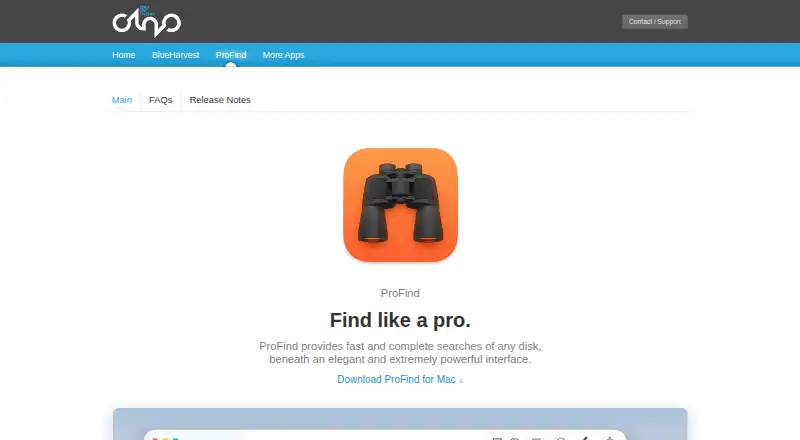
ProFind is a macOS desktop search application for finding files and folders across local, external, server, and network disks. It is aimed at Mac users who need to search file contents, metadata, archives, scanned documents, and photos—not just filenames. Its companion iOS app adds remote Mac searching over an encrypted local-network connection, with options to preview, download, or share results.
The pricing structure is straightforward but split across purchase routes. A full-version trial lasts 14 days. The direct-purchase plan is listed at $US6.99 for the Mac version. The App Store version provides full functionality through a one-off in-app purchase, with the purchase amount not stated. There is no time-unlimited free plan. The main value comes from the breadth of search methods: natural-language search with autocomplete, Boolean queries through a visual editor, content search in PDF, Word, RTF, and other supported files, plus searches inside ZIP and TAR archives. Optional OCR extends searches to image-based and scanned files, while on-device image recognition supports photo searches.
ProFind also fits workflows that need actions after search. Results can launch shell scripts, AppleScripts, and macOS Shortcuts, and searches can be saved or exported to text and CSV. Optional disk caching is intended for faster searches and disconnected disks, while QuickLook supports previews. These capabilities make ProFind a strong choice for people managing mixed local, external, network, and cached disks. It is less suitable for buyers seeking a free search utility, a single-platform iOS tool, or fully stated pricing across every purchase channel.
Your product? Our editors can test ProFind in depth and publish a review, labelled as paid · from $149/mo →
ProFind pricing
All 3 ProFind plans and prices →
ProFind fact sheet
| Free plan | No |
|---|---|
| Paid from | Not verified |
| Supported platforms | macOS, iOS |
| Index locations | home folders, Mac disks, local disks, external disks, servers, network volumes, cached disks, open Finder folders |
| Content search | Yes |
| Email search | Yes |
| Message search | Not verified |
| OCR search | Yes |
| Indexed-item limit | Not verified |
| Free trial | 14 days |
| Deployment | Desktop, Mobile |
| Platforms | macOS, iOS |
| Support | Tickets |
| Built for | Solo, Small business (editorial estimate) |
| Integrations | 4 integrations: macOS Shortcuts, AppleScript, shell scripts, QuickLook |
| Pricing | 14-day trial (source) |
| Website | zeroonetwenty.com |
| Facts checked | 20 Sep 2026 |
ProFind integrations
ProFind lists 4 integrations on its own site.
- macOS Shortcuts
- AppleScript
- shell scripts
- QuickLook
Alternatives to ProFind
- EverythingA free Windows search utility for instant filename and path discovery.9.3
- Copernic Desktop SearchA Windows search tool for broad local, network, email, and cloud indexing.9.2
- DocFetcherA free, portable full-text search tool for local files, archives, and PST email.9.0



See all ProFind alternatives →
Used ProFind? Be the first to review it
The editor score above is our own research. What this page doesn't have yet is a reader's view — what you used ProFind for, what worked and what didn't. No stars are seeded and no review is paid for; an editor reads every one before it appears.
Write a reviewTwo minutes · verified accounts only · read by an editor before it appears
Featured on iTechGuides

ProFind is listed in our Desktop Search Software directory. Add the badge to your site — it links back to this page.
<a href="https://www.itechguides.com/products/profind/"><img src="https://www.itechguides.com/best/badge/profind.svg" alt="Featured on iTechGuides" width="230" height="46"></a>
Reviewed by iTechGuides Editors · Editorial team · Updated Oct 2026
Advertiser disclosure: iTechGuides is reader-supported. Vendors can pay for top positions in our rankings and for a place on other products' pages, and we may earn a commission when you click some links. Bought places stand at the number bought; this page and our disclosure say so. Paying vendors may get a fuller, more detailed review from our editors, and that review can change their score. How we rank.
Last updated · How we research and update