
Power8
Power8: A feature-rich Windows Start replacement for users who want more control over search and taskbar behavior. Ranked #7 of 39 in Start Menu Customization Software by our editors (8.4/10); pricing: Open source; best for users wanting a feature-rich Start replacement.
At a glance
- Editor score8.4 / 10
- PricingOpen source
- Best forUsers wanting a feature-rich Start replacement
- Paid fromFree
- Supported WindowsWindows_10
- Facts checked21 Sep 2026
Where it wins
- Search spans apps, control-panel items, files, documents, and network items
- Includes power actions, pinning, recent apps, and Jump Lists
- Extensive taskbar and Start button customization options
Where it doesn't
- Windows-only utility with Windows 10 as the documented supported platform
- Overlay replacement may not suit users seeking a native Start menu experience
- Internet search shortcuts depend on configurable external search providers
Our verdict on Power8
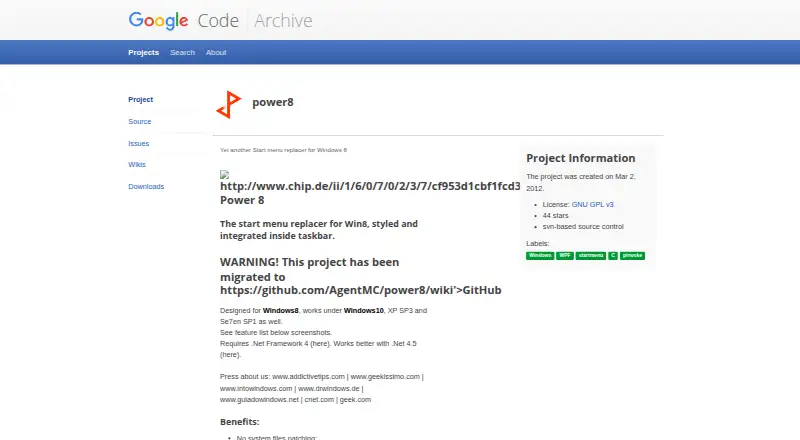
Power8 is an open-source Windows desktop utility that replaces the standard Start menu with a taskbar-integrated overlay. It is aimed at Windows users who prefer a compact, classic-style launcher with more control over programs, folders, power actions, recent applications, and Start button behavior. The menu presents programs and folders with icons and descriptions, while also providing access to control-panel elements, immersive apps, and supported application Jump Lists. Its documented platform focus is Windows 10.
Search is one of Power8’s strongest areas. Internal search covers Start menu items, control-panel elements, network items, and recent applications, while Windows Search integration extends results to files and documents. Configurable internet search shortcuts add another route for web queries. Keyboard activation through Alt+Z, recent-application pinning, and jump-list access make the replacement useful for people who want several ways to reach frequently used items without relying on the default Start layout.
Customization goes beyond menu contents. Power8 supports a configurable Start button image, aspect ratio and orientation behavior, plus extensive taskbar controls. It also includes direct actions for shutdown, sleep, hibernate, restart, log off, and lock. That breadth makes it a good fit for users who want an adjustable Start replacement rather than a narrow launcher. It is less suitable for people who need cross-platform support, a native Windows interface, or a focused tool with fewer controls. Users who prefer the standard Windows Start menu may find the overlay approach unnecessary, while those seeking classic navigation and configurable search have a stronger reason to consider Power8.
Your product? Our editors can test Power8 in depth and publish a review, labelled as paid · from $149/mo →
Power8 pricing
Power8 fact sheet
| Free plan | Not verified |
|---|---|
| Paid from | Free |
| Supported Windows | Windows_10 |
| Replacement mode | Overlay |
| Start button controls | Yes |
| Custom search | Yes |
| Taskbar controls | Extensive |
| Saved profiles | Not verified |
| Deployment | Desktop |
| Platforms | Windows |
| Support | Community, Docs |
| Built for | Solo, Small business (editorial estimate) |
| Pricing | Open source |
| Website | code.google.com |
| Facts checked | 21 Sep 2026 |
Alternatives to Power8
- Start11A paid Windows customization tool for detailed Start menu, taskbar, search, and deployment control.9.3
- Seelen UIA broad, free Windows shell replacement for users who want more than Start menu tweaks.9.1
- Open-Shell MenuA flexible classic Start menu replacement with useful search and shortcut controls.8.9
Power8 vs the competition
- Power8 vs Start11
- Power8 vs Seelen UI
- Power8 vs Open-Shell Menu
- Power8 vs StartIsBack
- Power8 vs StartAllBack
- Power8 vs Start Menu X



Compare Power8 with any tool side by side →
Used Power8? Be the first to review it
The editor score above is our own research. What this page doesn't have yet is a reader's view — what you used Power8 for, what worked and what didn't. No stars are seeded and no review is paid for; an editor reads every one before it appears.
Write a reviewTwo minutes · verified accounts only · read by an editor before it appears
Featured on iTechGuides

Power8 is listed in our Start Menu Customization Software directory. Add the badge to your site — it links back to this page.
<a href="https://www.itechguides.com/products/power8/"><img src="https://www.itechguides.com/best/badge/power8.svg" alt="Featured on iTechGuides" width="230" height="46"></a>
Reviewed by iTechGuides Editors · Editorial team · Updated Oct 2026
Advertiser disclosure: iTechGuides is reader-supported. Vendors can pay for top positions in our rankings and for a place on other products' pages, and we may earn a commission when you click some links. Bought places stand at the number bought; this page and our disclosure say so. Paying vendors may get a fuller, more detailed review from our editors, and that review can change their score. How we rank.
Last updated · How we research and update