Planify
Planify: A capable Linux task manager with sync, offline use, and no official mobile app. Ranked #58 of 148 in To-Do List Apps by our editors (3.1/10); pricing: Free plan; best for linux users wanting a free native app.
At a glance
- Editor score3.1 / 10
- PricingFree plan
- Best forLinux users wanting a free native app
- Free planYes
- Paid fromFree
- Recurring tasksYes
- Facts checked22 Sep 2026
Where it wins
- Free and open source with projects, subtasks, boards, and filters
- Flexible recurrence, multiple reminders, and natural-language dates
- Offline task use with Todoist and Nextcloud/CalDAV synchronization
Where it doesn't
- Linux-only, with desktop deployment and no official mobile app
- Mobile access depends on synchronized Todoist or Nextcloud apps
- Support is limited to email and community channels
Our verdict on Planify
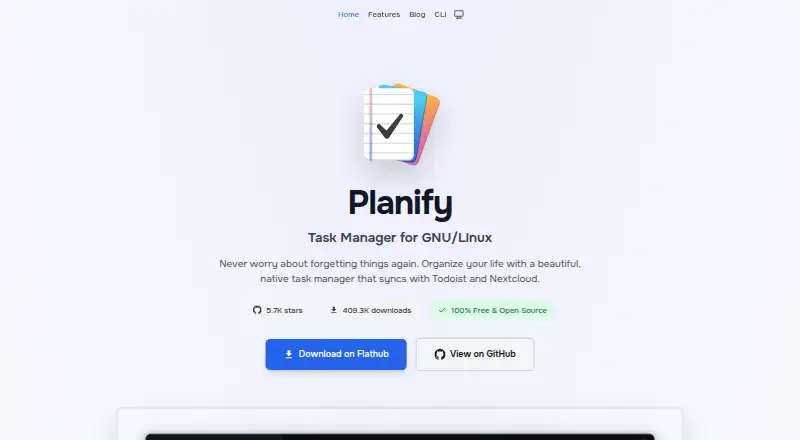
Planify is a free, open-source desktop task manager for GNU/Linux. It suits solo users and small teams who want structured task organization without a paid plan. Projects, sections, labels, priorities, custom filters, nested subtasks, sub-projects, attachments, links, and Markdown titles and descriptions support both simple lists and more detailed planning. Board views and progress tracking add a visual way to follow work, while a global quick-add shortcut helps capture tasks quickly.
Its strongest area is task depth for a Linux desktop app. Recurring tasks support flexible schedules, and multiple reminders can be added to tasks. Calendar integration supports event creation, while natural-language date parsing can turn date details into task information. Offline task use allows work without a connection, with later synchronization. These features make Planify a good fit for users managing personal projects, recurring responsibilities, and structured workflows from Linux.
Synchronization and platform fit are the main decision points. Planify can synchronize with Todoist and Nextcloud/CalDAV servers, including Radicale and Baïkal, giving users options beyond a local-only task list. Mobile access is available through synchronized Todoist or Nextcloud apps rather than through a Planify mobile app. Users who work primarily on GNU/Linux and value open-source desktop software should find the feature set well aligned with their needs. Those requiring native access across other platforms or a dedicated mobile application should choose an alternative with broader platform coverage.
Your product? Our editors can test Planify in depth and publish a review, labelled as paid · from $149/mo →
Planify pricing
Planify fact sheet
| Free plan | Yes |
|---|---|
| Paid from | Free |
| Recurring tasks | Yes |
| Task reminders | Yes |
| Calendar sync | Yes |
| Subtasks | Yes |
| Offline access | None |
| Active task limit | Not verified |
| Supported platforms | linux |
| Deployment | Desktop |
| Platforms | Linux |
| Support | Email, Community |
| Built for | Solo, Small business (editorial estimate) |
| Integrations | 5 integrations: Todoist, Nextcloud, CalDAV, Radicale, Baïkal |
| Pricing | Free plan |
| Website | useplanify.com |
| Facts checked | 22 Sep 2026 |
Planify integrations
Planify lists 5 integrations on its own site.
- Todoist
- Nextcloud
- CalDAV
- Radicale
- Baïkal
Alternatives to Planify
- TodoistA complete task manager with broad platform coverage, recurring tasks, and team workspaces.9.2
- TickTickA broad to-do app for users who want tasks, planning, habits, and focus tools together.9.0
- Microsoft To DoA capable free choice for daily planning, shared lists, and Microsoft-connected task management.8.8



See all Planify alternatives →
Used Planify? Be the first to review it
The editor score above is our own research. What this page doesn't have yet is a reader's view — what you used Planify for, what worked and what didn't. No stars are seeded and no review is paid for; an editor reads every one before it appears.
Write a reviewTwo minutes · verified accounts only · read by an editor before it appears
Featured on iTechGuides

Planify is listed in our To-Do List Apps directory. Add the badge to your site — it links back to this page.
<a href="https://www.itechguides.com/products/planify/"><img src="https://www.itechguides.com/best/badge/planify.svg" alt="Featured on iTechGuides" width="230" height="46"></a>
Reviewed by iTechGuides Editors · Editorial team · Updated Oct 2026
Advertiser disclosure: iTechGuides is reader-supported. Vendors can pay for top positions in our rankings and for a place on other products' pages, and we may earn a commission when you click some links. Bought places stand at the number bought; this page and our disclosure say so. Paying vendors may get a fuller, more detailed review from our editors, and that review can change their score. How we rank.
Last updated · How we research and update