
Photo Enhance AI
Photo Enhance AI: A mobile-friendly enhancer for sharpening, restoring, colorizing, and enlarging photos. Ranked #18 of 28 in AI Image Enhancers by our editors (7.1/10); pricing: Freemium; best for mobile enhancement and restoration basics.
At a glance
- Editor score7.1 / 10
- PricingFreemium
- Best forMobile enhancement and restoration basics
- Free planNo
- AI denoisingYes
- Facts checked20 Sep 2026
Where it wins
- Supports web, iOS, and Android
- Combines enhancement, restoration, and colorization tools
- Processes multiple photos and chained workflows
Where it doesn't
- No ongoing free plan
- Additional processing requires a subscription plan
- Not positioned as a full creative editing suite
Our verdict on Photo Enhance AI
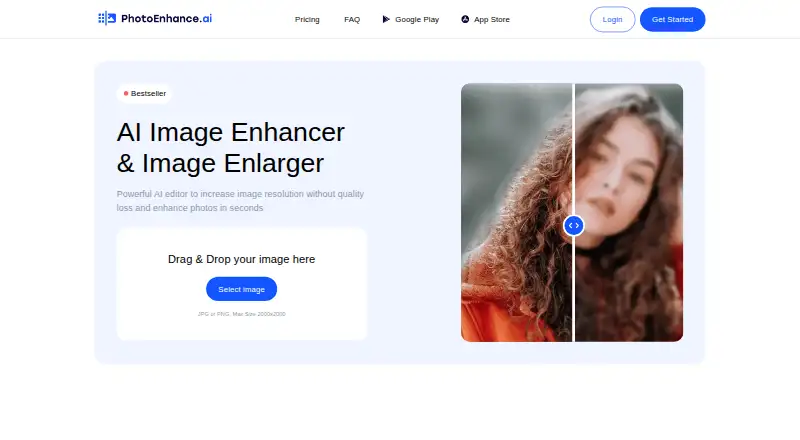
Photo Enhance AI is an image enhancement service for individuals, photographers, ecommerce users, printing services, and website teams. Its tools cover resolution enlargement, face sharpening, background denoising, black-and-white photo colorization, scratch and disturbance removal, and automatic lighting correction. The product is available through web, iOS, and Android, making it a fit for users who want restoration and enhancement workflows across browser and mobile environments.
Its strongest distinction is the range of restoration tasks combined in one workflow. Users can enhance image quality, sharpen faces, reduce background noise, correct lighting, colorize older photos, and remove scratches. Chained processing allows enhancement, colorization, and lighting adjustments to be combined, while simultaneous processing supports multiple photos at once. That combination suits personal photo restoration, product imagery, print preparation, and website content work more closely than a tool focused only on sharpening or enlargement.
Photo Enhance AI uses a freemium model, with free tokens provided after signup and subscription plans for additional processing. There is no ongoing free plan, so regular users should evaluate the subscription structure against their expected image volume. The product is a practical choice for people who need mobile access, restoration basics, and multi-photo workflows in a focused service. Users seeking a broader creative editor, extensive design controls, or a desktop-specific application should consider a different type of image software.
Your product? Our editors can test Photo Enhance AI in depth and publish a review, labelled as paid · from $149/mo →
Photo Enhance AI pricing
Photo Enhance AI fact sheet
| Free plan | No |
|---|---|
| Paid from | Not verified |
| AI denoising | Yes |
| Lighting enhancement | Yes |
| Color enhancement | Yes |
| Batch processing | Yes |
| Maximum upload size | Not verified |
| API access | Not verified |
| Deployment | Cloud, Mobile |
| Platforms | Web, iOS, Android |
| Built for | Solo, Small business (editorial estimate) |
| Pricing | Freemium |
| Website | photoenhance.ai |
| Facts checked | 20 Sep 2026 |
Alternatives to Photo Enhance AI
- VanceAI Image EnhancerA flexible enhancer with free access, desktop apps, batch processing, and an API.9.4
- Topaz PhotoA deep desktop enhancer for photographers who need RAW, batch, masking, and AI retouching tools.9.1
- Media.io Gemini Photo EnhanceA broad free web enhancer for sharpening, restoring, upscaling, and refining photos.8.8



See all Photo Enhance AI alternatives →
Used Photo Enhance AI? Be the first to review it
The editor score above is our own research. What this page doesn't have yet is a reader's view — what you used Photo Enhance AI for, what worked and what didn't. No stars are seeded and no review is paid for; an editor reads every one before it appears.
Write a reviewTwo minutes · verified accounts only · read by an editor before it appears
Featured on iTechGuides

Photo Enhance AI is listed in our AI Image Enhancers directory. Add the badge to your site — it links back to this page.
<a href="https://www.itechguides.com/products/photo-enhance-ai/"><img src="https://www.itechguides.com/best/badge/photo-enhance-ai.svg" alt="Featured on iTechGuides" width="230" height="46"></a>
Reviewed by iTechGuides Editors · Editorial team · Updated Oct 2026
Advertiser disclosure: iTechGuides is reader-supported. Vendors can pay for top positions in our rankings and for a place on other products' pages, and we may earn a commission when you click some links. Bought places stand at the number bought; this page and our disclosure say so. Paying vendors may get a fuller, more detailed review from our editors, and that review can change their score. How we rank.
Last updated · How we research and update