
PDFescape
PDFescape: A low-cost PDF editor for editing, forms, signatures, and redaction. Ranked #18 of 102 in PDF Editors by our editors (6.4/10); pricing: Free plan · paid from $2.99/mo (annual) · 7-day trial; best for budget-conscious Windows and web users.
At a glance
- Editor score6.4 / 10
- PricingFree plan · paid from $2.99/mo (annual) · 7-day trial
- Best forBudget-conscious Windows and web users
- Free planYes
- OCRNo
- Facts checked20 Sep 2026
Where it wins
- Free plan covers editing, markup, forms, and sharing
- Annual paid plans start at $2.99 per month
- Ultimate adds signing, sealing, and permanent redaction
Where it doesn't
- OCR is not currently available
- Works on web and Windows, without broader platform coverage
- Advanced features require the Ultimate plan
Our verdict on PDFescape
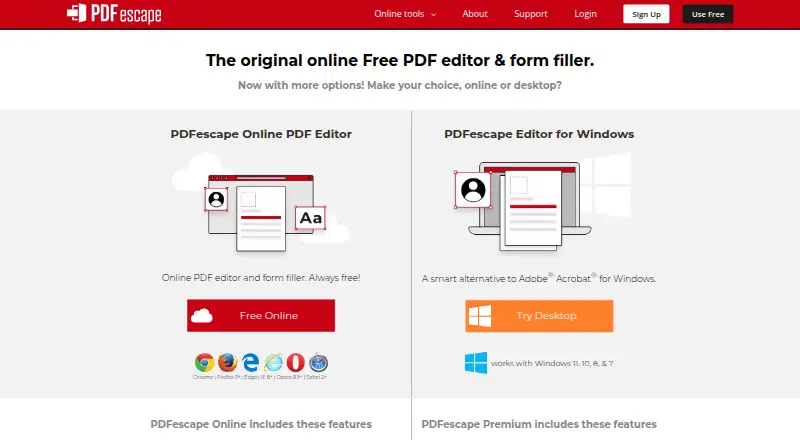
PDFescape is a browser-based PDF reader, editor, form filler, and form designer, with a Windows desktop application for expanded editing. It suits individuals and organizations that need practical PDF workflows without committing to a higher-cost editor. The free plan covers online PDF editing, annotation and markup, form filling, basic form creation, and PDF sharing. Across its plans, PDFescape supports text and image editing, page management, conversion, compression, password protection, encryption, digital signatures, and redaction.
Pricing is straightforward across the published annual plans. Free provides the core online tools. Premium costs $2.99 per month when billed annually and adds desktop editing, existing text and image editing, page combining and extraction, conversion to Word and other formats, compression, and paper scanning to PDF. Ultimate costs $5.99 per month when billed annually and includes Premium features plus advanced forms, digital signing and sealing, permanent PDF redaction, and PDF form publishing. A seven-day free trial is also available. The paid tiers make the most sense for users who need desktop access, document conversion, or more advanced form and signing workflows.
Its main advantage is breadth within everyday PDF tasks, particularly for forms and document cleanup. Users can create basic or advanced fillable forms, merge, extract, crop, rotate, and delete pages, and protect documents with passwords and encryption. However, OCR is not currently available, which limits workflows that depend on extracting text from scanned documents. PDFescape is a sensible choice for budget-conscious web and Windows users handling routine editing, forms, annotations, signatures, and redaction. Users who require OCR or a wider platform ecosystem should choose an alternative.
PDFescape pricing
All 3 PDFescape plans and prices →
PDFescape fact sheet
| Free plan | Yes |
|---|---|
| Paid from | Not verified |
| Text editing | Yes |
| Annotation tools | Yes |
| OCR | No |
| PDF conversion | Yes |
| Form creation | Yes |
| Supported platforms | web, windows |
| Free trial | 7 days |
| Money-back guarantee | 15 days |
| Deployment | Cloud, Desktop |
| Platforms | Web, Windows |
| Support | Live chat, Tickets, Docs |
| Built for | Solo, Small business, Mid-market, Enterprise (editorial estimate) |
| Integrations | 1 integrations: Direct ASP.NET integration |
| Pricing | Free plan · paid from $2.99/mo (annual) · 7-day trial (source) |
| Website | pdfescape.com |
| Facts checked | 20 Sep 2026 |
PDFescape integrations
PDFescape lists 1 integrations on its own site.
- Direct ASP.NET integration
Alternatives to PDFescape
- Foxit PDF EditorA mature PDF workspace with deep editing, OCR, forms, security, and integrations.9.8
- iLovePDFA broad PDF toolkit with free access, offline desktop processing, and cross-device apps.8.8
- SmallpdfA broad PDF toolkit for simple editing across web, Windows, mobile, and Chrome.8.7


See all PDFescape alternatives →
Also listed in
Used PDFescape? Be the first to review it
The editor score above is our own research. What this page doesn't have yet is a reader's view — what you used PDFescape for, what worked and what didn't. No stars are seeded and no review is paid for; an editor reads every one before it appears.
Write a reviewTwo minutes · verified accounts only · read by an editor before it appears
Featured on iTechGuides

PDFescape is listed in our PDF Editors directory. Add the badge to your site — it links back to this page.
<a href="https://www.itechguides.com/products/pdfescape/"><img src="https://www.itechguides.com/best/badge/pdfescape.svg" alt="Featured on iTechGuides" width="230" height="46"></a>
Guides on PDF editors
- Best PDF editor 2026: The top PDF editing software comparedAug 2026
- Best free PDF editor 2026: Top picks tested for PC & mobileAug 2026
- Best PDF Editor for Mac (2026): Best tools for text edits, OCR & annotationsAug 2026
Reviewed by iTechGuides Editors · Editorial team · Updated Sep 2026
Advertiser disclosure: iTechGuides is reader-supported. We may earn a commission when you click some links. How we rank.
Last updated · How we research and update