PassSecurium
PassSecurium: A team password manager with shared vaults, access controls, and a free plan. Ranked #31 of 38 in Password Management Software by our editors (6.3/10); pricing: Free plan; best for small teams sharing credentials across devices.
At a glance
- Editor score6.3 / 10
- PricingFree plan
- Best forSmall teams sharing credentials across devices
- Free planYes
- Paid from2.50 CHF/mo
- Team sharingYes
- Facts checked23 Sep 2026
Where it wins
- Shared vaults with role-, group-, and permission-based access
- Offline mode in mobile apps, plus file attachments
- Corporate adds LDAP/AD integration and single sign-on
Where it doesn't
- Premium starts at CHF 4 per user monthly
- LDAP/AD integration and single sign-on require Corporate
- The listed integrations focus on identity directories
Our verdict on PassSecurium
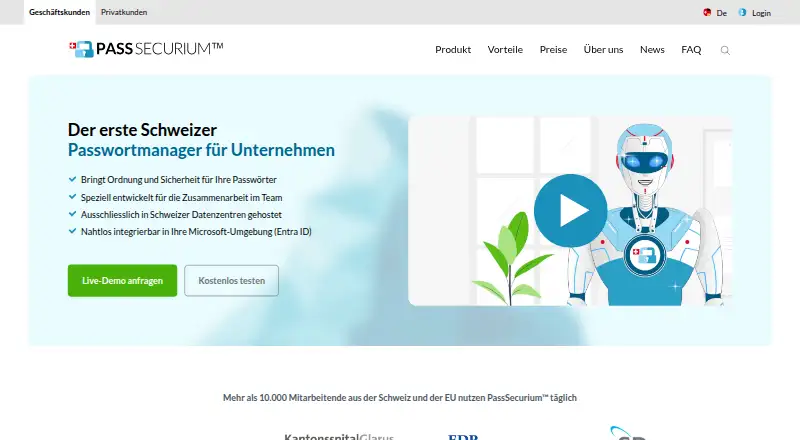
PassSecurium is a password manager for individuals and teams that stores credentials in shared vaults and supports sharing, folders, autofill, and password generation. Small teams that need controlled access to shared credentials are a natural fit, particularly if staff need offline access from mobile apps. Browser, desktop, and mobile apps are available, along with a browser extension. The vendor says data is hosted in Swiss data centers and lists GDPR among its compliance details.
Plan differences matter for teams evaluating cost. The Free plan costs CHF 0 and includes a password generator, web and mobile apps, offline mode, file attachments, and two-factor authentication. Standard is listed at CHF 2.5 per month and is described as for individual use. Premium costs CHF 4 per user per month and adds user and permission management alongside browser, desktop, and mobile apps and offline mobile mode. Corporate costs CHF 5 per user per month and adds LDAP/Active Directory integration and single sign-on to Premium features. Teams should compare those tiers against their need for account administration: the published plans put team-oriented permission management in Premium, while directory connection and SSO require Corporate.
The product’s team controls include role-, group-, and permission-based access, activity logging, security policies for administrators, and multi-factor authentication, including one-time codes. That combination is relevant where teams need to manage access and review account activity. Integration coverage is narrower than a broad business software ecosystem: the listed options are Microsoft Entra ID, Active Directory, and LDAP. Support channels listed are email and documentation. Choose PassSecurium if shared vaults, offline mobile access, and directory integration at the Corporate tier match the team’s needs; consider alternatives if a wider range of integrations is central to the decision.
Your product? Our editors can test PassSecurium in depth and publish a review, labelled as paid · from $149/mo →
PassSecurium pricing
All 4 PassSecurium plans and prices →
PassSecurium fact sheet
| Free plan | Yes |
|---|---|
| Paid from | 2.50 CHF/mo |
| Team sharing | Yes |
| Admin controls | Yes |
| SSO support | Yes |
| MFA support | Yes |
| Audit logs | Yes |
| Supported platforms | Browser, desktop, and mobile apps; browser extension |
| Deployment | Cloud, Desktop, Mobile, Browser extension |
| Platforms | Web, Windows, macOS, Linux, iOS, Android, Chrome extension |
| Compliance & security | GDPR |
| Support | Email, Docs |
| Built for | Small business, Mid-market, Enterprise (editorial estimate) |
| Integrations | 3 integrations: Microsoft Entra ID, Active Directory, LDAP |
| Pricing | Free plan (source) |
| Website | pass-securium.ch |
| Facts checked | 23 Sep 2026 |
PassSecurium integrations
PassSecurium lists 3 integrations on its own site.
- Microsoft Entra ID
- Active Directory
- LDAP
Alternatives to PassSecurium
- 1PasswordA feature-rich password manager with strong sharing and business controls, but no free plan.9.4
- LastPassA mature password manager with a capable free tier and broad device coverage.9.3
- Proton PassA broad, open-source password vault with a capable free plan and business tiers.9.2


See all PassSecurium alternatives →
Used PassSecurium? Be the first to review it
The editor score above is our own research. What this page doesn't have yet is a reader's view — what you used PassSecurium for, what worked and what didn't. No stars are seeded and no review is paid for; an editor reads every one before it appears.
Write a reviewTwo minutes · verified accounts only · read by an editor before it appears
Featured on iTechGuides

PassSecurium is listed in our Password Management Software directory. Add the badge to your site — it links back to this page.
<a href="https://www.itechguides.com/products/passsecurium/"><img src="https://www.itechguides.com/best/badge/passsecurium.svg" alt="Featured on iTechGuides" width="230" height="46"></a>
Reviewed by iTechGuides Editors · Editorial team · Updated Oct 2026
Advertiser disclosure: iTechGuides is reader-supported. Vendors can pay for top positions in our rankings and for a place on other products' pages, and we may earn a commission when you click some links. Bought places stand at the number bought; this page and our disclosure say so. Paying vendors may get a fuller, more detailed review from our editors, and that review can change their score. How we rank.
Last updated · How we research and update