OpenTodo
OpenTodo: A focused web task manager with smart lists, subtasks, sync, and bulk actions. Ranked #128 of 148 in To-Do List Apps by our editors (3.0/10); pricing: Open source; best for minimal open-source web task lists.
At a glance
- Editor score3.0 / 10
- PricingOpen source
- Best forMinimal open-source web task lists
- Paid fromFree
- Facts checked22 Sep 2026
Where it wins
- Smart lists cover My Day, Important, Planned, and custom views
- Nested subtasks and bulk actions support organized task management
- Automatic synchronization, search, sorting, wallpapers, and dark mode
Where it doesn't
- Web-only availability may not suit native-app workflows
- Designed for solo and small-team use rather than larger organizations
- Focused task management may not fit broader workflow needs
Our verdict on OpenTodo
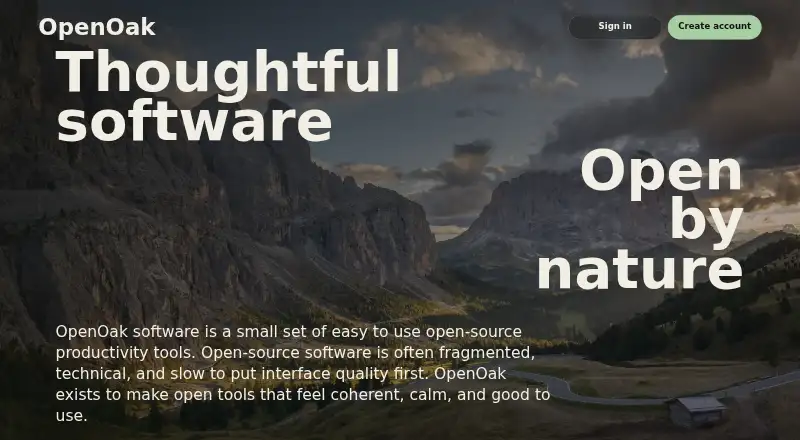
OpenTodo is an open-source web to-do app from OpenOak for personal lists and daily planning. Its smart lists include My Day, Important, Planned, and custom lists, giving solo users and small teams several ways to organize active work. The product also supports nested subtasks, task search, sorting, and bulk actions, while wallpapers and dark mode provide visual customization. Automatic synchronization between devices keeps lists available across supported web access points.
The product’s main strength is its combination of focused list management and flexible organization. Smart lists separate urgent, important, and scheduled work, while custom lists support personal workflows. Nested subtasks add structure beneath larger tasks, and bulk actions reduce repetitive list maintenance. Search and sorting are useful when a personal task collection grows beyond a short daily checklist. As an open-source product, OpenTodo may also appeal to buyers who prefer software with an openly developed foundation.
OpenTodo is a good fit for people who want a straightforward web task manager with more structure than a basic checklist. It is less suitable for buyers who require native-platform workflows, extensive integrations, or a broader system for complex organizational coordination. The published positioning centers on personal lists and daily planning, with company-size fit for solo users and small teams. Choose OpenTodo when smart lists, nested subtasks, synchronization, and a focused interface are the priority; consider a broader task platform when advanced workflow depth or larger-team requirements matter more.
Your product? Our editors can test OpenTodo in depth and publish a review, labelled as paid · from $149/mo →
OpenTodo pricing
OpenTodo fact sheet
| Free plan | Not verified |
|---|---|
| Paid from | Free |
| Recurring tasks | Not verified |
| Task reminders | Not verified |
| Calendar sync | Not verified |
| Subtasks | Yes |
| Offline access | Not verified |
| Active task limit | Not verified |
| Supported platforms | web |
| Deployment | Cloud |
| Platforms | Web |
| Built for | Solo, Small business (editorial estimate) |
| Pricing | Open source |
| Website | openoak.org |
| Facts checked | 22 Sep 2026 |
Alternatives to OpenTodo
- TodoistA complete task manager with broad platform coverage, recurring tasks, and team workspaces.9.2
- TickTickA broad to-do app for users who want tasks, planning, habits, and focus tools together.9.0
- Microsoft To DoA capable free choice for daily planning, shared lists, and Microsoft-connected task management.8.8



See all OpenTodo alternatives →
Used OpenTodo? Be the first to review it
The editor score above is our own research. What this page doesn't have yet is a reader's view — what you used OpenTodo for, what worked and what didn't. No stars are seeded and no review is paid for; an editor reads every one before it appears.
Write a reviewTwo minutes · verified accounts only · read by an editor before it appears
Featured on iTechGuides

OpenTodo is listed in our To-Do List Apps directory. Add the badge to your site — it links back to this page.
<a href="https://www.itechguides.com/products/opentodo/"><img src="https://www.itechguides.com/best/badge/opentodo.svg" alt="Featured on iTechGuides" width="230" height="46"></a>
Reviewed by iTechGuides Editors · Editorial team · Updated Oct 2026
Advertiser disclosure: iTechGuides is reader-supported. Vendors can pay for top positions in our rankings and for a place on other products' pages, and we may earn a commission when you click some links. Bought places stand at the number bought; this page and our disclosure say so. Paying vendors may get a fuller, more detailed review from our editors, and that review can change their score. How we rank.
Last updated · How we research and update