ODL Studio
ODL Studio: A capable free desktop mapper for territory planning, routing and spreadsheet-based customer analysis. Ranked #24 of 33 in Sales Mapping Software by our editors (6.9/10); pricing: Free plan; best for open-source desktop mapping users.
At a glance
- Editor score6.9 / 10
- PricingFree plan
- Best forOpen-source desktop mapping users
- Free planYes
- Paid fromFree
- Territory managementYes
- Facts checked22 Sep 2026
Where it wins
- Free and open source across Windows, macOS and Linux
- Combines territory optimization, heatmaps and route scheduling
- Supports Excel, LibreOffice Calc and OpenOffice Calc workflows
Where it doesn't
- No mobile access
- No CRM integration
- Desktop workflow may not suit mobile field teams
Our verdict on ODL Studio
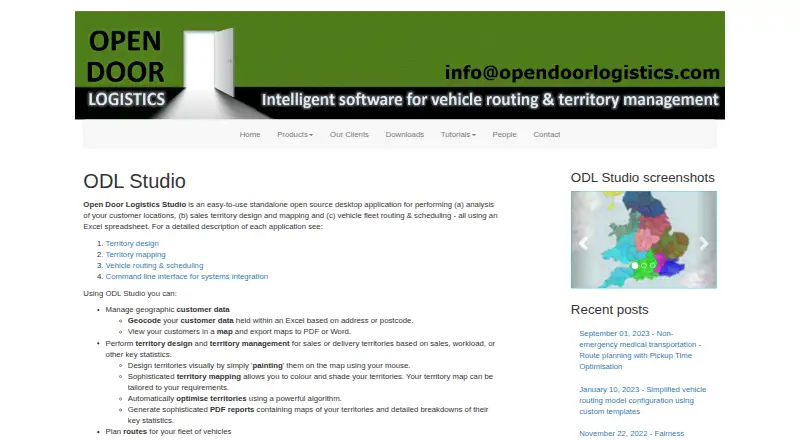
ODL Studio is a standalone open-source desktop application for organizations that analyze customer locations, design sales or delivery territories, and plan vehicle routes. It works with Excel-based customer data and supports geocoding by address or postcode, interactive maps, manual territory editing, automatic territory optimization, heatmaps, route scheduling, route editing, route statistics, and report exports. Windows, macOS, and Linux users can run the software, making it a fit for teams that prefer desktop mapping over browser or mobile tools.
The product’s main strength is its breadth within geographic planning. Users can move from spreadsheet data to customer and territory maps, then adjust territories manually or optimize them automatically. Territory quantity heatmaps help visualize geographic distribution, while vehicle route scheduling and optimization extend the workflow beyond sales mapping into delivery and fleet planning. Integrations with Microsoft Excel, LibreOffice Calc, OpenOffice Calc, GraphHopper, and OpenStreetMap support the core data and mapping workflow. CSV import is also available through the documented ODL workflow, alongside PDF and other report exports.
ODL Studio is a practical choice for organizations seeking free, open-source territory software without a subscription plan. Its focus is clearly desktop-based: there is no mobile access, and CRM integration is not part of the product’s positioning. That makes it less suitable for teams that need field representatives to work from mobile devices or want customer and territory workflows connected directly to a CRM. Choose ODL Studio for spreadsheet-driven territory design, mapping, and route planning across desktop operating systems; consider an alternative when mobile operations or CRM connectivity is central.
Your product? Our editors can test ODL Studio in depth and publish a review, labelled as paid · from $149/mo →
ODL Studio pricing
ODL Studio fact sheet
| Free plan | Yes |
|---|---|
| Paid from | Free |
| CRM sync | Not verified |
| Territory management | Yes |
| Activity heatmaps | Yes |
| Mobile access | None |
| Account limit | Not verified |
| Territory limit | Not verified |
| CSV import | Yes |
| Deployment | Desktop |
| Platforms | Windows, macOS, Linux |
| Support | Email, Docs |
| Built for | Solo, Small business (editorial estimate) |
| Integrations | 5 integrations: Microsoft Excel, LibreOffice Calc, OpenOffice Calc, GraphHopper, OpenStreetMap |
| Pricing | Free plan |
| Website | opendoorlogistics.com |
| Facts checked | 22 Sep 2026 |
ODL Studio integrations
ODL Studio lists 5 integrations on its own site.
- Microsoft Excel
- LibreOffice Calc
- OpenOffice Calc
- GraphHopper
- OpenStreetMap
Alternatives to ODL Studio
- Badger MapsA broad field-sales mapping suite for teams that need routing, territories, and CRM sync.9.3
- Map My CustomersA feature-rich field sales platform for teams that need mapping, CRM sync, and field intelligence.9.2
- OutfieldA broad field-sales CRM combining mapping, routing, lead capture, and order workflows.9.0



See all ODL Studio alternatives →
Used ODL Studio? Be the first to review it
The editor score above is our own research. What this page doesn't have yet is a reader's view — what you used ODL Studio for, what worked and what didn't. No stars are seeded and no review is paid for; an editor reads every one before it appears.
Write a reviewTwo minutes · verified accounts only · read by an editor before it appears
Featured on iTechGuides

ODL Studio is listed in our Sales Mapping Software directory. Add the badge to your site — it links back to this page.
<a href="https://www.itechguides.com/products/odl-studio/"><img src="https://www.itechguides.com/best/badge/odl-studio.svg" alt="Featured on iTechGuides" width="230" height="46"></a>
Reviewed by iTechGuides Editors · Editorial team · Updated Oct 2026
Advertiser disclosure: iTechGuides is reader-supported. Vendors can pay for top positions in our rankings and for a place on other products' pages, and we may earn a commission when you click some links. Bought places stand at the number bought; this page and our disclosure say so. Paying vendors may get a fuller, more detailed review from our editors, and that review can change their score. How we rank.
Last updated · How we research and update