
MyQ X
MyQ X: A broad hybrid print management suite with secure release, controls and integrations. Ranked #5 of 37 in Print Management Software by our editors (8.6/10); pricing: Free plan; best for teams needing broad hybrid print management.
At a glance
- Editor score8.6 / 10
- PricingFree plan
- Best forTeams needing broad hybrid print management
- Free planYes
- Secure releaseYes
- Founded1992 · Prague, Czech Republic
- Facts checked20 Sep 2026
Where it wins
- Secure pull printing, authentication, quotas and rule-based policies
- Hybrid deployment with web, desktop, mobile and self-hosted support
- Broad integrations plus REST API access for workflows and applications
Where it doesn't
- Paid Enterprise and Ultimate editions use quote-based pricing
- Advanced document workflows are concentrated in the ULTIMATE edition
- Its broad administration features may exceed the needs of simple print teams
Our verdict on MyQ X
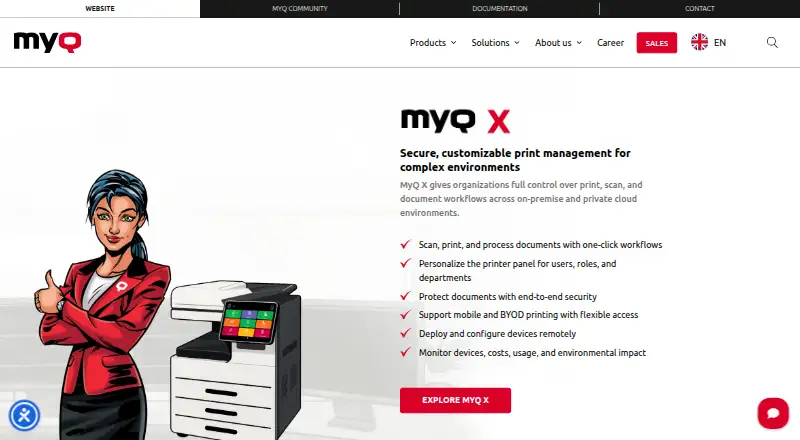
MyQ X is print management software for organizations that need centralized control over printers, multifunction devices, print costs and document workflows. It is aimed at IT teams managing shared print environments, departments with usage or cost controls, and businesses that need secure release across office and mobile workflows. Core capabilities include authentication before print release, user, group and department quotas, rule-based policies, reporting, printer provisioning and centralized device management. End users can print and release jobs from iOS and Android, while support extends across Windows, macOS, Chromebook, web and REST API environments.
The plan structure covers different levels of operational scope. SMART is a free plan focused on quick deployment, system management, mobile print, print management, accounting and reporting. ENTERPRISE Subscription adds the full MyQ X feature set, Software Assurance, advanced print management, embedded terminals, integrations and connectors. ENTERPRISE Perpetual provides the full feature set without license renewal, alongside advanced management, embedded terminals, integrations and connectors. ULTIMATE adds Scan Review and advanced print and document workflows. Enterprise and Ultimate editions are quote-based, so buyers should compare the required workflow depth and licensing model before selecting a tier.
MyQ X fits environments where print governance and ecosystem connections matter. It connects with Microsoft Entra ID, Google Workspace, Microsoft Universal Print, cloud storage services, Power BI, SAP and other systems, with REST API access for external applications and workflows. Its hybrid deployment model supports on-premises, private and hybrid cloud environments. Teams seeking quotas, policy rules, secure release and detailed reporting should consider MyQ X. Organizations that only need basic printer access or a narrowly focused printing utility may prefer a simpler product.
Questions about MyQ X
What does MyQ X run on? Web, Windows, macOS, iOS, Android and Chrome extension. It runs in the cloud, self-hosted, as a desktop app, as a mobile app and as a browser extension.
What does MyQ X integrate with? 13 integrations, including Microsoft Entra ID, Google Workspace, OneDrive for Business, SharePoint Online and Google Drive.
Who is MyQ X built for? Small businesses, mid-market companies and enterprises (our editorial estimate).
Your product? Our editors can test MyQ X in depth and publish a review, labelled as paid · from $149/mo →
MyQ X pricing
All 4 MyQ X plans and prices →
MyQ X fact sheet
| Free plan | Yes |
|---|---|
| Paid from | Not verified |
| Secure release | Yes |
| Print quotas | Yes |
| Print policy rules | Yes |
| Deployment | Hybrid |
| Mobile printing | Yes |
| Reporting | Detailed |
| Supported platforms | Windows, macOS, iOS, Android, Chromebook, web and REST API |
| Deployment | Cloud, Self-hosted, Desktop, Mobile, Browser extension |
| Platforms | Web, Windows, macOS, iOS, Android, Chrome extension |
| Compliance & security | ISO 27001, GDPR, 2FA |
| Support | Docs |
| Built for | Small business, Mid-market, Enterprise (editorial estimate) |
| Integrations | 13 integrations: Microsoft Entra ID, Google Workspace, OneDrive for Business, SharePoint Online, Google Drive, Dropbox … See all → |
| Pricing | Free plan (source) |
| Website | myq-solution.com |
| Facts checked | 20 Sep 2026 |
MyQ X integrations
MyQ X lists 13 integrations on its own site.
- Microsoft Entra ID
- Google Workspace
- OneDrive for Business
- SharePoint Online
- Google Drive
- Dropbox
- Box
- Amazon S3
- Microsoft Universal Print
- Microsoft Exchange
- Power BI
- SAP
- REST API
Alternatives to MyQ X
- ApeosWare Management Suite 2Advanced print accounting and authenticated workflows for organizations managing networked devices.9.2
- Xerox Workplace SuiteA strong fit for organizations needing controlled, accountable printing on shared fleets.9.0
- PaperCut MFA mature choice for enterprises needing secure, policy-driven control across mixed print estates.8.8


MyQ X vs the competition
- MyQ X vs ApeosWare Management Suite 2
- MyQ X vs Xerox Workplace Suite
- MyQ X vs PaperCut MF
- MyQ X vs MyQ Roger
- MyQ X vs PrinterLogic
- MyQ X vs Pharos Blueprint



Compare MyQ X with any tool side by side →
Used MyQ X? Be the first to review it
The editor score above is our own research. What this page doesn't have yet is a reader's view — what you used MyQ X for, what worked and what didn't. No stars are seeded and no review is paid for; an editor reads every one before it appears.
Write a reviewTwo minutes · verified accounts only · read by an editor before it appears
Featured on iTechGuides

MyQ X is listed in our Print Management Software directory. Add the badge to your site — it links back to this page.
<a href="https://www.itechguides.com/products/myq-x/"><img src="https://www.itechguides.com/best/badge/myq-x.svg" alt="Featured on iTechGuides" width="230" height="46"></a>
Reviewed by iTechGuides Editors · Editorial team · Updated Nov 2026
Advertiser disclosure: iTechGuides is reader-supported. Vendors can pay for top positions in our rankings and for a place on other products' pages, and we may earn a commission when you click some links. Bought places stand at the number bought; this page and our disclosure say so. Paying vendors may get a fuller, more detailed review from our editors, and that review can change their score. How we rank.
Last updated · How we research and update