
Mvix
Mvix: A capable managed signage platform, though its upfront per-player pricing is high. Ranked #77 of 207 in Digital Signage Software by our editors (3.0/10); pricing: Free plan; best for established teams needing managed signage workflows.
At a glance
- Editor score3.0 / 10
- PricingFree plan
- Best forEstablished teams needing managed signage workflows
- Free planYes
- Paid from$450/device one-time
- Founded2005 · Sterling, Virginia, United States
- Facts checked20 Sep 2026
Where it wins
- Scheduling includes playlists, day-parting, rules, dates, times, and failover.
- Offline playback and remote monitoring support distributed screen networks.
- APIs, webhooks, approvals, and integrations support managed workflows.
Where it doesn't
- Core includes only 2 content zones.
- The starting price is $450 one-time per player.
- Advanced integrations and content apps require higher tiers.
Our verdict on Mvix
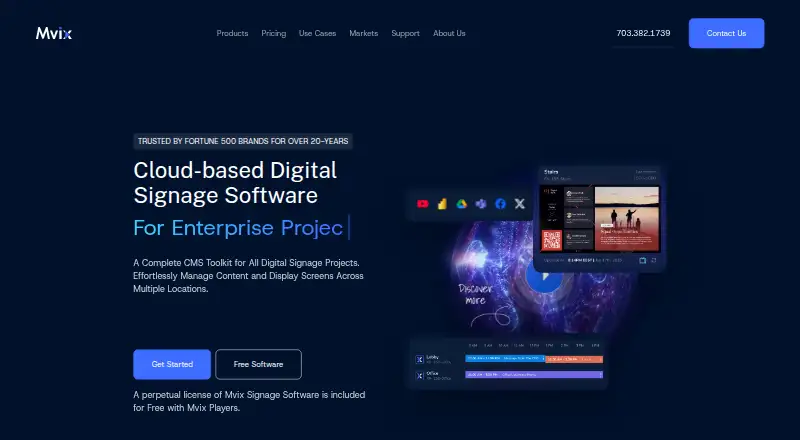
Mvix is a cloud-based digital signage content management system for organizations managing screens across multiple locations. It combines centralized media and asset management with drag-and-drop layout creation, playlists, scheduling, remote device controls, and offline playback. The platform supports images, videos, audio, PDFs, Microsoft Office files, webpages, RSS, and HTML5. Its positioning fits established teams that need managed workflows across distributed screens, multiple users, and recurring content operations.
Pricing is organized by player rather than as a simple software-only subscription. Core costs $450 one-time per player and includes the cloud digital signage software, offline playback, 2 content zones, and standard email and phone support. Standard costs $550 one-time per player and expands capacity to 6 content zones with additional content apps and features. Pro costs $750 one-time per player, provides 10 content zones, and adds advanced content apps and integrations. A free plan is also listed. The upfront per-player cost makes Mvix more suitable for teams budgeting for managed deployments than for organizations seeking the lowest initial spend.
Its workflow depth is the clearest reason to consider it. Time-, date-, and rule-based scheduling, day-parting, failover schedules, role-based access, approval workflows, remote monitoring, and offline playback address the operational needs of multi-location networks. Canva, Power BI, Tableau, YouTube, Google Calendar, Microsoft Office, Adobe Express, REST APIs, and webhooks extend the platform beyond basic screen playback. Choose Mvix when centralized control and content governance matter more than minimizing player costs. Teams needing only simple signage, 2 content zones, or a lower upfront price should consider an alternative.
Your product? Our editors can test Mvix in depth and publish a review, labelled as paid · from $149/mo →
Mvix pricing
Mvix fact sheet
| Free plan | Yes |
|---|---|
| Paid from | $450/device one-time |
| Screen limit | Not verified |
| Offline playback | Yes |
| Content types | images, videos, audio, PDFs, Microsoft Office files, webpages, RSS, HTML5 |
| User roles | Custom |
| API access | Yes |
| Mobile app | Not verified |
| Deployment | Cloud, Self-hosted, Mobile |
| Platforms | Web, Android |
| Compliance & security | SOC 2, ISO 27001, SSO/SAML |
| Support | Email, Phone, Docs |
| Built for | Small business, Mid-market, Enterprise (editorial estimate) |
| Integrations | 150+ integrations: Canva, Power BI, Tableau, YouTube, Google Calendar, Microsoft Office … |
| Pricing | Free plan (source) |
| Website | mvix.com |
| Facts checked | 20 Sep 2026 |
Mvix integrations
Mvix lists 150+ integrations on its own site — the 9 named here are the ones its pages call out.
- Canva
- Power BI
- Tableau
- YouTube
- Google Calendar
- Microsoft Office
- Adobe Express
- REST APIs
- Webhooks
Alternatives to Mvix
- OptiSignsA flexible signage platform with mobile administration, offline playback, and a free plan.9.3
- YodeckA flexible signage platform with a generous free tier and broad content support.9.2
- Play Digital SignageFeature-rich signage with a free screen option and wide platform coverage.9.1



Used Mvix? Be the first to review it
The editor score above is our own research. What this page doesn't have yet is a reader's view — what you used Mvix for, what worked and what didn't. No stars are seeded and no review is paid for; an editor reads every one before it appears.
Write a reviewTwo minutes · verified accounts only · read by an editor before it appears
Featured on iTechGuides

Mvix is listed in our Digital Signage Software directory. Add the badge to your site — it links back to this page.
<a href="https://www.itechguides.com/products/mvix/"><img src="https://www.itechguides.com/best/badge/mvix.svg" alt="Featured on iTechGuides" width="230" height="46"></a>
Reviewed by iTechGuides Editors · Editorial team · Updated Oct 2026
Advertiser disclosure: iTechGuides is reader-supported. Vendors can pay for top positions in our rankings and for a place on other products' pages, and we may earn a commission when you click some links. Bought places stand at the number bought; this page and our disclosure say so. Paying vendors may get a fuller, more detailed review from our editors, and that review can change their score. How we rank.
Last updated · How we research and update