Middle Manager
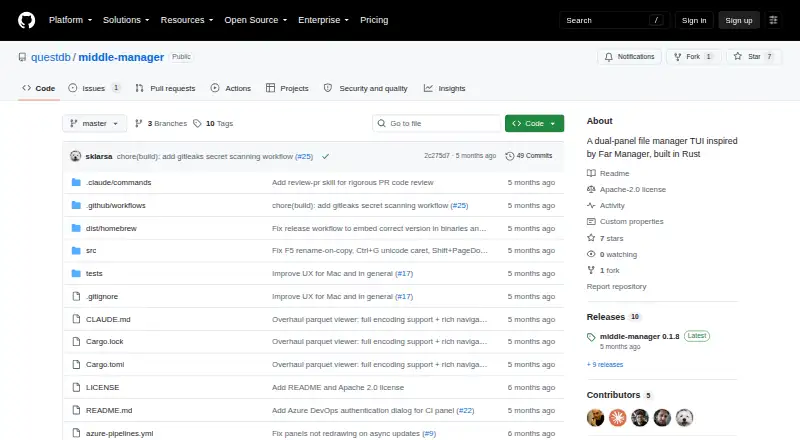
Middle Manager: A developer-oriented terminal file manager with search, editing, Git, and remote browsing. Ranked #22 of 29 in Terminal File Managers by our editors (7.0/10); pricing: Open source; best for developer-focused dual-panel file workflows.
At a glance
- Editor score7.0 / 10
- PricingOpen source
- Best forDeveloper-focused dual-panel file workflows
- Paid fromFree
- Dual-pane layoutYes
- Founded2019 · London and New York
- Facts checked21 Sep 2026
Where it wins
- Dual panels combine file operations, search, editing, and remote transfers.
- Git, shell, CI, Claude Code, and tmux integrations suit developer workflows.
- Built-in text and hex editors support large and binary files.
Where it doesn't
- Runs on macOS and Linux rather than Windows.
- Archive features focus on creating tar and zip files.
- Remote filesystem access is experimental.
Our verdict on Middle Manager
Middle Manager is an open-source, Rust-based terminal file manager for users who prefer keyboard-driven workflows. Its dual-panel interface supports directory browsing, copying, moving, renaming, deleting, and creating directories. Fuzzy filename search and ripgrep-powered content search help locate files, while the built-in text editor handles large files and the hex editor works with binary files. The product is distributed for macOS and Linux and is aimed particularly at developers who want file management alongside terminal-oriented tools.
Its developer integration is the clearest differentiator. Git status markers, branch information, and pull-request status bring repository context into file browsing. Shell, CI, and Claude Code panels keep related work close to the directory view, with integrations for GitHub, GitHub Actions, Azure DevOps, Claude Code, and tmux. The product also includes a Parquet metadata and table viewer, which gives data-oriented workflows a dedicated inspection option. Remote browsing and cross-panel transfers extend the same workflow to filesystems accessed through SSH, SFTP, SMB, WebDAV, S3, GCS, Azure Blob Storage, and NFS.
Middle Manager is available as open-source software, making its pricing model straightforward. Its archive tools create tar.zst, tar.gz, tar.xz, and zip archives, but the archive workflow is centered on creation rather than browsing files inside archives. Remote filesystem access is experimental, so users who need a mature remote-management experience should evaluate that part carefully. It is a strong fit for developers on macOS or Linux who value terminal-native navigation, repository context, and integrated engineering panels. Users who need Windows support, a preview pane, or archive browsing should choose a different file manager.
Your product? Our editors can test Middle Manager in depth and publish a review, labelled as paid · from $149/mo →
Middle Manager pricing
Middle Manager fact sheet
| Free plan | Not verified |
|---|---|
| Paid from | Free |
| Dual-pane layout | Yes |
| Linux support | Yes |
| macOS support | Yes |
| Windows support | Not verified |
| Preview pane | Not verified |
| Remote file access | Yes |
| Archive support | No |
| Deployment | Desktop |
| Platforms | macOS, Linux |
| Built for | Solo, Small business (editorial estimate) |
| Integrations | 5 integrations: GitHub, GitHub Actions, Azure DevOps, Claude Code, tmux |
| Pricing | Open source |
| Website | github.com |
| Facts checked | 21 Sep 2026 |
Middle Manager integrations
Middle Manager lists 5 integrations on its own site.
- GitHub
- GitHub Actions
- Azure DevOps
- Claude Code
- tmux
Alternatives to Middle Manager
- NewtA free, open-source file manager for local work, remote sessions, archives, and search.9.4
- Rat CommanderA free, open-source file manager for keyboard-driven work across three desktop platforms.9.2
- FileManagerTUIA Vim-oriented, cross-platform terminal manager with previews, editing, batch actions, and S3 browsing.9.0


See all Middle Manager alternatives →
Used Middle Manager? Be the first to review it
The editor score above is our own research. What this page doesn't have yet is a reader's view — what you used Middle Manager for, what worked and what didn't. No stars are seeded and no review is paid for; an editor reads every one before it appears.
Write a reviewTwo minutes · verified accounts only · read by an editor before it appears
Featured on iTechGuides

Middle Manager is listed in our Terminal File Managers directory. Add the badge to your site — it links back to this page.
<a href="https://www.itechguides.com/products/middle-manager/"><img src="https://www.itechguides.com/best/badge/middle-manager.svg" alt="Featured on iTechGuides" width="230" height="46"></a>
Reviewed by iTechGuides Editors · Editorial team · Updated Oct 2026
Advertiser disclosure: iTechGuides is reader-supported. Vendors can pay for top positions in our rankings and for a place on other products' pages, and we may earn a commission when you click some links. Bought places stand at the number bought; this page and our disclosure say so. Paying vendors may get a fuller, more detailed review from our editors, and that review can change their score. How we rank.
Last updated · How we research and update