
Master PDF Editor
Master PDF Editor: A broad PDF toolkit with Linux support and a $79.95 perpetual full version. Ranked #42 of 102 in PDF Editors by our editors (5.2/10); pricing: Free plan · paid from $79.95; best for linux users needing full PDF controls.
At a glance
- Editor score5.2 / 10
- PricingFree plan · paid from $79.95
- Best forLinux users needing full PDF controls
- Free planYes
- OCRYes
- Facts checked20 Sep 2026
Where it wins
- Edits text, images, objects, forms, and scanned PDF content
- Includes signatures, security, OCR, and page organization
- Runs on Windows, macOS, and Linux with free personal access
Where it doesn't
- Free access is limited to personal, non-commercial use
- The demo adds a watermark to output
- The full license covers one purchased software version
Our verdict on Master PDF Editor
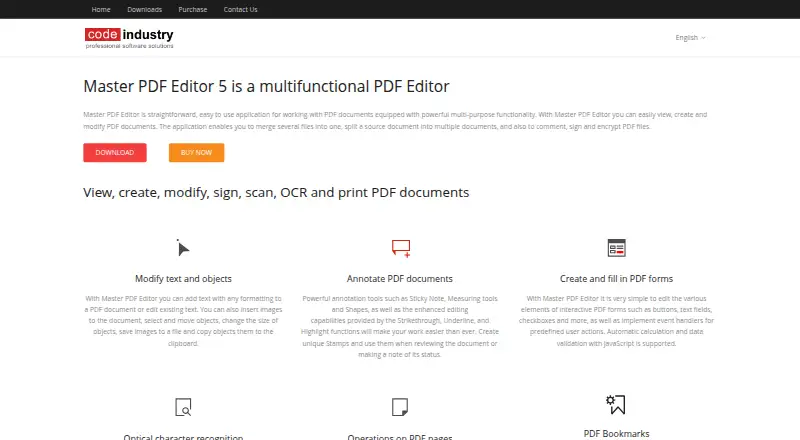
Master PDF Editor is a desktop application for creating, editing, annotating, organizing, and securing PDF documents. It is aimed at users who need more than basic viewing or commenting, particularly Linux users who want controls for text, images, forms, OCR, signatures, document security, and page management in one application. It supports Windows, macOS, and Linux, and its unregistered version provides free access for limited personal, non-commercial use.
Pricing is straightforward for buyers who prefer a perpetual license over recurring billing. The Full Version costs $79.95 one-time for quantities of 1–9. That purchase includes a perpetual license for the purchased software version, plus one year of updates and technical support. Quantity discounts are available for 10 or more licenses. The free version has limited functionality, while the demo adds a watermark to output, so professional users creating client-ready documents should plan around the paid license.
Its main strength is breadth: Master PDF Editor combines direct editing, annotations, interactive form creation and filling, OCR, XPS-to-PDF conversion, image exports, page splitting and merging, watermarks, headers, footers, password security, certificate-based security, and digital signatures. JavaScript and Dynamic XFA forms add support for more involved PDF workflows. This makes it a strong fit for users who want extensive desktop PDF controls across operating systems. It is less suitable for people who require unrestricted free commercial use, recurring subscription billing, or open-source software, and buyers should note that the paid license is tied to the purchased software version.
Master PDF Editor pricing
All 1 Master PDF Editor plans and prices →
Master PDF Editor fact sheet
| Free plan | Yes |
|---|---|
| Paid from | Not verified |
| Text editing | Yes |
| Annotation tools | Yes |
| OCR | Yes |
| PDF conversion | Yes |
| Form creation | Yes |
| Supported platforms | Windows, Linux, macOS |
| Deployment | Desktop |
| Platforms | Windows, macOS, Linux |
| Support | Email, Tickets, Docs |
| Built for | Solo, Small business, Mid-market (editorial estimate) |
| Pricing | Free plan · paid from $79.95 (source) |
| Website | code-industry.net |
| Facts checked | 20 Sep 2026 |
Alternatives to Master PDF Editor
- Foxit PDF EditorA mature PDF workspace with deep editing, OCR, forms, security, and integrations.9.8
- iLovePDFA broad PDF toolkit with free access, offline desktop processing, and cross-device apps.8.8
- SmallpdfA broad PDF toolkit for simple editing across web, Windows, mobile, and Chrome.8.7


See all Master PDF Editor alternatives →
Also listed in
Used Master PDF Editor? Be the first to review it
The editor score above is our own research. What this page doesn't have yet is a reader's view — what you used Master PDF Editor for, what worked and what didn't. No stars are seeded and no review is paid for; an editor reads every one before it appears.
Write a reviewTwo minutes · verified accounts only · read by an editor before it appears
Featured on iTechGuides

Master PDF Editor is listed in our PDF Editors directory. Add the badge to your site — it links back to this page.
<a href="https://www.itechguides.com/products/master-pdf-editor/"><img src="https://www.itechguides.com/best/badge/master-pdf-editor.svg" alt="Featured on iTechGuides" width="230" height="46"></a>
Guides on PDF editors
- Best PDF editor 2026: The top PDF editing software comparedAug 2026
- Best free PDF editor 2026: Top picks tested for PC & mobileAug 2026
- Best PDF Editor for Mac (2026): Best tools for text edits, OCR & annotationsAug 2026
Reviewed by iTechGuides Editors · Editorial team · Updated Sep 2026
Advertiser disclosure: iTechGuides is reader-supported. We may earn a commission when you click some links. How we rank.
Last updated · How we research and update