
MAGIX PC Check & Tuning
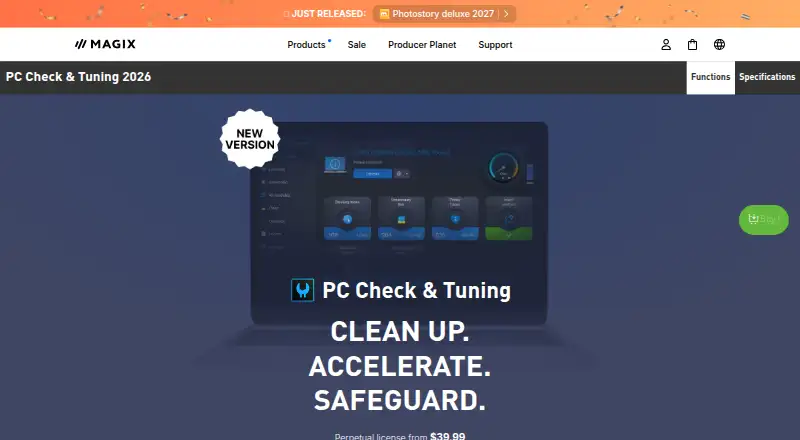
MAGIX PC Check & Tuning: A broad Windows maintenance toolkit for cleanup, tuning, drivers, and recovery. Ranked #11 of 97 in PC Optimization Software by our editors (8.4/10); pricing: Paid; best for windows users wanting monitoring and tuning.
At a glance
- Editor score8.4 / 10
- PricingPaid
- Best forWindows users wanting monitoring and tuning
- Free planNo
- Paid from$39.99/yr
- Junk cleanupYes
- Facts checked21 Sep 2026
Where it wins
- Combines cleanup, startup, services, and process optimization
- Includes driver updates and real-time error monitoring
- Adds duplicate finding, trace removal, and deleted-file recovery
Where it doesn't
- Supports 64-bit Windows 10 and 11 only
- No free plan is offered
- Sold as a one-year license rather than a perpetual purchase
Our verdict on MAGIX PC Check & Tuning
MAGIX PC Check & Tuning is a Windows utility for users who want one application to handle routine cleanup, performance tuning, monitoring, and recovery. Its feature set covers temporary and duplicate-file detection, internet-trace removal, Windows services, startup items, process analysis, outdated drivers, system errors, and accidentally deleted files. It supports 64-bit Windows 10 and Windows 11 and is aimed at people who prefer a broad maintenance toolkit over separate utilities for each task.
The published plan is MAGIX PC Check & Tuning 2026, priced at $39.99 for a one-year license with annual billing. It includes junk-file cleanup, Windows optimization, system monitoring, driver updates, and system restore and file recovery. The paid plan also brings together maintenance service and one-click optimization, giving the product a wide set of routine PC-management functions in a single package. Buyers should note that there is no free plan, so ongoing access is tied to the annual license.
Its strongest fit is for Windows users who want both preventive maintenance and corrective tools: cleanup for unnecessary files, tuning for startup and services, monitoring for system issues, and recovery for accidentally deleted files. Driver detection and updates extend the scope beyond basic disk cleanup, while duplicate finding and browser-history and cookie removal address storage and privacy-related maintenance. It is less suitable for anyone seeking a multi-platform utility or a free option. Choose MAGIX PC Check & Tuning if Windows-focused monitoring and tuning matter more than platform flexibility; choose an alternative if you need software outside Windows or prefer not to renew annually.
Your product? Our editors can test MAGIX PC Check & Tuning in depth and publish a review, labelled as paid · from $99/mo →
MAGIX PC Check & Tuning pricing
All 1 MAGIX PC Check & Tuning plans and prices →
MAGIX PC Check & Tuning fact sheet
| Free plan | No |
|---|---|
| Paid from | $39.99/yr |
| Junk cleanup | Yes |
| Startup manager | Yes |
| Driver updates | Yes |
| Scheduled maintenance | Not verified |
| Windows support | Windows 10 and 11 |
| Device limit | Not verified |
| Restore-point tools | Not verified |
| Deployment | Desktop |
| Platforms | Windows |
| Built for | Solo, Small business (editorial estimate) |
| Pricing | Paid (source) |
| Website | magix.com |
| Facts checked | 21 Sep 2026 |
Alternatives to MAGIX PC Check & Tuning
- Microsoft PC ManagerA broad free toolkit for routine Windows cleanup, health checks, and maintenance.9.4
- CCleanerA mature PC cleaner with broad maintenance tools and a useful free plan.9.3
- Advanced SystemCareA broad Windows optimizer with a capable free plan and one-device scope.9.2


See all MAGIX PC Check & Tuning alternatives →
Used MAGIX PC Check & Tuning? Be the first to review it
The editor score above is our own research. What this page doesn't have yet is a reader's view — what you used MAGIX PC Check & Tuning for, what worked and what didn't. No stars are seeded and no review is paid for; an editor reads every one before it appears.
Write a reviewTwo minutes · verified accounts only · read by an editor before it appears
Featured on iTechGuides

MAGIX PC Check & Tuning is listed in our PC Optimization Software directory. Add the badge to your site — it links back to this page.
<a href="https://www.itechguides.com/products/magix-pc-check-tuning/"><img src="https://www.itechguides.com/best/badge/magix-pc-check-tuning.svg" alt="Featured on iTechGuides" width="230" height="46"></a>
Guides on PC optimization software
- 10 Best Free PC Optimization Software for Windows 11/10 PCAug 2026
- How to Tell Whether a PC Optimization Tool Is Safe and Worth InstallingOct 2026
Reviewed by iTechGuides Editors · Editorial team · Updated Oct 2026
Advertiser disclosure: iTechGuides is reader-supported. Vendors can pay for top positions in our rankings and for a place on other products' pages, and we may earn a commission when you click some links. How we rank.
Last updated · How we research and update