
Maestro
Maestro: A flexible open-source choice for mobile flows, with narrower web coverage. Ranked #14 of 32 in End-to-End Testing Software by our editors (6.3/10); pricing: Free plan · paid from $250/mo; best for mobile teams wanting open-source visual flows.
At a glance
- Editor score6.3 / 10
- PricingFree plan · paid from $250/mo
- Best forMobile teams wanting open-source visual flows
- Free planYes
- Test authoringNo_code
- Facts checked21 Sep 2026
Where it wins
- Open-source YAML flows with local Android and iOS execution
- Visual authoring, screen inspection, recordings, and regression assertions
- CI integrations plus hosted parallel runs in Maestro Cloud
Where it doesn't
- Cloud starts at $250 per device per month
- Web testing is limited to Chromium and remains in beta
- Broad cross-browser end-to-end coverage is not its focus
Our verdict on Maestro
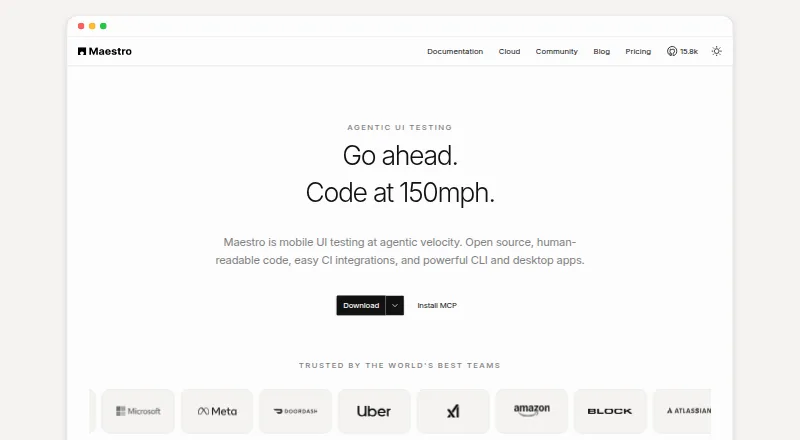
Maestro is an open-source end-to-end UI automation framework for mobile and web applications. It is designed for teams that want YAML-based test flows, visual authoring through Maestro Studio, and local execution on Android emulators and iOS simulators. The Maestro CLI, Maestro Studio, and Maestro MCP are included in the Local plan, which runs tests locally across Windows, macOS, and Linux environments.
For teams that need hosted execution, Maestro Cloud adds hosted Android, iOS, and web devices, parallel runs, unlimited hosted test runs, CI and pull-request integrations, and test reporting. The listed Cloud price is $250 per device per month, billed monthly, with pricing based on maximum concurrent executions. Enterprise Cloud adds SSO, dedicated support, managed testing, and custom contracts. CI integrations cover GitHub Actions, Bitrise, Bitbucket Pipelines, and CircleCI, while GitHub Enterprise is also supported.
Maestro’s strongest fit is mobile-focused testing with visual workflows and artifacts. Screenshot capture, visual regression assertions, screen recordings, video artifacts, JUnit and HTML reports, and optional AI-assisted visual assertions support review and diagnosis around UI changes. Its web support is narrower: browser testing is documented for Chromium and is in beta. Teams prioritizing open-source mobile automation, local execution, and visual test authoring should consider Maestro. Teams requiring broad multi-browser end-to-end coverage or a lower-cost hosted concurrency model should look for a platform with wider browser support and different cloud pricing.
Maestro pricing
All 3 Maestro plans and prices →
Maestro fact sheet
| Free plan | Yes |
|---|---|
| Paid from | Not verified |
| Test authoring | No_code |
| Browser support | Single_browser |
| Parallel runs | Not verified |
| Self-hosted runner | Yes |
| Mobile web testing | Not verified |
| Visual testing | Yes |
| Deployment | Cloud, Self-hosted, Desktop |
| Platforms | Web, Windows, macOS, Linux |
| Support | Email, Community, Docs |
| Built for | Solo, Small business, Mid-market, Enterprise (editorial estimate) |
| Integrations | 6 integrations: GitHub Actions, Bitrise, Bitbucket Pipelines, CircleCI, Slack, Webhook |
| Pricing | Free plan · paid from $250/mo (source) |
| Website | maestro.dev |
| Facts checked | 21 Sep 2026 |
Maestro integrations
Maestro lists 6 integrations on its own site.
- GitHub Actions
- Bitrise
- Bitbucket Pipelines
- CircleCI
- Slack
- Webhook
Alternatives to Maestro
- PlaywrightA free, open-source framework for broad browser coverage and scalable web E2E suites.9.0
- CypressA flexible JavaScript testing framework with free local execution and paid CI collaboration features.8.4
- WebdriverIOA free, open-source choice for code-based web and mobile testing across multiple engines.8.2



See all Maestro alternatives →
Also listed in
- Functional Testing Software
- Mobile App Testing Software
- GUI Testing Software
- Device Farm Software
- Automated Testing
Used Maestro? Be the first to review it
The editor score above is our own research. What this page doesn't have yet is a reader's view — what you used Maestro for, what worked and what didn't. No stars are seeded and no review is paid for; an editor reads every one before it appears.
Write a reviewTwo minutes · verified accounts only · read by an editor before it appears
Featured on iTechGuides

Maestro is listed in our End-to-End Testing Software directory. Add the badge to your site — it links back to this page.
<a href="https://www.itechguides.com/products/maestro/"><img src="https://www.itechguides.com/best/badge/maestro.svg" alt="Featured on iTechGuides" width="230" height="46"></a>
Reviewed by iTechGuides Editors · Editorial team · Updated Sep 2026
Advertiser disclosure: iTechGuides is reader-supported. We may earn a commission when you click some links. How we rank.
Last updated · How we research and update