
LogNroll
LogNroll: A low-cost replay and debugging suite, but heatmaps are limited to clicks. Ranked #44 of 63 in Heatmap Tools by our editors (5.0/10); pricing: Free plan · 14-day trial; best for teams wanting self-hosted replay at low cost.
At a glance
- Editor score5.0 / 10
- PricingFree plan · 14-day trial
- Best forTeams wanting self-hosted replay at low cost
- Free planYes
- Paid from$40/mo
- Heatmap typesClick
- Facts checked21 Sep 2026
Where it wins
- Self-hosting plus cloud hosting supports different deployment needs.
- Replay combines clicks, scrolling, forms, navigation, errors, and network requests.
- Free and Pro plans include click heatmaps, funnels, and privacy controls.
Where it doesn't
- Heatmap coverage is limited to clicks by page and device type.
- The Free tier is limited to 1,000 sessions and 30-day retention.
- Pro costs $40 monthly and supports up to 10,000 sessions.
Our verdict on LogNroll
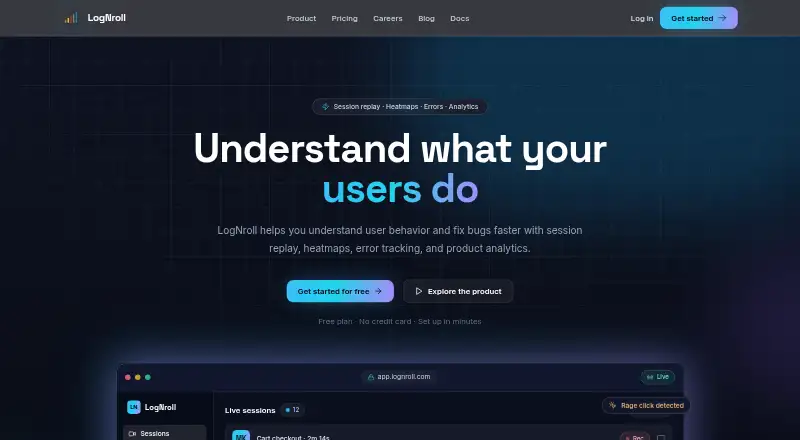
LogNroll is a web analytics and debugging platform for product, engineering, UX, and support teams. It brings session replay, click heatmaps, error tracking, funnels, and user journey analysis into one service. Teams can inspect clicks, scrolling, forms, navigation, network requests, and errors, then search or filter sessions by user, date, location, platform, or events. Cloud hosting and self-hosting are available, with integrations for React, Next.js, Vue, Angular, Svelte, WordPress, Shopify, and Plain HTML.
The plan structure makes LogNroll accessible for smaller teams. The Free tier costs $0 per month and includes up to 1,000 sessions monthly, 30-day data retention, basic error tracking, click heatmaps in session replay, and community support. Pro costs $40 per month for up to 10,000 sessions, 60-day retention, advanced error tracking, priority support, custom event tracking, and the same click heatmaps. Enterprise is listed at $4 per 1,000 sessions and adds unlimited sessions, custom retention, advanced security features, dedicated support, and custom integrations. A 14-day free trial is also available.
Its strongest fit is teams that want replay and debugging context without adopting a separate heatmap, error-tracking, and funnel-analysis tool. Privacy controls include sensitive-field masking, while replay includes event timelines, playback controls, session search, network monitoring, stack traces, and user context. The main trade-off is analytical breadth within heatmaps: LogNroll provides click heatmaps aggregated by page and device type, while scrolling and form behavior remain replay data rather than separate heatmap types. Choose it for self-hosted replay and engineering-oriented investigation; choose an alternative if broad heatmap coverage is the primary requirement.
Your product? Our editors can test LogNroll in depth and publish a review, labelled as paid · from $149/mo →
LogNroll pricing
All 3 LogNroll plans and prices →
LogNroll fact sheet
| Free plan | Yes |
|---|---|
| Paid from | $40/mo |
| Heatmap types | Click |
| Session recordings | Yes |
| Monthly session limit | 10000 sessions/mo |
| Recording retention | Not verified |
| Rage-click detection | Yes |
| Mobile capture | Yes |
| Free trial | 14 days · no card needed |
| Money-back guarantee | 30 days |
| Deployment | Cloud, Self-hosted |
| Platforms | Web |
| Compliance & security | GDPR |
| Support | Email, Community, Docs · 24/7 |
| Built for | Solo, Small business, Mid-market, Enterprise (editorial estimate) |
| Integrations | 11 integrations: React, Next.js, Vue, Angular, Svelte, WordPress … |
| Pricing | Free plan · 14-day trial (source) |
| Website | lognroll.com |
| Facts checked | 21 Sep 2026 |
LogNroll integrations
LogNroll lists 11 integrations on its own site.
- React
- Next.js
- Vue
- Angular
- Svelte
- WordPress
- Shopify
- Plain HTML
- npm
- JavaScript SDK
- MCP
Alternatives to LogNroll
- Microsoft ClarityA free, broad heatmap toolkit for teams analyzing web and mobile behavior.9.4
- Crazy EggA familiar heatmap toolkit with recordings, testing, surveys, and AI analysis.9.2
- MatomoA broad open-source analytics suite for teams that need heatmaps and data ownership.9.1



See all LogNroll alternatives →
Used LogNroll? Be the first to review it
The editor score above is our own research. What this page doesn't have yet is a reader's view — what you used LogNroll for, what worked and what didn't. No stars are seeded and no review is paid for; an editor reads every one before it appears.
Write a reviewTwo minutes · verified accounts only · read by an editor before it appears
Featured on iTechGuides

LogNroll is listed in our Heatmap Tools directory. Add the badge to your site — it links back to this page.
<a href="https://www.itechguides.com/products/lognroll/"><img src="https://www.itechguides.com/best/badge/lognroll.svg" alt="Featured on iTechGuides" width="230" height="46"></a>
Reviewed by iTechGuides Editors · Editorial team · Updated Oct 2026
Advertiser disclosure: iTechGuides is reader-supported. Vendors can pay for top positions in our rankings and for a place on other products' pages, and we may earn a commission when you click some links. Bought places stand at the number bought; this page and our disclosure say so. Paying vendors may get a fuller, more detailed review from our editors, and that review can change their score. How we rank.
Last updated · How we research and update