
Linwood Butterfly
Linwood Butterfly: A capable free canvas for handwritten notes, with limited integrations and experimental collaboration. Ranked #48 of 214 in Note-Taking Apps by our editors (4.4/10); pricing: Free plan; best for open-source handwritten infinite canvases.
At a glance
- Editor score4.4 / 10
- PricingFree plan
- Best forOpen-source handwritten infinite canvases
- Free planYes
- Paid fromFree
- Offline accessYes
- Facts checked20 Sep 2026
Where it wins
- Infinite canvas supports notes, sketches, diagrams, and annotations
- Works offline across web, desktop, and mobile platforms
- Imports PDF, SVG, PNG, Markdown, OneNote, and Xournal++ files
Where it doesn't
- Real-time collaboration is experimental and subject to change
- Integrations center on WebDAV and Nextcloud
- Its canvas-first approach may not suit text-heavy note-taking
Our verdict on Linwood Butterfly
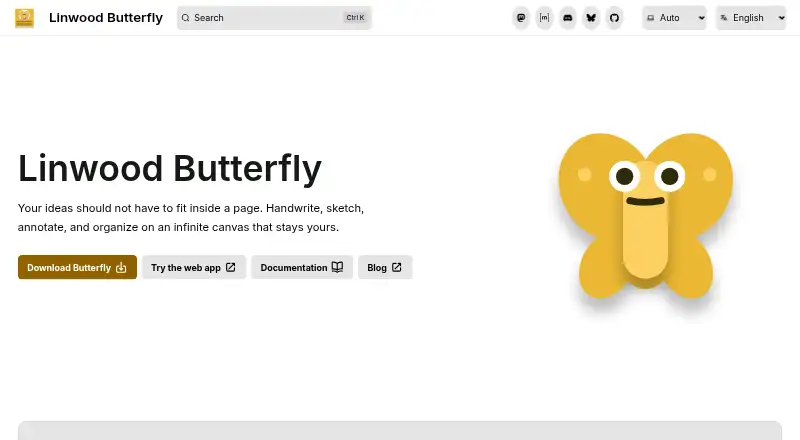
Linwood Butterfly is a free, open-source note-taking app built around an infinite canvas. It suits people who organize ideas visually through handwritten notes, sketches, diagrams, annotations, and visual documents. The app runs on web, Windows, macOS, Linux, iOS, and Android, with local storage by default and offline browser storage for the web application. Its platform coverage makes it practical for users who move between desktop, mobile, and browser workflows.
The standout feature is the editable handwriting canvas. Pen strokes support adjustable width, color, smoothing, and texture, while layers, areas, pages, templates, packs, stamps, palettes, styles, and customizable toolbar tools add structure to visual work. Import support covers Butterfly, Xournal++, OneNote, Markdown, PNG, SVG, and PDF files, giving users several ways to bring existing material into a canvas-based workflow. These features make Butterfly a stronger fit for handwritten and diagram-led work than for simple linear text capture.
Storage and ecosystem choices are focused rather than broad. Documents can remain local, while WebDAV remote storage and offline synchronization support users who want control over where files are kept; Nextcloud is also supported. Real-time collaboration is available experimentally through Swamp or a self-hosted WebSocket server, so teams needing a settled shared-editing workflow may prefer another option. Choose Butterfly for open-source, offline-friendly visual notes across many platforms. Choose an alternative if your priority is a wide integration ecosystem, mature collaboration, or a primarily text-based notes system.
Your product? Our editors can test Linwood Butterfly in depth and publish a review, labelled as paid · from $99/mo →
Linwood Butterfly pricing
Linwood Butterfly fact sheet
| Free plan | Yes |
|---|---|
| Paid from | Free |
| Offline access | Yes |
| Supported platforms | web, Windows, macOS, Linux, iOS, Android |
| Note sharing | Yes |
| Real-time collaboration | Yes |
| Storage limit | Not verified |
| Integrations | WebDAV, Nextcloud |
| Deployment | Cloud, Self-hosted, Desktop, Mobile |
| Platforms | Web, Windows, macOS, Linux, iOS, Android |
| Support | Community, Docs |
| Built for | Solo, Small business, Mid-market (editorial estimate) |
| Integrations | 2 integrations: WebDAV, Nextcloud |
| Pricing | Free plan |
| Website | butterfly.linwood.dev |
| Facts checked | 20 Sep 2026 |
Linwood Butterfly integrations
Linwood Butterfly lists 2 integrations on its own site.
- WebDAV
- Nextcloud
Alternatives to Linwood Butterfly
- Microsoft OneNoteA broad, collaborative note system with strong Microsoft integration and a capable free option.9.3
- NotionA flexible workspace for teams that want notes and knowledge bases alongside databases and collaboration.9.2
- EvernoteA broad note-taking workspace for organizing information, tasks, calendars, and documents.9.0


See all Linwood Butterfly alternatives →
Also Ranked In
Linwood Butterfly is ranked in 2 of our directories.
Used Linwood Butterfly? Be the first to review it
The editor score above is our own research. What this page doesn't have yet is a reader's view — what you used Linwood Butterfly for, what worked and what didn't. No stars are seeded and no review is paid for; an editor reads every one before it appears.
Write a reviewTwo minutes · verified accounts only · read by an editor before it appears
Featured on iTechGuides

Linwood Butterfly is listed in our Note-Taking Apps directory. Add the badge to your site — it links back to this page.
<a href="https://www.itechguides.com/products/linwood-butterfly/"><img src="https://www.itechguides.com/best/badge/linwood-butterfly.svg" alt="Featured on iTechGuides" width="230" height="46"></a>
Guides on Note-Taking apps
- Best note-taking apps for iPad and Apple Pencil 2026Aug 2026
- Best Note-Taking Apps for iPad: Top 7 in 2026Aug 2026
- Best Note-Taking Apps to Use in 2026Aug 2026
Reviewed by iTechGuides Editors · Editorial team · Updated Oct 2026
Advertiser disclosure: iTechGuides is reader-supported. Vendors can pay for top positions in our rankings and for a place on other products' pages, and we may earn a commission when you click some links. Bought places stand at the number bought; this page and our disclosure say so. Paying vendors may get a fuller, more detailed review from our editors, and that review can change their score. How we rank.
Last updated · How we research and update