Libki
Libki: A free, self-hosted choice for libraries managing public computer sessions. Ranked #21 of 27 in Kiosk Management Software by our editors (7.0/10); pricing: Free plan; best for libraries needing open-source public kiosks.
At a glance
- Editor score7.0 / 10
- PricingFree plan
- Best forLibraries needing open-source public kiosks
- Free planYes
- Paid fromFree
- Platform coverageWindows
- Facts checked20 Sep 2026
Where it wins
- Free, open-source software with self-hosted deployment
- Reservations, session limits, guest passes, and inactivity logout
- SIP, LDAP, Koha, CUPS, and MariaDB integrations
Where it doesn't
- Self-hosted deployment requires server administration
- Focused on public-access environments rather than broad kiosk lockdown
- Print management is optional rather than part of the core setup
Our verdict on Libki
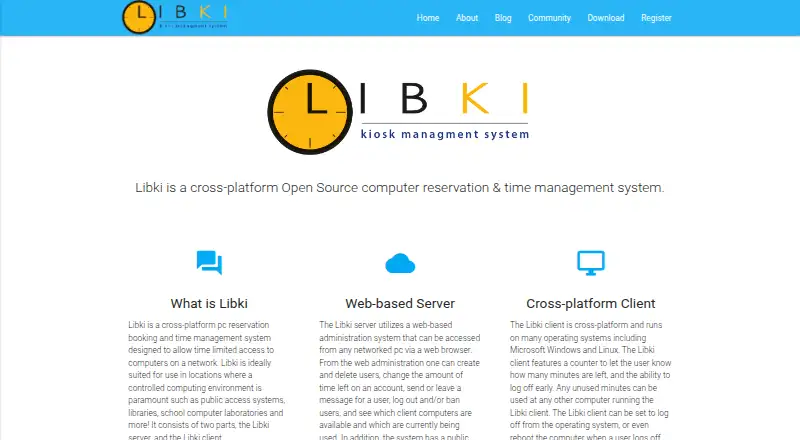
Libki is a free, open-source kiosk management system for libraries, schools, and other public-access environments. It combines a web-based administration server with desktop clients for Windows and Linux, letting administrators manage users, sessions, clients, reservations, access restrictions, guest accounts, and usage hours. Its public kiosk interface supports availability checks and reservations, while configurable daily and per-session allowances help control computer access. Libraries needing a focused system for shared public computers are the clearest fit.
The feature set is centered on public-library workflows. Libki supports SIP and LDAP single sign-on, guest accounts, self-registered guest passes, inactivity-based automatic logout, and optional print management. Koha ILS, CUPS, and MariaDB are also listed integrations. Remote shutdown, restart, and Wake-on-LAN actions give administrators control over client machines, while multi-tenant server instances support separate environments. These capabilities make Libki more suitable for managing timed access and library operations than for broad, general-purpose kiosk lockdown.
Deployment is self-hosted, with installation options for Debian, Ubuntu Server, or Docker. Administration is web-based, and the published platform coverage includes web, Windows, Linux, and self-hosted environments. The free open-source model keeps licensing straightforward, but organizations must operate the server and manage the deployment themselves. Libki should appeal to libraries that want reservations, usage limits, public access controls, and library-system integrations without a paid plan. Organizations seeking a general kiosk product centered on wider lockdown scenarios may prefer a different category fit.
Your product? Our editors can test Libki in depth and publish a review, labelled as paid · from $149/mo →
Libki pricing
Libki fact sheet
| Free plan | Yes |
|---|---|
| Paid from | Free |
| Platform coverage | Windows |
| Browser lockdown | Not verified |
| App lockdown | Not verified |
| Remote reboot | Yes |
| Remote configuration | Not verified |
| Deployment | On-premises |
| Device limit | Not verified |
| Deployment | Self-hosted, Desktop |
| Platforms | Web, Windows, Linux |
| Support | Community, Docs |
| Built for | Small business, Mid-market, Enterprise (editorial estimate) |
| Integrations | 5 integrations: SIP, LDAP, Koha ILS, CUPS, MariaDB |
| Pricing | Free plan |
| Website | libki.org |
| Facts checked | 20 Sep 2026 |
Libki integrations
Libki lists 5 integrations on its own site.
- SIP
- LDAP
- Koha ILS
- CUPS
- MariaDB
Alternatives to Libki
- MokiA focused platform for locking down, deploying, and monitoring Android and iOS device fleets.9.4
- Trio Kiosk ManagementA broad kiosk management console with lockdown, monitoring, signage, and security tiers.9.2
- SiteKioskA mature choice for managing locked-down Windows and Android kiosks at scale.9.1


Used Libki? Be the first to review it
The editor score above is our own research. What this page doesn't have yet is a reader's view — what you used Libki for, what worked and what didn't. No stars are seeded and no review is paid for; an editor reads every one before it appears.
Write a reviewTwo minutes · verified accounts only · read by an editor before it appears
Featured on iTechGuides

Libki is listed in our Kiosk Management Software directory. Add the badge to your site — it links back to this page.
<a href="https://www.itechguides.com/products/libki/"><img src="https://www.itechguides.com/best/badge/libki.svg" alt="Featured on iTechGuides" width="230" height="46"></a>
Reviewed by iTechGuides Editors · Editorial team · Updated Oct 2026
Advertiser disclosure: iTechGuides is reader-supported. Vendors can pay for top positions in our rankings and for a place on other products' pages, and we may earn a commission when you click some links. Bought places stand at the number bought; this page and our disclosure say so. Paying vendors may get a fuller, more detailed review from our editors, and that review can change their score. How we rank.
Last updated · How we research and update