
SiteKiosk
SiteKiosk: A broad kiosk control suite for managed Windows and Android deployments. Ranked #1 of 20 in Kiosk Browsers by our editors (9.4/10); pricing: 30-day trial; best for enterprise Windows and Android kiosk deployments.
At a glance
- Editor score9.4 / 10
- Pricing30-day trial
- Best forEnterprise Windows and Android kiosk deployments
- Free planNo
- Deployment modeHybrid
- Founded1996 · Miami, USA
- Facts checked20 Sep 2026
Where it wins
- Hardened lockdown, URL allowlisting, session reset, and browser controls
- Remote monitoring, device management, access, jobs, and file transfers
- Digital signage, interactive kiosk apps, scripting, and enterprise permissions
Where it doesn't
- There is no free plan
- SiteKiosk Classic is being phased out
- Client support is focused on Windows and Android
Our verdict on SiteKiosk
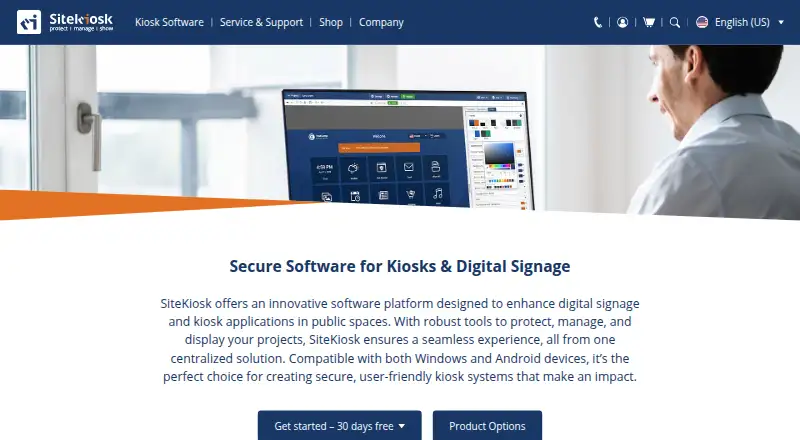
SiteKiosk is kiosk and digital signage software for public-facing PCs, tablets, terminals, and displays. It is designed for organizations that need to restrict browsing, protect devices, manage sessions, publish content, and operate interactive kiosk experiences from a central system. The current product focus is SiteKiosk Online, with cloud and on-premise server deployment options and support for Windows and Android clients.
The published plan is SiteKiosk Online Cloud - Annual Plan. It includes Protect, Manage, and Show features, along with remote access, Windows and Android support, updates, and technical support. SiteKiosk is a paid product with a 30-day free trial rather than a free plan. Its platform fit is practical for mixed kiosk estates: administrators can work through web-based management while retaining cloud, self-hosted, and API options. LDAP and Active Directory integrations support directory-oriented administration, while data services extend its connection to operational systems.
Its strongest differentiator is breadth. SiteKiosk combines hardened browser and operating-system lockdown with prioritized URL patterns, automatic session timeout, browser reset, remote monitoring, built-in Ultra VNC access, remote jobs, file transfers, content management, digital signage, custom scripts, two-factor authentication, and role-based permissions. That range suits enterprise deployments where protection, content, and device operations need to coexist. Organizations seeking a narrow kiosk browser with minimal administration may find this broader feature set more than they need, while teams standardizing on platforms beyond Windows and Android should look elsewhere. SiteKiosk is the stronger fit for centrally managed public-facing devices and displays that need both lockdown and ongoing remote control.
Your product? Our editors can test SiteKiosk in depth and publish a review, labelled as paid · from $149/mo →
SiteKiosk pricing
All 1 SiteKiosk plans and prices →
SiteKiosk fact sheet
| Free plan | No |
|---|---|
| Paid from | Not verified |
| Deployment mode | Hybrid |
| Supported platforms | Windows, Android |
| URL allowlisting | Yes |
| Remote management | Yes |
| Session reset | Yes |
| Digital signage support | Yes |
| Browser engine | Chromium |
| Free trial | 30 days · no card needed |
| Deployment | Cloud, Self-hosted |
| Platforms | Web, Windows, Android |
| Compliance & security | GDPR, 2FA |
| Support | Community, Docs |
| Built for | Mid-market, Enterprise (editorial estimate) |
| Integrations | 3 integrations: LDAP, Active Directory, data services |
| Pricing | 30-day trial (source) |
| Website | sitekiosk.com |
| Facts checked | 20 Sep 2026 |
SiteKiosk integrations
SiteKiosk lists 3 integrations on its own site.
- LDAP
- Active Directory
- data services
Alternatives to SiteKiosk
- KioWareA mature kiosk platform for multi-platform deployments with paid, per-device plans.9.1
- Hexnode Kiosk BrowserA paid, cross-platform kiosk browser with policy controls, resets, signage, and UEM management.8.9
- SureFoxLow-cost kiosk lockdown and web control across Android, iOS, iPadOS, and Windows.8.8



See all SiteKiosk alternatives →
SiteKiosk vs the competition
- SiteKiosk vs KioWare
- SiteKiosk vs Hexnode Kiosk Browser
- SiteKiosk vs SureFox
- SiteKiosk vs Fully Kiosk Browser
- SiteKiosk vs Kiosk Browser
- SiteKiosk vs Porteus Kiosk

Compare SiteKiosk with any tool side by side →
Also Ranked In
SiteKiosk is ranked in 4 of our directories.
Used SiteKiosk? Be the first to review it
The editor score above is our own research. What this page doesn't have yet is a reader's view — what you used SiteKiosk for, what worked and what didn't. No stars are seeded and no review is paid for; an editor reads every one before it appears.
Write a reviewTwo minutes · verified accounts only · read by an editor before it appears
Featured on iTechGuides

SiteKiosk is listed in our Kiosk Browsers directory. Add the badge to your site — it links back to this page.
<a href="https://www.itechguides.com/products/sitekiosk/"><img src="https://www.itechguides.com/best/badge/sitekiosk.svg" alt="Featured on iTechGuides" width="230" height="46"></a>
Reviewed by iTechGuides Editors · Editorial team · Updated Oct 2026
Advertiser disclosure: iTechGuides is reader-supported. Vendors can pay for top positions in our rankings and for a place on other products' pages, and we may earn a commission when you click some links. Bought places stand at the number bought; this page and our disclosure say so. Paying vendors may get a fuller, more detailed review from our editors, and that review can change their score. How we rank.
Last updated · How we research and update