
Leaflet
Leaflet: A focused web mapping library for developers who want control over map behavior and data services. Ranked #5 of 39 in Interactive Map Software by our editors (8.8/10); pricing: Open source; best for developers needing a lightweight map library.
At a glance
- Editor score8.8 / 10
- PricingOpen source
- Best forDevelopers needing a lightweight map library
- Paid fromFree
- Founded2010
- Facts checked20 Sep 2026
Where it wins
- Supports tiles, markers, popups, GeoJSON, vectors, and layer controls
- Extensible through community plugins and configurable marker icons
- Works with CDN files, downloaded assets, or the npm package
Where it doesn't
- It is not a hosted map publishing service
- Developers provide their own map tile and data services
- No built-in collaboration, analytics, hosting, or integrations
Our verdict on Leaflet
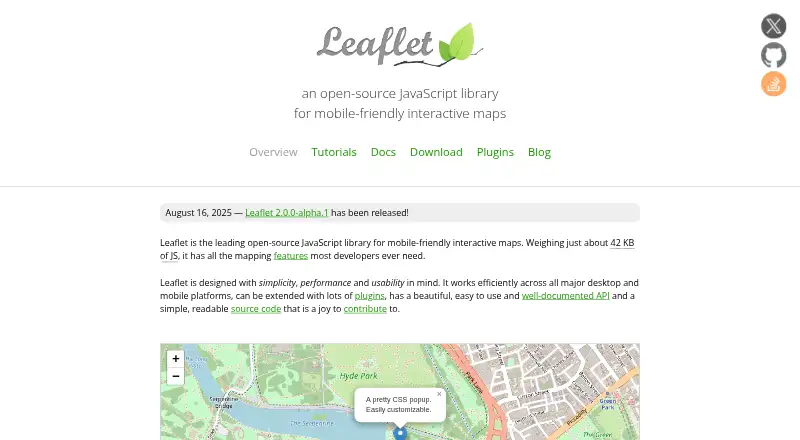
Leaflet is an open-source JavaScript library for building interactive maps in web applications. It is aimed at developers who need browser-based mapping with control over tiles, data, interface behavior, and implementation choices. The library supports configurable tile-layer URL templates, markers with customizable popups, GeoJSON display and styling, base-layer and overlay controls, polylines, polygons, vector rendering, map events, user-location support, mobile interaction, and custom marker icons. It runs on the web and can be added through hosted CDN files, downloaded assets, or the npm package. Script embedding and API access support common web application integration patterns.
Its main strength is focused mapping depth rather than a broad publishing platform. Developers can combine core map features with community plugins, giving projects a way to extend Leaflet beyond the included functionality. That model suits teams building a custom map interface, displaying location data, or adding interactive overlays inside an existing web application. It also keeps the product centered on the map itself, including rendering, interaction, layers, and events. Choose Leaflet when a project needs a flexible web library and the development team is comfortable managing the surrounding application and data services.
Leaflet is less suitable for organizations looking for an all-in-one hosted mapping product. It does not provide map hosting, viewer quotas, access-control tiers, collaboration, analytics, or stated integrations. Developers are responsible for supplying map tile or data services, so the overall solution extends beyond the library. That separation can be appropriate for teams that already have those services or want to select them independently, but it adds architectural responsibility. Leaflet should be considered by developers seeking a narrow, open-source browser mapping layer, while teams wanting built-in publishing or operational features should consider alternatives with those capabilities.
Your product? Our editors can test Leaflet in depth and publish a review, labelled as paid · from $149/mo →
Leaflet pricing
Leaflet fact sheet
| Free plan | Not verified |
|---|---|
| Paid from | Free |
| Data refresh | Not verified |
| Custom branding | Not verified |
| Access control | Not verified |
| Map layers | Not verified |
| Viewer limit | Not verified |
| Embed options | Script |
| API access | Yes |
| Deployment | Self-hosted |
| Platforms | Web |
| Support | Community, Docs |
| Built for | Solo, Small business, Mid-market, Enterprise (editorial estimate) |
| Pricing | Open source |
| Website | leafletjs.com |
| Facts checked | 20 Sep 2026 |
Alternatives to Leaflet
- Mapbox StudioA capable Mapbox styling workspace for teams building custom map experiences.9.4
- FeltA broad mapping workspace for teams that need collaboration, analysis, and live data.9.2
- CARTOAdvanced spatial analytics, mapping, optimization, and developer tools for enterprise teams.9.1



See all Leaflet alternatives →
Leaflet vs the competition
- Leaflet vs Mapbox Studio
- Leaflet vs Felt
- Leaflet vs CARTO
- Leaflet vs OpenLayers
- Leaflet vs Yandex Maps
- Leaflet vs MapTiler Cloud



Compare Leaflet with any tool side by side →
Also Ranked In
Leaflet is ranked in 2 of our directories.
Used Leaflet? Be the first to review it
The editor score above is our own research. What this page doesn't have yet is a reader's view — what you used Leaflet for, what worked and what didn't. No stars are seeded and no review is paid for; an editor reads every one before it appears.
Write a reviewTwo minutes · verified accounts only · read by an editor before it appears
Featured on iTechGuides

Leaflet is listed in our Interactive Map Software directory. Add the badge to your site — it links back to this page.
<a href="https://www.itechguides.com/products/leaflet/"><img src="https://www.itechguides.com/best/badge/leaflet.svg" alt="Featured on iTechGuides" width="230" height="46"></a>
Reviewed by iTechGuides Editors · Editorial team · Updated Oct 2026
Advertiser disclosure: iTechGuides is reader-supported. Vendors can pay for top positions in our rankings and for a place on other products' pages, and we may earn a commission when you click some links. Bought places stand at the number bought; this page and our disclosure say so. Paying vendors may get a fuller, more detailed review from our editors, and that review can change their score. How we rank.
Last updated · How we research and update