Kool
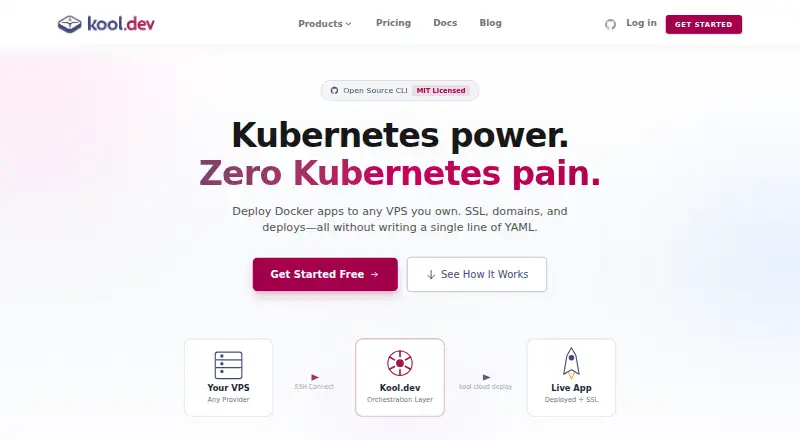
Kool: A practical CLI for reproducible local containers, with paid cloud deployment when needed. Ranked #21 of 40 in Container Development Environments by our editors (7.1/10); pricing: Free plan · 7-day trial; best for teams wanting local and managed container workflows.
At a glance
- Editor score7.1 / 10
- PricingFree plan · 7-day trial
- Best forTeams wanting local and managed container workflows
- Free planYes
- Paid from$49/mo
- Local KubernetesNo
- Founded2020 · Brazil
- Facts checked22 Sep 2026
Where it wins
- Free CLI includes Docker, Compose, presets, automation, logs, and tunnels
- Managed Cloud includes HTTPS, databases, storage, and resource sizing
- Runs on Linux, macOS, and Windows via WSL
Where it doesn't
- Local Kubernetes is not supported
- Cloud pricing is separate from the free open-source CLI
- IDE integration and local resource controls are not verified
Our verdict on Kool
Kool is an open-source CLI for creating and managing lightweight, reproducible development environments with Docker and Docker Compose. It is aimed at solo developers and teams building containerized web applications across Linux, macOS, and Windows via WSL. Framework and stack presets, kool.yml task automation, container command execution, shell sessions, logs, status management, and HTTP tunnels cover the core local workflow. Docker, Docker Compose, OrbStack, Podman, Kubernetes, and GitHub are listed integrations, while AI features are not part of the product.
The free CLI is distinct from Kool's paid cloud offerings. The Free plan costs $0 per month and includes CLI-based deployments, auto HTTPS and custom domains, and community support. Pro costs $49 per month and adds multi-node clusters, team collaboration, deploy logs and history, and priority email support. Enterprise costs $199 per month and includes unlimited nodes, unlimited clusters, custom SLAs, a dedicated support channel, and on-premise options. According to the published plans, Managed Cloud starts at $5 per container per month for Micro, with 0.125 CPU, 256 MB memory, auto HTTPS, and a managed database. Higher tiers add CPU, memory, custom domains, and persistent storage, reaching $80 per container per month for X-Large.
Kool’s strongest distinction is the path from local Compose workflows to cloud deployment through Kubernetes orchestration. Managed Cloud also provides databases, persistent storage, HTTPS, domains, environments, monitoring, and configurable container resources. That makes it a fit for teams that want one CLI-centered workflow spanning local development and managed deployment. The tradeoff is that local Kubernetes is not supported, so teams specifically requiring Kubernetes on the developer workstation should consider an alternative. Kool is also less suitable for buyers seeking a single bundled product, since the free open-source CLI and paid cloud offerings are separate. A 7-day trial is available for evaluating the paid experience.
Your product? Our editors can test Kool in depth and publish a review, labelled as paid · from $149/mo →
Kool pricing
Kool fact sheet
| Free plan | Yes |
|---|---|
| Paid from | $49/mo |
| Desktop platforms | Linux, macOS, Windows via WSL |
| Local Kubernetes | No |
| Compose workflows | Yes |
| Cluster mode | Not verified |
| IDE integration | Not verified |
| Resource controls | Not verified |
| Free trial | 7 days |
| Deployment | Cloud, Self-hosted, Desktop |
| Platforms | Windows, macOS, Linux |
| Support | Email, Community, Docs |
| Built for | Solo, Small business, Mid-market, Enterprise (editorial estimate) |
| Integrations | 6 integrations: Docker, Docker Compose, OrbStack, Podman, Kubernetes, GitHub |
| Pricing | Free plan · 7-day trial (source) |
| Website | kool.dev |
| Facts checked | 22 Sep 2026 |
Kool integrations
Kool lists 6 integrations on its own site.
- Docker
- Docker Compose
- OrbStack
- Podman
- Kubernetes
- GitHub
Alternatives to Kool
- Docker DesktopA broad desktop container workspace with Docker Engine, Compose, Kubernetes, and team plans.9.4
- Orca DesktopA free, open-source workspace for containers, Compose, Kubernetes, images, and hosts.9.2
- Podman DesktopA free, cross-platform desktop workspace for Podman-centered container and Kubernetes development.9.0



Used Kool? Be the first to review it
The editor score above is our own research. What this page doesn't have yet is a reader's view — what you used Kool for, what worked and what didn't. No stars are seeded and no review is paid for; an editor reads every one before it appears.
Write a reviewTwo minutes · verified accounts only · read by an editor before it appears
Featured on iTechGuides

Kool is listed in our Container Development Environments directory. Add the badge to your site — it links back to this page.
<a href="https://www.itechguides.com/products/kool/"><img src="https://www.itechguides.com/best/badge/kool.svg" alt="Featured on iTechGuides" width="230" height="46"></a>
Reviewed by iTechGuides Editors · Editorial team · Updated Oct 2026
Advertiser disclosure: iTechGuides is reader-supported. Vendors can pay for top positions in our rankings and for a place on other products' pages, and we may earn a commission when you click some links. Bought places stand at the number bought; this page and our disclosure say so. Paying vendors may get a fuller, more detailed review from our editors, and that review can change their score. How we rank.
Last updated · How we research and update