
Keka
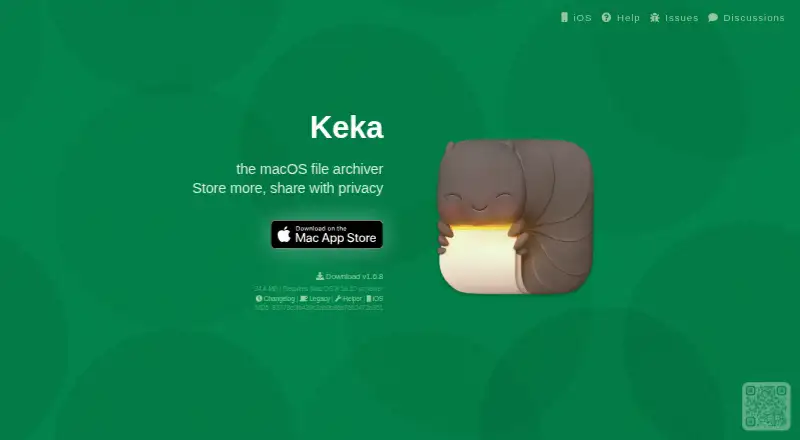
Keka: A broad-format archive tool for Apple devices with free macOS access. Ranked #5 of 36 in File Compression Software by our editors (8.7/10); pricing: Free plan; best for mac and iOS archive handling.
At a glance
- Editor score8.7 / 10
- PricingFree plan
- Best forMac and iOS archive handling
- Free planYes
- Archive encryptionYes
- Facts checked20 Sep 2026
Where it wins
- Creates and extracts a wide range of archive formats
- Supports AES-256 7z encryption and split archives
- Works with Finder, Dock, iOS sharing and the command line
Where it doesn't
- Apple-focused platform support excludes non-Apple systems
- Advanced archive repair is not part of the documented offering
- The App Store version is separate from the free macOS download
Our verdict on Keka
Keka is a file compression and extraction application for macOS and iOS. It is suited to Mac users who need to create archives in formats such as 7Z, ZIP, TAR, GZIP, BZIP2, XZ, DMG, ISO, Brotli and ZSTD, or open archives including RAR, CAB, MSI, APK and IPA. Its broad format coverage makes it useful for routine file sharing, software packages, disk images and archive interchange across Apple devices.
The macOS edition supports drag-and-drop compression from the Dock or application window, Finder integration and a default extraction application helper. It also offers a command-line interface through the --cli option, which gives technically inclined users a way to include archive operations in command-line workflows. Large archives can be split into multiple parts, while password-protected ZIP archives and AES-256 encryption for 7z archives address common requirements for controlled file sharing.
Keka has a free macOS download, and a separate Mac App Store application provides automatic App Store updates. On iOS, archive browsing, extraction and sharing are available through iOS Share Actions. The product is a strong fit for users who want extensive archive-format support inside the Apple ecosystem, particularly when Finder, Dock or command-line workflows matter. Users who need a non-Apple desktop application, documented archive-repair capabilities or a portable edition should consider a different tool.
Your product? Our editors can test Keka in depth and publish a review, labelled as paid · from $149/mo →
Keka pricing
Keka fact sheet
| Free plan | Yes |
|---|---|
| Paid from | Not verified |
| Archive formats | Create: 7Z, ZIP, TAR, GZIP, BZIP2, XZ, LZIP, DMG, ISO, BROTLI, ZSTD, LRZIP, AAR, WIM; extract: 7Z, ZIP, ZIPX, RAR, TAR, GZIP, BZIP2, XZ, LZIP, DMG, ISO, BROTLI, ZSTD, LRZIP, LZMA, EXE, CAB, WIM, MSI, PAX, JAR, WAR, IPA, XIP, APK, APPX, XPI, WPRESS, IS3, CPGZ, CPIO, CPT, SPK |
| Archive encryption | Yes |
| Split archives | Yes |
| Command-line tools | Yes |
| Portable version | Not verified |
| Archive repair | Not verified |
| Supported platforms | macOS, iOS, iPadOS |
| Deployment | Desktop, Mobile |
| Platforms | macOS, iOS |
| Integrations | 3 integrations: macOS Finder, macOS Dock, iOS Share Actions |
| Pricing | Free plan (source) |
| Website | keka.io |
| Facts checked | 20 Sep 2026 |
Keka integrations
Keka lists 3 integrations on its own site.
- macOS Finder
- macOS Dock
- iOS Share Actions
Alternatives to Keka
- 7-ZipA free, open-source archiver with broad formats, encryption, recovery tools, and cross-platform support.9.4
- PeaZipA capable free archive manager for desktop users who need broad format coverage and file utilities.9.2
- PowerArchiverA format-rich archive tool for business workflows, automation, and secure file handling.9.0

Keka vs the competition


Compare Keka with any tool side by side →
Also Ranked In
Keka is ranked in 4 of our directories.
Used Keka? Be the first to review it
The editor score above is our own research. What this page doesn't have yet is a reader's view — what you used Keka for, what worked and what didn't. No stars are seeded and no review is paid for; an editor reads every one before it appears.
Write a reviewTwo minutes · verified accounts only · read by an editor before it appears
Featured on iTechGuides

Keka is listed in our File Compression Software directory. Add the badge to your site — it links back to this page.
<a href="https://www.itechguides.com/products/keka/"><img src="https://www.itechguides.com/best/badge/keka.svg" alt="Featured on iTechGuides" width="230" height="46"></a>
Reviewed by iTechGuides Editors · Editorial team · Updated Oct 2026
Advertiser disclosure: iTechGuides is reader-supported. Vendors can pay for top positions in our rankings and for a place on other products' pages, and we may earn a commission when you click some links. Bought places stand at the number bought; this page and our disclosure say so. Paying vendors may get a fuller, more detailed review from our editors, and that review can change their score. How we rank.
Last updated · How we research and update