
HourSquare
HourSquare: A free, full-featured time and payroll workflow for teams of up to 10. Ranked #49 of 53 in Employee Time Tracking Software by our editors (4.3/10); pricing: Free plan; best for new teams needing free payroll workflows.
At a glance
- Editor score4.3 / 10
- PricingFree plan
- Best forNew teams needing free payroll workflows
- Free planYes
- Mobile appsYes
- Facts checked23 Sep 2026
Where it wins
- Full platform access is free for teams of up to 10 employees
- Approvals, schedules, overtime, and missing-entry detection included
- Approved hours transfer into payroll with payslip and export options
Where it doesn't
- Teams above 10 employees need custom written pricing
- The product was founded in 2026
- No AI features are included
Our verdict on HourSquare
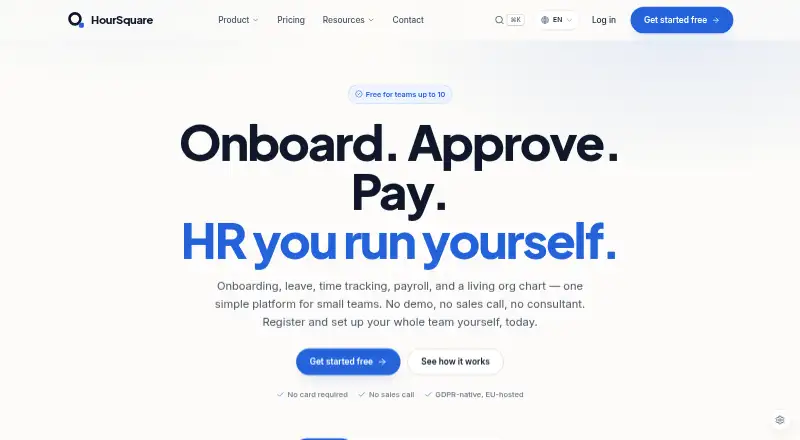
HourSquare is a self-serve HR platform for small teams that want time tracking connected to payroll and core employee administration. Its scope extends beyond clock-ins: employee records, onboarding, leave management, payslips, reporting, and whistleblowing sit alongside daily time entries and weekly timesheet submissions. Managers can approve or reject timesheets, while employees can clock in through iOS and Android apps. That makes HourSquare a practical fit for new teams seeking one workflow for attendance, leave, and payroll rather than a standalone time clock.
The pricing structure is straightforward for smaller organizations. The Free plan costs 0 per team and includes all modules and features, up to 10 employees, no card requirement, and no trial expiry. Growing teams above 10 employees receive the full feature set, with pricing agreed in writing. The paid-tier approach may suit teams that want to keep the same feature scope as they grow, but custom pricing makes budgeting less immediate. The strongest value is therefore concentrated among teams within the Free plan’s employee limit.
The standout workflow connects attendance data to payroll: schedules, shift patterns, overtime calculations, optional geo-fencing and geo-tagging, missing-entry detection, and unsubmitted-week detection all support cleaner timesheet administration. Approved hours and leave feed into payroll, which can produce payslips and bank or tax-authority exports. Integrations cover payroll, leave management, onboarding, and the employee directory, with web, iOS, and Android access. Choose HourSquare if free access for up to 10 employees and payroll-connected time tracking are priorities. Larger organizations should assess the custom commercial arrangement, while teams looking for AI features or a longer-established product may prefer an alternative.
Your product? Our editors can test HourSquare in depth and publish a review, labelled as paid · from $149/mo →
HourSquare pricing
All 1 HourSquare plans and prices →
HourSquare fact sheet
| Free plan | Yes |
|---|---|
| Paid from | Not verified |
| Mobile apps | Yes |
| Timesheet approvals | Yes |
| Billable time tracking | Not verified |
| Attendance tracking | Yes |
| Payroll integrations | Yes |
| GPS tracking | Yes |
| Screenshot capture | Not verified |
| Deployment | Cloud, Mobile |
| Platforms | Web, iOS, Android |
| Compliance & security | GDPR |
| Support | Email, Phone, Tickets, Docs |
| Built for | Small business, Solo (editorial estimate) |
| Pricing | Free plan (source) |
| Website | hoursquare.com |
| Facts checked | 23 Sep 2026 |
Alternatives to HourSquare
- Deltek RepliconProject time, workforce rules and approvals for complex, distributed teams.9.3
- Toggl TrackA polished time-tracking system for teams that need reporting, approvals, and billable visibility.9.2
- QuickBooks TimeA capable choice for job-based tracking when QuickBooks is central to payroll and accounting.9.0


See all HourSquare alternatives →
Also Ranked In
HourSquare is ranked in 3 of our directories.
Used HourSquare? Be the first to review it
The editor score above is our own research. What this page doesn't have yet is a reader's view — what you used HourSquare for, what worked and what didn't. No stars are seeded and no review is paid for; an editor reads every one before it appears.
Write a reviewTwo minutes · verified accounts only · read by an editor before it appears
Featured on iTechGuides

HourSquare is listed in our Employee Time Tracking Software directory. Add the badge to your site — it links back to this page.
<a href="https://www.itechguides.com/products/hoursquare/"><img src="https://www.itechguides.com/best/badge/hoursquare.svg" alt="Featured on iTechGuides" width="230" height="46"></a>
Reviewed by iTechGuides Editors · Editorial team · Updated Oct 2026
Advertiser disclosure: iTechGuides is reader-supported. Vendors can pay for top positions in our rankings and for a place on other products' pages, and we may earn a commission when you click some links. Bought places stand at the number bought; this page and our disclosure say so. Paying vendors may get a fuller, more detailed review from our editors, and that review can change their score. How we rank.
Last updated · How we research and update