
Harbor
Harbor: A self-hosted Harbor registry with strong policy, scanning, signing, and replication controls. Ranked #1 of 61 in Container Registries by our editors (9.4/10); pricing: Open source; best for teams wanting a capable open-source registry.
At a glance
- Editor score9.4 / 10
- PricingOpen source
- Best forTeams wanting a capable open-source registry
- Paid fromFree
- Image scanningYes
- Facts checked22 Sep 2026
Where it wins
- Supports OCI images, indexes, and other OCI artifacts
- Combines scanning, signing, immutability, retention, and RBAC
- Replicates with Harbor and other major registries
Where it doesn't
- Requires self-hosted deployment and ongoing administration
- No AI features for AI-assisted registry workflows
- Web and API access still depend on your hosting environment
Our verdict on Harbor
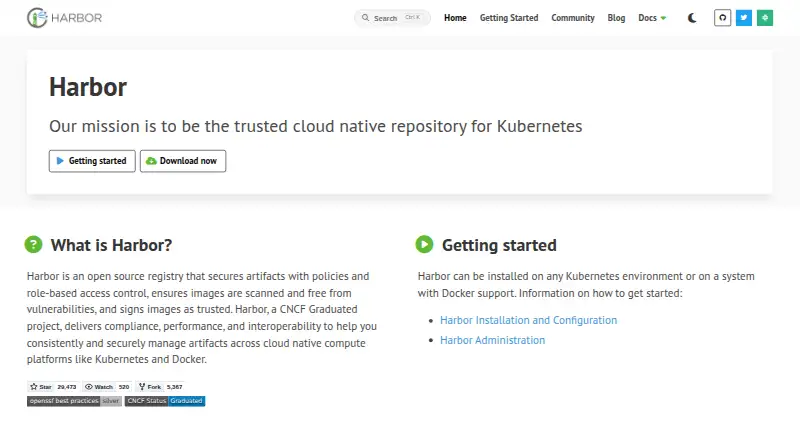
Harbor is a self-hosted, open-source container registry for organizations managing container images and cloud-native artifacts. It fits teams that want control over deployment and registry policies without a proprietary license. Projects include role-based access control, while the registry supports OCI images, image indexes, and other OCI artifacts. Harbor can run in Kubernetes environments or on systems with Docker support, and it provides both a web interface and an extensible API.
Policy and supply-chain controls are the product's strongest areas. Vulnerability scanning is available through Trivy and external scanner integrations, while Cosign and Notation support content signing and verification. Project-level tag immutability rules help protect published tags, and scheduled or event-based retention rules support artifact lifecycle management. These capabilities give platform and security teams a way to combine access control, scanning, signing, and cleanup within one registry service.
Harbor also suits organizations that need to move or cache artifacts across environments. Push- and pull-based replication connects Harbor with Harbor and registries including Amazon Elastic Container Registry, Azure Container Registry, Docker Hub, Google Container Registry, Google Cloud Artifact Registry, GitHub Container Registry, and JFrog Artifactory. Kubernetes and Docker support further align it with common cloud-native workflows. Choose Harbor when self-hosting, policy control, and broad registry interoperability matter; teams seeking a vendor-managed registry experience or AI features should consider a different approach.
Your product? Our editors can test Harbor in depth and publish a review, labelled as paid · from $149/mo →
Harbor pricing
Harbor fact sheet
| Free plan | Not verified |
|---|---|
| Paid from | Free |
| Image scanning | Yes |
| OCI artifacts | Yes |
| Immutable tags | Yes |
| Retention policies | Yes |
| Replication scope | Not verified |
| Included storage | Not verified |
| Maximum image size | Not verified |
| Deployment | Self-hosted |
| Platforms | Web, Linux |
| Support | Community, Docs |
| Built for | Small business, Mid-market, Enterprise (editorial estimate) |
| Integrations | 9 integrations: Docker Distribution, AWS Elastic Container Registry, Azure Container Registry, Docker Hub, GitHub Container Registry, Google Container Registry … |
| Pricing | Open source |
| Website | goharbor.io |
| Facts checked | 22 Sep 2026 |
Harbor integrations
Harbor lists 9 integrations on its own site.
- Docker Distribution
- AWS Elastic Container Registry
- Azure Container Registry
- Docker Hub
- GitHub Container Registry
- Google Container Registry
- Google Artifact Registry
- JFrog Artifactory
- Quay
Alternatives to Harbor
- QuayA flexible registry for teams that need hosted convenience or self-hosted control.9.3
- 8gears Container RegistryA security-focused Harbor registry with OCI support, policy controls, and flexible deployment options.9.2
- Zot RegistryA self-hosted OCI registry with scanning, retention, mirroring, and clustering.9.1


Harbor vs the competition
- Harbor vs Quay
- Harbor vs 8gears Container Registry
- Harbor vs Zot Registry
- Harbor vs Angos
- Harbor vs JFrog Container Registry
- Harbor vs Amazon Elastic Container Registry



Compare Harbor with any tool side by side →
Also Ranked In
Harbor is ranked in 2 of our directories.
Used Harbor? Be the first to review it
The editor score above is our own research. What this page doesn't have yet is a reader's view — what you used Harbor for, what worked and what didn't. No stars are seeded and no review is paid for; an editor reads every one before it appears.
Write a reviewTwo minutes · verified accounts only · read by an editor before it appears
Featured on iTechGuides

Harbor is listed in our Container Registries directory. Add the badge to your site — it links back to this page.
<a href="https://www.itechguides.com/products/harbor/"><img src="https://www.itechguides.com/best/badge/harbor.svg" alt="Featured on iTechGuides" width="230" height="46"></a>
Reviewed by iTechGuides Editors · Editorial team · Updated Oct 2026
Advertiser disclosure: iTechGuides is reader-supported. Vendors can pay for top positions in our rankings and for a place on other products' pages, and we may earn a commission when you click some links. Bought places stand at the number bought; this page and our disclosure say so. Paying vendors may get a fuller, more detailed review from our editors, and that review can change their score. How we rank.
Last updated · How we research and update