Greenclip
Greenclip: A focused open-source clipboard history tool for Linux and rofi workflows. Ranked #33 of 39 in Clipboard Manager Software by our editors (4.8/10); pricing: Open source; best for linux users preferring Rofi-based workflows.
At a glance
- Editor score4.8 / 10
- PricingOpen source
- Best forLinux users preferring Rofi-based workflows
- Paid fromFree
- Founded2016
- Facts checked20 Sep 2026
Where it wins
- Stores clipboard history with configurable length and permanent selections
- Supports rofi, dmenu, fzf, and primary-selection input
- Includes application blacklisting and small-image copying
Where it doesn't
- Designed for Linux desktops rather than cross-platform use
- Rofi is the primary interface, with dmenu and fzf as alternatives
- Image support is limited to small-image copying
Our verdict on Greenclip
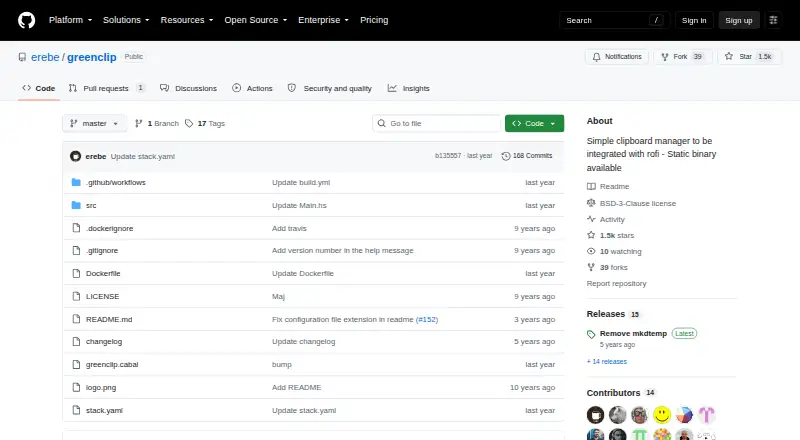
Greenclip is an open-source clipboard manager for Linux desktops that keeps a local history of clipboard selections. It runs as a daemon and exposes commands for printing, selecting, and clearing stored entries. The product is aimed at Linux users who prefer keyboard-driven workflows, particularly those using rofi as their main interface. It also supports permanent static selections, primary-selection input, application blacklisting, small-image copying, and configurable history length.
Its strongest fit is the surrounding command-line and launcher ecosystem. Rofi is the primary interface, while dmenu and fzf are documented alternatives, giving users several ways to access stored clipboard entries. The feature set stays focused on local clipboard history rather than presenting a broad workspace or collaboration layer. That narrow scope can suit users who want clipboard retrieval integrated into an existing Linux workflow without moving away from lightweight tools.
Greenclip is distributed as a static binary and can also be built from source, with the local-daemon model keeping the workflow centered on the Linux desktop. Its open-source distribution and focused feature set make it a practical choice for users who want clipboard history, static entries, filtering by application, and launcher-based access. Users seeking a cross-platform clipboard manager, a broader interface ecosystem, or more extensive media handling should choose an alternative instead. Greenclip is best for technically inclined Linux users who already work with rofi, dmenu, or fzf and value configurable local history over wider feature breadth.
Your product? Our editors can test Greenclip in depth and publish a review, labelled as paid · from $149/mo →
Greenclip pricing
Greenclip fact sheet
| Free plan | Not verified |
|---|---|
| Paid from | Free |
| History search | Not verified |
| Cross-device sync | Not verified |
| Snippets | Yes |
| Rich text support | Yes |
| History limit | Not verified |
| Supported platforms | Linux |
| Deployment | Self-hosted |
| Platforms | Linux |
| Support | Docs, Community |
| Built for | Solo, Small business (editorial estimate) |
| Integrations | 3 integrations: rofi, dmenu, fzf |
| Pricing | Open source |
| Website | github.com |
| Facts checked | 20 Sep 2026 |
Greenclip integrations
Greenclip lists 3 integrations on its own site.
- rofi
- dmenu
- fzf
Alternatives to Greenclip
- DittoPowerful free clipboard history, search, organization, and scripting for Windows.9.1
- CopyQA flexible, cross-platform clipboard history tool for users who want control and automation.8.5
- Screenshot CaptorA Windows screenshot tool with scrolling capture, annotation, image editing, and clipboard copying.7.9

See all Greenclip alternatives →
Used Greenclip? Be the first to review it
The editor score above is our own research. What this page doesn't have yet is a reader's view — what you used Greenclip for, what worked and what didn't. No stars are seeded and no review is paid for; an editor reads every one before it appears.
Write a reviewTwo minutes · verified accounts only · read by an editor before it appears
Featured on iTechGuides

Greenclip is listed in our Clipboard Manager Software directory. Add the badge to your site — it links back to this page.
<a href="https://www.itechguides.com/products/greenclip/"><img src="https://www.itechguides.com/best/badge/greenclip.svg" alt="Featured on iTechGuides" width="230" height="46"></a>
Reviewed by iTechGuides Editors · Editorial team · Updated Oct 2026
Advertiser disclosure: iTechGuides is reader-supported. Vendors can pay for top positions in our rankings and for a place on other products' pages, and we may earn a commission when you click some links. Bought places stand at the number bought; this page and our disclosure say so. Paying vendors may get a fuller, more detailed review from our editors, and that review can change their score. How we rank.
Last updated · How we research and update