GPaste
GPaste: A Linux-focused clipboard manager with search, rich content, and security controls. Ranked #20 of 39 in Clipboard Manager Software by our editors (6.2/10); pricing: Free plan; best for linux users wanting security features.
At a glance
- Editor score6.2 / 10
- PricingFree plan
- Best forLinux users wanting security features
- Free planYes
- Paid fromFree
- Facts checked20 Sep 2026
Where it wins
- Persistent, searchable history with multiple named histories
- Optional encryption and expiring password items
- GNOME, GTK 4, command-line, Wayland, and X11 support
Where it doesn't
- Runs on Linux rather than across multiple operating systems
- No AI features for clipboard organization or assistance
- Requires Linux package installation or building from source
Our verdict on GPaste
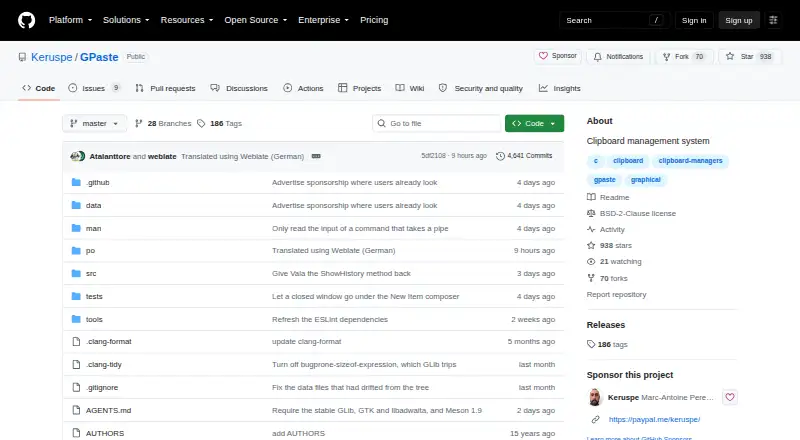
GPaste is an open-source clipboard management system for Linux, designed particularly for GNOME users who want more control than a basic clipboard history. A background daemon records clipboard contents, while the GTK 4 interface, GNOME Shell extension, and command-line client provide different ways to retrieve and manage items. Persistent history, search, pinned favourites, editing, multiple named histories, and support for rich content make it suitable for frequent copy-and-paste workflows.
Security is a notable focus. GPaste supports optional history encryption and password items with expiry, giving users dedicated controls for sensitive clipboard content. Its clipboard format support extends beyond plain text to rich text, HTML, images, URIs, and colours. Storage can use XML or SQLite backends, while configurable global shortcuts support both Wayland and X11. These capabilities make GPaste a strong fit for Linux users who want clipboard history without giving up local control or security-oriented features.
The product is narrowly focused on Linux and GNOME rather than broad device coverage. Its open-source model provides a free option, with Linux packages or source installation available, but users should expect the setup path to align with their Linux environment. GPaste is a good choice for Linux users who value searchable, persistent clipboard history, named histories, rich content, and password handling. Users who need a non-Linux client, cross-device workflow, or AI features should choose a different clipboard manager.
Your product? Our editors can test GPaste in depth and publish a review, labelled as paid · from $149/mo →
GPaste pricing
GPaste fact sheet
| Free plan | Yes |
|---|---|
| Paid from | Free |
| History search | Yes |
| Cross-device sync | Not verified |
| Snippets | Yes |
| Rich text support | Yes |
| History limit | Not verified |
| Supported platforms | linux |
| Deployment | Desktop |
| Platforms | Linux |
| Support | Community, Docs |
| Built for | Solo, Small business (editorial estimate) |
| Pricing | Free plan |
| Website | github.com |
| Facts checked | 20 Sep 2026 |
Alternatives to GPaste
- DittoPowerful free clipboard history, search, organization, and scripting for Windows.9.1
- CopyQA flexible, cross-platform clipboard history tool for users who want control and automation.8.5
- Screenshot CaptorA Windows screenshot tool with scrolling capture, annotation, image editing, and clipboard copying.7.9

Used GPaste? Be the first to review it
The editor score above is our own research. What this page doesn't have yet is a reader's view — what you used GPaste for, what worked and what didn't. No stars are seeded and no review is paid for; an editor reads every one before it appears.
Write a reviewTwo minutes · verified accounts only · read by an editor before it appears
Featured on iTechGuides

GPaste is listed in our Clipboard Manager Software directory. Add the badge to your site — it links back to this page.
<a href="https://www.itechguides.com/products/gpaste/"><img src="https://www.itechguides.com/best/badge/gpaste.svg" alt="Featured on iTechGuides" width="230" height="46"></a>
Reviewed by iTechGuides Editors · Editorial team · Updated Oct 2026
Advertiser disclosure: iTechGuides is reader-supported. Vendors can pay for top positions in our rankings and for a place on other products' pages, and we may earn a commission when you click some links. Bought places stand at the number bought; this page and our disclosure say so. Paying vendors may get a fuller, more detailed review from our editors, and that review can change their score. How we rank.
Last updated · How we research and update