
Google Tasks
Google Tasks: A capable free task manager for personal lists, reminders, and Google workflows. Ranked #36 of 36 in Task Queue Software by our editors (6.0/10); pricing: Free plan; best for personal task lists and reminders.
At a glance
- Editor score6.0 / 10
- PricingFree plan
- Best forPersonal task lists and reminders
- Free planYes
- Paid fromFree
- Facts checked23 Sep 2026
Where it wins
- Free access to lists, subtasks, reminders, and recurring tasks
- Dated tasks can appear in Google Calendar
- Creates tasks from Gmail, Chat, and eligible Docs
Where it doesn't
- Focused on personal task management, not distributed background queues
- Task ordering is manual rather than queue-based automation
- Its strongest integrations center on Google products
Our verdict on Google Tasks
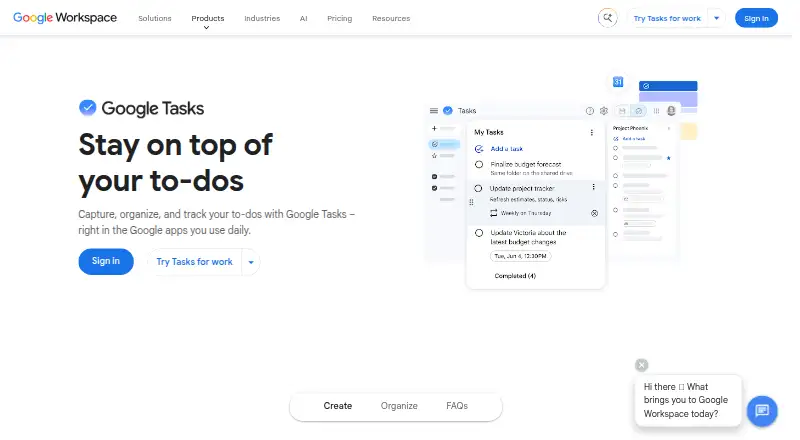
Google Tasks is a free to-do list application for individuals and Google Workspace users. It supports multiple task lists, task details, due dates, times, subtasks, notifications, reminders, and recurring schedules. Users can create daily, weekly, monthly, or annual recurring tasks, star items, and manually reorder them. The web, iOS, and Android versions synchronize task lists across devices signed in to the same Google Account. It is best suited to personal planning, routine follow-up, and lightweight work tracking within Google’s ecosystem.
The Free plan costs 0 USD as a one-time price and includes task lists, subtasks, due dates and notifications, recurring tasks, and Google Workspace integrations. Dated tasks can appear in Google Calendar, while tasks can be created from Gmail messages, Google Chat spaces, and eligible Google Docs. The broader integration set includes Google Drive, Sheets, Slides, Keep, and Gemini. This makes Google Tasks a practical fit when work already starts in Google products and users want reminders and dated items connected to that workflow.
Its feature set is intentionally centered on individual task management rather than distributed background job queues. There are no queue-oriented capabilities described for assigning, processing, monitoring, or coordinating background work across services. The documented scale is substantial for personal lists, with a maximum of 100,000 tasks across all lists and 20,000 uncompleted tasks per list, but volume alone does not change the product’s focus. Choose Google Tasks for straightforward lists, recurring reminders, subtasks, and Calendar visibility. Teams needing operational queues or distributed job processing should choose a product built around those workloads instead.
Your product? Our editors can test Google Tasks in depth and publish a review, labelled as paid · from $149/mo →
Google Tasks pricing
Google Tasks fact sheet
| Free plan | Yes |
|---|---|
| Paid from | Free |
| Deployment model | Not verified |
| Custom retry policy | Not verified |
| Scheduled jobs | Not verified |
| Dead-letter queue | Not verified |
| Maximum payload size | Not verified |
| Official SDK languages | Not verified |
| Deployment | Cloud, Mobile |
| Platforms | Web, iOS, Android |
| Support | Docs |
| Built for | Solo, Small business (editorial estimate) |
| Integrations | 8 integrations: Gmail, Google Calendar, Google Chat, Google Drive, Google Docs, Google Sheets … |
| Pricing | Free plan |
| Website | workspace.google.com |
| Facts checked | 23 Sep 2026 |
Google Tasks integrations
Google Tasks lists 8 integrations on its own site.
- Gmail
- Google Calendar
- Google Chat
- Google Drive
- Google Docs
- Google Sheets
- Google Slides
- Google Keep
Alternatives to Google Tasks
- HatchetA code-first queue for durable execution, observable workflows, and AI task orchestration.9.4
- Trigger.devA strong fit for durable TypeScript tasks, queues, retries, and preview environments.9.2
- InngestA flexible task engine for serverless teams that need durable, observable execution.9.0



See all Google Tasks alternatives →
Also Ranked In
Google Tasks is ranked in 5 of our directories.
Used Google Tasks? Be the first to review it
The editor score above is our own research. What this page doesn't have yet is a reader's view — what you used Google Tasks for, what worked and what didn't. No stars are seeded and no review is paid for; an editor reads every one before it appears.
Write a reviewTwo minutes · verified accounts only · read by an editor before it appears
Featured on iTechGuides

Google Tasks is listed in our Task Queue Software directory. Add the badge to your site — it links back to this page.
<a href="https://www.itechguides.com/products/google-tasks/"><img src="https://www.itechguides.com/best/badge/google-tasks.svg" alt="Featured on iTechGuides" width="230" height="46"></a>
Reviewed by iTechGuides Editors · Editorial team · Updated Oct 2026
Advertiser disclosure: iTechGuides is reader-supported. Vendors can pay for top positions in our rankings and for a place on other products' pages, and we may earn a commission when you click some links. Bought places stand at the number bought; this page and our disclosure say so. Paying vendors may get a fuller, more detailed review from our editors, and that review can change their score. How we rank.
Last updated · How we research and update