Gnote
Gnote: A focused, open-source linked-note tool for Linux desktops. Ranked #208 of 214 in Note-Taking Apps by our editors (3.0/10); pricing: Free plan; best for linux users needing a lightweight linked-note tool.
At a glance
- Editor score3.0 / 10
- PricingFree plan
- Best forLinux users needing a lightweight linked-note tool
- Free planYes
- Paid fromNone
- Facts checked20 Sep 2026
Where it wins
- Open-source desktop app with free access
- WikiWiki-style links connect related notes
- HTML export, printing, sync, and notebooks included
Where it doesn't
- Available on Linux platforms only
- Narrower scope than broad collaboration suites
- GNOME-focused desktop experience limits platform flexibility
Our verdict on Gnote
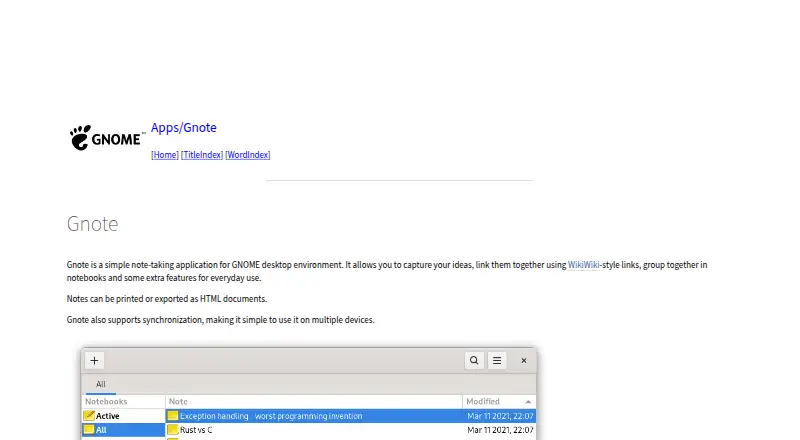
Gnote is an open-source desktop note-taking application for the GNOME environment. It is designed for Linux users who want a lightweight way to capture ideas, organize them into notebooks, and connect related notes with WikiWiki-style links. The core workflow centers on individual note creation and organization rather than a broad, multi-platform workspace. Gnote is distributed through GNOME’s source archive and is packaged by Linux distributions including Fedora, Debian, Ubuntu, Arch Linux, and openSUSE.
Its strongest feature set is the combination of linked notes and practical document handling. Users can create connections between notes, print notes, and export them as HTML documents for use outside the application. The Tomboy-compatible note format also gives the product a specific place in workflows built around that format. Synchronization across devices extends the tool beyond a single desktop, while notebooks provide a straightforward structure for grouping content. These capabilities make Gnote a sensible fit for personal knowledge capture, reference notes, and lightweight wiki-style organization.
The main trade-off is focus. Gnote is available on Linux, so it is a better match for users already working within that platform than for people who need a consistent note system across different operating systems. Its feature set is centered on notes, notebooks, links, printing, HTML export, synchronization, and format compatibility, which keeps the product specialized but gives it less breadth than a general collaboration or workspace application. Choose Gnote for a free, open-source GNOME note tool with linked-note organization; choose an alternative if cross-platform reach or team-oriented workflows are central requirements.
Your product? Our editors can test Gnote in depth and publish a review, labelled as paid · from $99/mo →
Gnote pricing
Gnote fact sheet
| Free plan | Yes |
|---|---|
| Paid from | None |
| Offline access | Not verified |
| Supported platforms | linux |
| Note sharing | Not verified |
| Real-time collaboration | Not verified |
| Storage limit | Not verified |
| Integrations | Not verified |
| Deployment | Desktop |
| Platforms | Linux |
| Support | Community, Docs, Tickets |
| Built for | Solo, Small business (editorial estimate) |
| Pricing | Free plan |
| Website | wiki.gnome.org |
| Facts checked | 20 Sep 2026 |
Alternatives to Gnote
- Microsoft OneNoteA broad, collaborative note system with strong Microsoft integration and a capable free option.9.3
- NotionA flexible workspace for teams that want notes and knowledge bases alongside databases and collaboration.9.2
- EvernoteA broad note-taking workspace for organizing information, tasks, calendars, and documents.9.0


Used Gnote? Be the first to review it
The editor score above is our own research. What this page doesn't have yet is a reader's view — what you used Gnote for, what worked and what didn't. No stars are seeded and no review is paid for; an editor reads every one before it appears.
Write a reviewTwo minutes · verified accounts only · read by an editor before it appears
Featured on iTechGuides

Gnote is listed in our Note-Taking Apps directory. Add the badge to your site — it links back to this page.
<a href="https://www.itechguides.com/products/gnote/"><img src="https://www.itechguides.com/best/badge/gnote.svg" alt="Featured on iTechGuides" width="230" height="46"></a>
Guides on Note-Taking apps
- Best note-taking apps for iPad and Apple Pencil 2026Aug 2026
- Best Note-Taking Apps for iPad: Top 7 in 2026Aug 2026
- Best Note-Taking Apps to Use in 2026Aug 2026
Reviewed by iTechGuides Editors · Editorial team · Updated Oct 2026
Advertiser disclosure: iTechGuides is reader-supported. Vendors can pay for top positions in our rankings and for a place on other products' pages, and we may earn a commission when you click some links. How we rank.
Last updated · How we research and update