foot
foot: A focused, free Wayland terminal for Linux users who value keyboard control. Ranked #28 of 40 in Terminal Emulators by our editors (6.6/10); pricing: Free plan; best for wayland users wanting a focused Linux terminal.
At a glance
- Editor score6.6 / 10
- PricingFree plan
- Best forWayland users wanting a focused Linux terminal
- Free planYes
- Paid fromFree
- Split panesNo
- Facts checked20 Sep 2026
Where it wins
- Native Wayland windows with server mode through footclient
- Scrollback search, URL launching, true color, and Sixel support
- Free, open-source software with IME and multi-seat support
Where it doesn't
- Linux-only platform coverage
- No verified split-pane support
- No GPU acceleration
Our verdict on foot
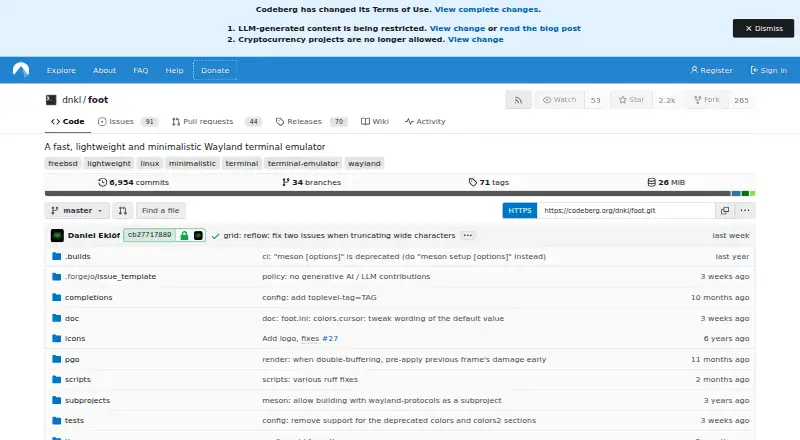
foot is a lightweight terminal emulator for Wayland environments, aimed at Linux users who want a focused terminal with keyboard-driven workflows. It supports configurable fonts and font fallback, scrollback search, URL detection and launching, 24-bit true color, Sixel images, IME input, multi-seat use, synchronized updates, and shell integration through OSC sequences. Its free and open-source distribution under the MIT license also suits users who prefer software they can inspect and adapt.
The standout capability is its operating model. foot can run as a regular single-window application or in server mode, where one process hosts multiple terminal windows launched through footclient. That arrangement can be useful when several terminal windows need to share a long-running process. Keyboard-driven URL handling, scrollback search, shell integration, and configurable font behavior add practical depth without changing the product's narrow terminal focus. There are no AI features, and the product is centered on terminal interaction rather than a broader workspace.
Platform fit is the main selection question. foot is designed for Wayland and supports Linux, making it a natural choice for users already working in that environment. Its feature set covers advanced terminal needs, including true color, Sixel, IME, multi-seat support, SSH support, and scripting support. However, users who need broader platform coverage, verified split panes, or GPU acceleration should choose an alternative with those capabilities. Pick foot for a lightweight, keyboard-oriented Linux terminal with daemon mode; look elsewhere if integrated pane management or wider desktop support matters more.
Your product? Our editors can test foot in depth and publish a review, labelled as paid · from $149/mo →
foot pricing
foot fact sheet
| Free plan | Yes |
|---|---|
| Paid from | Free |
| Supported platforms | linux |
| Split panes | No |
| Session sync | Not verified |
| GPU acceleration | No |
| Scripting API | Yes |
| SSH support | Yes |
| Deployment | Desktop |
| Platforms | Linux |
| Pricing | Free plan |
| Website | codeberg.org |
| Facts checked | 20 Sep 2026 |
Alternatives to foot
- TabbyA versatile open-source terminal for power users who automate across systems.9.4
- Windows TerminalA free, open-source Windows terminal with tabs, panes, profiles, and automation.9.3
- iTerm2A capable Mac terminal with advanced panes, profiles, session restoration, and automation.9.2


Used foot? Be the first to review it
The editor score above is our own research. What this page doesn't have yet is a reader's view — what you used foot for, what worked and what didn't. No stars are seeded and no review is paid for; an editor reads every one before it appears.
Write a reviewTwo minutes · verified accounts only · read by an editor before it appears
Featured on iTechGuides

foot is listed in our Terminal Emulators directory. Add the badge to your site — it links back to this page.
<a href="https://www.itechguides.com/products/foot/"><img src="https://www.itechguides.com/best/badge/foot.svg" alt="Featured on iTechGuides" width="230" height="46"></a>
Reviewed by iTechGuides Editors · Editorial team · Updated Oct 2026
Advertiser disclosure: iTechGuides is reader-supported. Vendors can pay for top positions in our rankings and for a place on other products' pages, and we may earn a commission when you click some links. Bought places stand at the number bought; this page and our disclosure say so. Paying vendors may get a fuller, more detailed review from our editors, and that review can change their score. How we rank.
Last updated · How we research and update