
Folio
Folio: A low-cost demo builder with capture, analytics, forms, and useful integrations. Ranked #29 of 42 in Interactive Product Demo Software by our editors (6.2/10); pricing: Free plan · 14-day trial; best for small teams seeking low-cost demo creation.
At a glance
- Editor score6.2 / 10
- PricingFree plan · 14-day trial
- Best forSmall teams seeking low-cost demo creation
- Free planYes
- Paid from$25/user/mo
- Demo formatMixed
- Facts checked21 Sep 2026
Where it wins
- Free plan includes unlimited demo steps and views
- Supports capture, editing, guides, forms, analytics, and branding
- Integrates with HubSpot, Salesforce, Slack, Zapier, and Marketo
Where it doesn't
- Free plan limits users to two basic demos and templates
- Advanced collaboration starts at the Team plan
- Enterprise pricing is not published
Our verdict on Folio
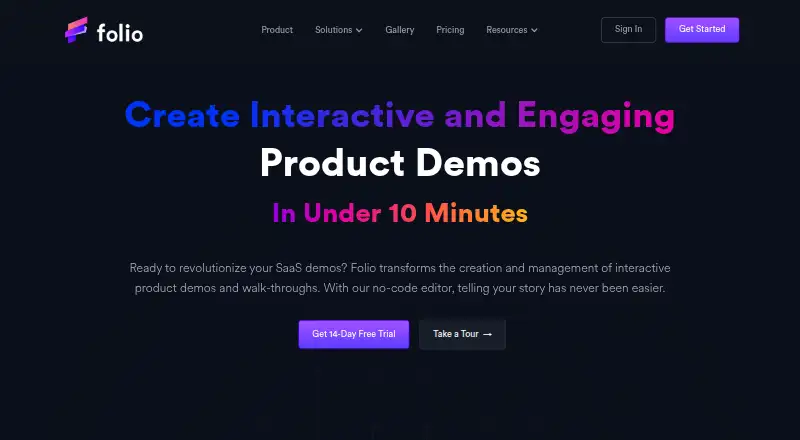
Folio helps growth, sales, product marketing, and customer-success teams create and share interactive product demos and walkthroughs. Its browser extension captures application screens, while the no-code editor supports content and HTML changes. Teams can add guides, annotations, video narration, personal video recordings, reusable templates, lead forms, viewer analytics, custom branding, and shareable or embedded demos. Folio runs on the web, through a Chrome extension, and via an API, making it suitable for teams that need demos across marketing, sales, and customer-facing workflows.
Pricing covers a free option and four paid tiers. The Free plan supports one user, two Basic Demos, two Basic Templates, unlimited demo steps or screens, unlimited demo views, and Basic Demo/Analytics. Lite costs $29 per user per month monthly or $25 per user per month with annual billing, adding up to 15 Basic Demos, HTML Capture, image and video uploads, Custom Themes, and Basic Support. Pro costs $49 monthly or $42 with annual billing for one user and adds unlimited demos and templates, Custom Branding, Advanced Integrations, and Custom Forms. Team costs $69 per user per month and adds multiple users, workspace management, permissions, collaboration, a custom subdomain, and Priority Support. Enterprise adds multiple teams, open APIs, SAML SSO integrations, Dedicated Support, and custom data retention policies.
Folio’s integration range fits teams connecting demos to CRM, marketing, communication, and workflow tools. Listed integrations include Gmail, Intercom, Google Drive, Segment, Google Calendar, Zapier, HubSpot, OpenAI, Marketo, Slack, and Salesforce. The product is a strong fit for small teams that want a free starting point or a $25 annual entry tier with lead capture and analytics. Larger organizations should consider whether the Team and Enterprise capabilities match their collaboration, identity, API, and data-retention requirements.
Questions about Folio
Does Folio have a free plan? Yes, there is a free plan; paid plans start at $29/user/mo (Lite).
How much does Folio cost? Folio lists 3 paid plans; the lowest is Lite at $29/user/mo.
Is there a free trial of Folio? Yes: a 14-day free trial.
What does Folio run on? Web and Chrome extension. It runs in the cloud and as a browser extension.
What does Folio integrate with? 11 integrations, including Gmail, Intercom, Google Drive, Segment and Google Calendar.
Who is Folio built for? Solo users, small businesses, mid-market companies and enterprises (our editorial estimate).
Your product? Our editors can test Folio in depth and publish a review, labelled as paid · from $149/mo →
Folio pricing
All 5 Folio plans and prices →
Folio fact sheet
| Free plan | Yes |
|---|---|
| Paid from | $25/user/mo |
| Demo format | Mixed |
| Product capture | Mixed |
| Lead capture | Yes |
| Demo analytics | Yes |
| Demo personalization | Yes |
| Custom branding | Yes |
| Published demos | 15 |
| Free trial | 14 days |
| Deployment | Cloud, Browser extension |
| Platforms | Web, Chrome extension |
| Compliance & security | SSO/SAML |
| Support | |
| Built for | Solo, Small business, Mid-market, Enterprise (editorial estimate) |
| Integrations | 11 integrations: Gmail, Intercom, Google Drive, Segment, Google Calendar, Zapier … |
| Pricing | Free plan · 14-day trial (source) |
| Website | folio.la |
| Facts checked | 21 Sep 2026 |
Folio integrations
Folio lists 11 integrations on its own site.
- Gmail
- Intercom
- Google Drive
- Segment
- Google Calendar
- Zapier
- HubSpot
- OpenAI
- Marketo
- Slack
- Salesforce
Alternatives to Folio
- InteractivelyA no-code demo platform with live capture, personalization, publishing, and analytics.9.1
- NavatticA broad interactive demo platform with strong personalization and go-to-market integrations.8.9
- StorylaneA feature-rich demo platform for teams that need engagement data and experimentation.8.8



Also Ranked In
Folio is ranked in 3 of our directories.
Used Folio? Be the first to review it
The editor score above is our own research. What this page doesn't have yet is a reader's view — what you used Folio for, what worked and what didn't. No stars are seeded and no review is paid for; an editor reads every one before it appears.
Write a reviewTwo minutes · verified accounts only · read by an editor before it appears
Featured on iTechGuides

Folio is listed in our Interactive Product Demo Software directory. Add the badge to your site — it links back to this page.
<a href="https://www.itechguides.com/products/folio-interactive-product-demo-software/"><img src="https://www.itechguides.com/best/badge/folio-interactive-product-demo-software.svg" alt="Featured on iTechGuides" width="230" height="46"></a>
Reviewed by iTechGuides Editors · Editorial team · Updated Nov 2026
Advertiser disclosure: iTechGuides is reader-supported. Vendors can pay for top positions in our rankings and for a place on other products' pages, and we may earn a commission when you click some links. Bought places stand at the number bought; this page and our disclosure say so. Paying vendors may get a fuller, more detailed review from our editors, and that review can change their score. How we rank.
Last updated · How we research and update