
Focuster
Focuster: A focused Google Calendar scheduler for turning priorities into planned work. Ranked #29 of 34 in Time Management Apps by our editors (6.5/10); pricing: 14-day trial; best for google Calendar-centered automatic scheduling.
At a glance
- Editor score6.5 / 10
- Pricing14-day trial
- Best forGoogle Calendar-centered automatic scheduling
- Free planNo
- Time blockingYes
- Facts checked20 Sep 2026
Where it wins
- Automatically places prioritized tasks into available calendar slots
- Supports recurring actions, time blocks, reminders, and planning emails
- Connects with Google Calendar, Zapier, and API-based workflows
Where it doesn't
- Calendar synchronization is limited to Google Calendar
- No AI-assisted scheduling features
- The iOS experience is described as being in beta
Our verdict on Focuster
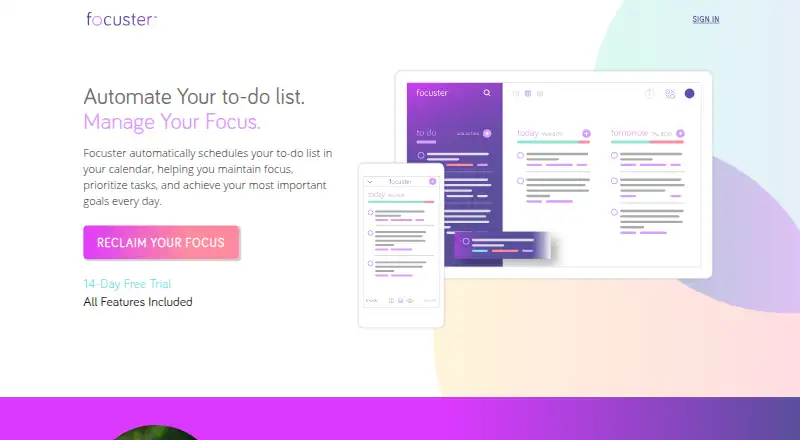
Focuster is a calendar-based time management app for individuals and entrepreneurs who want prioritized tasks placed into available work periods. It combines a to-do list with Today, calendar, and Now views, letting users adjust task duration, reorder priorities, pin tasks to specific times, and manually change scheduled items. A completion archive, recurring daily and weekly actions, reminders, push notifications, and daily planning emails support ongoing task management. The product is available on the web and iOS, with the iOS experience described as beta.
Its strongest fit is a Google Calendar-centered workflow. Two-way synchronization lets scheduled tasks and calendar commitments work together, while time blocking uses Google Calendar block events. Zapier integration and API-key-based connections extend the workflow to services such as Gmail, Evernote, Trello, and Slack. This makes Focuster more useful for people who already organize their availability in Google Calendar, although it is not a broad multi-calendar hub. The automatic scheduling feature is the central differentiator: priorities can be placed into open calendar slots rather than left as a separate task list.
Focuster should suit individuals and entrepreneurs who want structured daily planning without an AI layer. Its controls are practical for users who prefer to set priorities, durations, recurring actions, and fixed start times themselves. The product is less suitable for teams seeking shared planning features, people who require synchronization with calendars other than Google Calendar, or buyers looking for AI-assisted task decisions. Those who depend on a fully mature mobile experience should also account for the beta status of the iOS app.
Your product? Our editors can test Focuster in depth and publish a review, labelled as paid · from $149/mo →
Focuster pricing
Focuster fact sheet
| Free plan | No |
|---|---|
| Paid from | Not verified |
| Time blocking | Yes |
| Calendar sync | Yes |
| Recurring tasks | Yes |
| Task views | Calendar |
| Workload planning | Not verified |
| Review reports | Yes |
| Supported platforms | web, ios |
| Free trial | 14 days |
| Deployment | Cloud, Mobile |
| Platforms | Web, iOS |
| Support | Docs |
| Built for | Solo, Small business (editorial estimate) |
| Integrations | 10+ integrations: Google Calendar, Zapier, Gmail, Evernote, Trello, Slack |
| Pricing | 14-day trial |
| Website | focuster.com |
| Facts checked | 20 Sep 2026 |
Focuster integrations
Focuster lists 10+ integrations on its own site — the 6 named here are the ones its pages call out.
- Google Calendar
- Zapier
- Gmail
- Evernote
- Trello
- Slack
Alternatives to Focuster
- FlowSavvyA focused planner for turning deadlines and priorities into calendar time.9.3
- RoutineA cross-platform planner that combines time blocking, calendars, tasks, notes, and AI.9.2
- Reclaim AIA flexible AI scheduler with a free plan, team booking, and web-only access.9.1



See all Focuster alternatives →
Also Ranked In
Focuster is ranked in 2 of our directories.
Used Focuster? Be the first to review it
The editor score above is our own research. What this page doesn't have yet is a reader's view — what you used Focuster for, what worked and what didn't. No stars are seeded and no review is paid for; an editor reads every one before it appears.
Write a reviewTwo minutes · verified accounts only · read by an editor before it appears
Featured on iTechGuides

Focuster is listed in our Time Management Apps directory. Add the badge to your site — it links back to this page.
<a href="https://www.itechguides.com/products/focuster/"><img src="https://www.itechguides.com/best/badge/focuster.svg" alt="Featured on iTechGuides" width="230" height="46"></a>
Reviewed by iTechGuides Editors · Editorial team · Updated Oct 2026
Advertiser disclosure: iTechGuides is reader-supported. Vendors can pay for top positions in our rankings and for a place on other products' pages, and we may earn a commission when you click some links. Bought places stand at the number bought; this page and our disclosure say so. Paying vendors may get a fuller, more detailed review from our editors, and that review can change their score. How we rank.
Last updated · How we research and update