Flycut
Flycut: A free clipboard history tool with search, favorites, and iCloud sync. Ranked #23 of 39 in Clipboard Manager Software by our editors (5.9/10); pricing: Free plan; best for mac and iPhone users wanting iCloud sync.
At a glance
- Editor score5.9 / 10
- PricingFree plan
- Best forMac and iPhone users wanting iCloud sync
- Free planYes
- Paid fromFree
- Cross-device syncYes
- Facts checked20 Sep 2026
Where it wins
- Free and open source across macOS and iOS
- Searchable clipboard history with favorites and keyboard access
- iCloud synchronization connects Mac and iPhone clippings
Where it doesn't
- Rich-text support is not included
- The iOS app stores clippings when opened
- Focused on Apple platforms rather than broader device coverage
Our verdict on Flycut
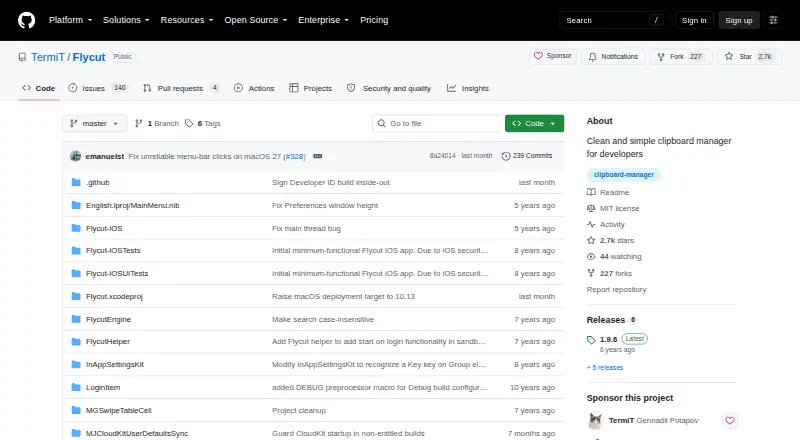
Flycut is a free, open-source clipboard manager for developers and other users who regularly copy code or text on Mac and iPhone. Its macOS app captures clipboard history and provides keyboard shortcut access for pasting, while the iOS app stores clippings, restores them to the clipboard, and can open saved web links. History can be searched, navigated, deleted, merged, or moved into a favorites store for repeated use.
Flycut’s pricing is straightforward: the product is distributed free through the Apple App Store and from its GitHub repository. There are no paid tiers to compare, and the feature set centers on clipboard capture rather than broader productivity functions. The standout workflow is quick retrieval: users can invoke the history with a keyboard shortcut, search saved items, and keep important clippings in favorites. An option to disable clipboard tracking adds control over when capture is active.
The main ecosystem fit is Apple-focused. iCloud synchronization connects the Mac and iOS versions, while the iOS app adds a practical route for restoring clippings or opening saved web links. Flycut is a good choice for users who want an open-source clipboard history with search, favorites, keyboard access, and cross-device sync between macOS and iOS. It is less suitable for people who need rich-text handling, broader platform coverage, or an iOS workflow that continuously stores clippings without opening the app.
Your product? Our editors can test Flycut in depth and publish a review, labelled as paid · from $149/mo →
Flycut pricing
Flycut fact sheet
| Free plan | Yes |
|---|---|
| Paid from | Free |
| History search | Yes |
| Cross-device sync | Yes |
| Snippets | Yes |
| Rich text support | No |
| History limit | Not verified |
| Supported platforms | macOS, iOS |
| Deployment | Desktop, Mobile |
| Platforms | macOS, iOS |
| Support | Docs |
| Built for | Solo, Small business (editorial estimate) |
| Integrations | 1 integrations: iCloud |
| Pricing | Free plan |
| Website | github.com |
| Facts checked | 20 Sep 2026 |
Flycut integrations
Flycut lists 1 integrations on its own site.
- iCloud
Alternatives to Flycut
- DittoPowerful free clipboard history, search, organization, and scripting for Windows.9.1
- CopyQA flexible, cross-platform clipboard history tool for users who want control and automation.8.5
- Screenshot CaptorA Windows screenshot tool with scrolling capture, annotation, image editing, and clipboard copying.7.9

Also Ranked In
Flycut is ranked in 2 of our directories.
Used Flycut? Be the first to review it
The editor score above is our own research. What this page doesn't have yet is a reader's view — what you used Flycut for, what worked and what didn't. No stars are seeded and no review is paid for; an editor reads every one before it appears.
Write a reviewTwo minutes · verified accounts only · read by an editor before it appears
Featured on iTechGuides

Flycut is listed in our Clipboard Manager Software directory. Add the badge to your site — it links back to this page.
<a href="https://www.itechguides.com/products/flycut/"><img src="https://www.itechguides.com/best/badge/flycut.svg" alt="Featured on iTechGuides" width="230" height="46"></a>
Reviewed by iTechGuides Editors · Editorial team · Updated Oct 2026
Advertiser disclosure: iTechGuides is reader-supported. Vendors can pay for top positions in our rankings and for a place on other products' pages, and we may earn a commission when you click some links. Bought places stand at the number bought; this page and our disclosure say so. Paying vendors may get a fuller, more detailed review from our editors, and that review can change their score. How we rank.
Last updated · How we research and update