
Fantomas
Fantomas: A focused open-source formatter for F# projects across .NET editors and CI workflows. Ranked #21 of 34 in Code Formatting Tools by our editors (7.2/10); pricing: Open source; best for F# developers using .NET IDEs.
At a glance
- Editor score7.2 / 10
- PricingOpen source
- Best forF# developers using .NET IDEs
- Paid fromFree
- Supported languagesF#
- Facts checked21 Sep 2026
Where it wins
- Formats F# files and folders with .editorconfig configuration
- Checks formatting without changing files for CI workflows
- Supports editors, JSON output, ignore rules, and a library API
Where it doesn't
- Focused on F# rather than multi-language formatting
- Platform coverage is limited to web and self-hosted use
- Editor support depends on the listed integrations
Our verdict on Fantomas
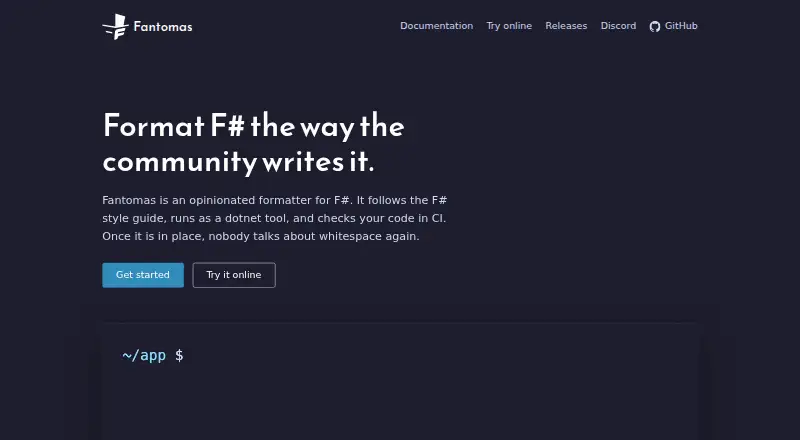
Fantomas is an open-source formatter for F# source code, distributed as a .NET tool with an online formatter. It formats individual files or folders from the command line and supports configuration through .editorconfig. Developers working in F# projects can also check formatting without writing changes, making it suitable for CI workflows and style enforcement. Its focus is particularly relevant to teams using .NET-based development environments and F# codebases that need repeatable formatting rules.
Its strongest fit is the combination of command-line, editor, and automation features. Fantomas integrates with Ionide, FSAutoComplete, Visual Studio, Visual Studio Code, and JetBrains Rider, while an LSP-like daemon supports editor tooling. JSON output is available for scripts and coding agents, and .fantomasignore files use gitignore syntax to exclude selected paths. These options give teams several ways to place formatting into local development and automated workflows without limiting the tool to a single editor.
Fantomas also extends beyond a standalone formatter through Fantomas.Core and the CodeFormatter API, allowing programmatic formatting. That makes it a practical choice for developers who need both an established command-line workflow and a library interface. The trade-off is its narrow language scope: projects that require formatting for languages other than F# will need a separate tool. Choose Fantomas when F# consistency, editor integration, configuration, and CI checking are the priority; choose an alternative when broad multi-language coverage is central.
Your product? Our editors can test Fantomas in depth and publish a review, labelled as paid · from $149/mo →
Fantomas pricing
Fantomas fact sheet
| Free plan | Not verified |
|---|---|
| Paid from | Free |
| Supported languages | F# |
| Supported platforms | web, self_hosted |
| Editor integration | Yes |
| Ignore files | Yes |
| Changed-lines formatting | Not verified |
| Library API | Yes |
| License model | Open_source |
| Deployment | Cloud, Self-hosted |
| Platforms | Web |
| Support | Community, Docs |
| Built for | Solo, Small business, Mid-market, Enterprise (editorial estimate) |
| Integrations | 5 integrations: Ionide, FSAutoComplete, Visual Studio, Visual Studio Code, JetBrains Rider |
| Pricing | Open source |
| Website | fsprojects.github.io |
| Facts checked | 21 Sep 2026 |
Fantomas integrations
Fantomas lists 5 integrations on its own site.
- Ionide
- FSAutoComplete
- Visual Studio
- Visual Studio Code
- JetBrains Rider
Alternatives to Fantomas
- dprintA broad, editor-friendly formatter for multilingual repositories and changed-file workflows.9.4
- PrettierA broad, open-source formatter for web-language teams across editors and workflows.9.2
- SpotlessA build-focused formatter for JVM projects that need broad language coverage and automation.9.0

See all Fantomas alternatives →
Used Fantomas? Be the first to review it
The editor score above is our own research. What this page doesn't have yet is a reader's view — what you used Fantomas for, what worked and what didn't. No stars are seeded and no review is paid for; an editor reads every one before it appears.
Write a reviewTwo minutes · verified accounts only · read by an editor before it appears
Featured on iTechGuides

Fantomas is listed in our Code Formatting Tools directory. Add the badge to your site — it links back to this page.
<a href="https://www.itechguides.com/products/fantomas/"><img src="https://www.itechguides.com/best/badge/fantomas.svg" alt="Featured on iTechGuides" width="230" height="46"></a>
Reviewed by iTechGuides Editors · Editorial team · Updated Oct 2026
Advertiser disclosure: iTechGuides is reader-supported. Vendors can pay for top positions in our rankings and for a place on other products' pages, and we may earn a commission when you click some links. Bought places stand at the number bought; this page and our disclosure say so. Paying vendors may get a fuller, more detailed review from our editors, and that review can change their score. How we rank.
Last updated · How we research and update