ExtLume
ExtLume: A focused open-source Windows tool for DDC/CI monitor brightness control. Ranked #22 of 24 in Monitor Control Software by our editors (6.2/10); pricing: Open source; best for windows users focused on brightness control.
At a glance
- Editor score6.2 / 10
- PricingOpen source
- Best forWindows users focused on brightness control
- Paid fromFree
- Supported platformsWindows
- Facts checked20 Sep 2026
Where it wins
- DDC/CI hardware brightness control with software-dimming fallback
- Separate controls for multiple displays and mirrored groups
- Hot-plug rescanning, tray operation, and Windows startup
Where it doesn't
- No input switching or monitor profiles
- No scheduling, CLI/API, or auto-brightness
- Software dimming changes perceived brightness, not backlight power
Our verdict on ExtLume
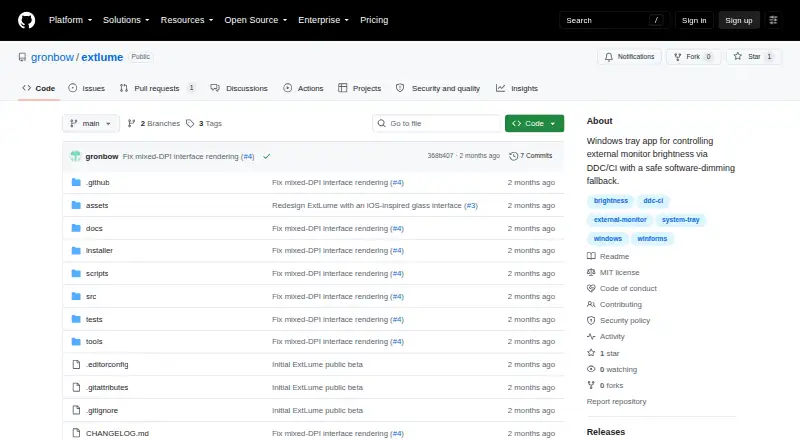
ExtLume is an open-source Windows tray application for controlling external monitor brightness. It detects active physical displays through Windows DisplayConfig and EDID metadata, then provides separate brightness controls for compatible monitors. The application supports Windows 10 and 11, multiple displays, mirrored-display grouping, built-in and virtual display exclusion, hot-plugging, resume rescanning, system-tray operation, and Windows startup. It is aimed at Windows users who want direct brightness control for external monitors without a broader monitor-management feature set.
Its main strength is the way it handles different display environments. ExtLume prefers hardware brightness control through DDC/CI, while a software-dimming overlay provides a fallback when hardware control is unavailable. Separate controls help distinguish multiple displays, and clone protection plus mirrored-display grouping address common multi-monitor arrangements. The software-dimming mode changes perceived image brightness rather than panel backlight power, so the two control methods have different effects. Display detection and rescanning also support changing monitor setups, including hot-plug and resume scenarios.
ExtLume keeps its scope narrow. The published feature set covers brightness control, display detection, grouping, exclusion, startup, and tray access, but it does not provide input switching, monitor profiles, scheduling, a CLI or API, or auto-brightness. Current public releases are beta builds, and the software is distributed under the MIT License. Choose ExtLume if your priority is open-source brightness control on Windows, especially with multiple external displays. Choose another tool if you need automated brightness changes, saved monitor configurations, input management, or command-line control.
Your product? Our editors can test ExtLume in depth and publish a review, labelled as paid · from $149/mo →
ExtLume pricing
ExtLume fact sheet
| Free plan | Not verified |
|---|---|
| Paid from | Free |
| Supported platforms | Windows |
| DDC/CI control | Yes |
| Input switching | No |
| Monitor profiles | No |
| Settings scheduling | No |
| CLI or API access | No |
| Auto brightness | No |
| Deployment | Desktop |
| Platforms | Windows |
| Support | Community, Docs |
| Built for | Solo, Small business (editorial estimate) |
| Pricing | Open source |
| Website | github.com |
| Facts checked | 20 Sep 2026 |
Alternatives to ExtLume
- MonitorControl ProA free, open-source Windows tool for advanced monitor control, profiles, and automation.9.4
- Twinkle TrayA capable free Windows utility for multi-monitor control, profiles, scheduling, and scripting.9.2
- LunarA capable Mac monitor controller with automation, sensors, and a low one-time Pro price.8.9


See all ExtLume alternatives →
Used ExtLume? Be the first to review it
The editor score above is our own research. What this page doesn't have yet is a reader's view — what you used ExtLume for, what worked and what didn't. No stars are seeded and no review is paid for; an editor reads every one before it appears.
Write a reviewTwo minutes · verified accounts only · read by an editor before it appears
Featured on iTechGuides

ExtLume is listed in our Monitor Control Software directory. Add the badge to your site — it links back to this page.
<a href="https://www.itechguides.com/products/extlume/"><img src="https://www.itechguides.com/best/badge/extlume.svg" alt="Featured on iTechGuides" width="230" height="46"></a>
Reviewed by iTechGuides Editors · Editorial team · Updated Oct 2026
Advertiser disclosure: iTechGuides is reader-supported. Vendors can pay for top positions in our rankings and for a place on other products' pages, and we may earn a commission when you click some links. Bought places stand at the number bought; this page and our disclosure say so. Paying vendors may get a fuller, more detailed review from our editors, and that review can change their score. How we rank.
Last updated · How we research and update