
Lunar
Lunar: A capable Mac monitor controller with automation, sensors, and a low one-time Pro price. Ranked #3 of 24 in Monitor Control Software by our editors (8.9/10); pricing: Free plan · 14-day trial; best for mac users wanting automation and sensors.
At a glance
- Editor score8.9 / 10
- PricingFree plan · 14-day trial
- Best forMac users wanting automation and sensors
- Free planYes
- Paid from$23 one-time
- Supported platformsmacOS
- Facts checked20 Sep 2026
Where it wins
- Free DDC control, input switching, and command-line integration
- Ambient-light adaptation with built-in or external sensors
- Shortcuts, scheduling, presets, and multi-monitor control
Where it doesn't
- Supports macOS only
- DDC and input switching depend on monitor setup
- Advanced modes require the one-time Pro purchase
Our verdict on Lunar
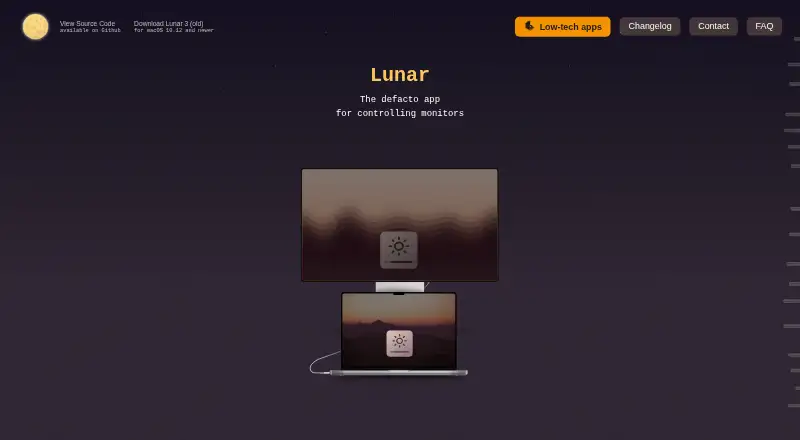
Lunar is a native macOS application for controlling external and Apple displays. It supports DDC hardware control for brightness, contrast, volume, and monitor inputs, with gamma-table fallback when DDC is unavailable. Its audience is Mac users who want more than manual display adjustments, particularly those managing multiple monitors or automating brightness changes through hotkeys, media keys, macOS Shortcuts, presets, or the command line.
The free plan covers a substantial set of controls: DDC monitor control, brightness, contrast and volume adjustment, input switching, command-line integration, and macOS Shortcuts. It is available indefinitely, while the 14-day free trial and Lunar Pro provide a path to the additional modes. The one-time Lunar Pro price is $23 USD and adds Sync Mode, Sensor Mode, Clock Mode, Location Mode, and unlimited manual adjustments. That structure makes Lunar suitable for users who need core monitor control without a recurring subscription, while Pro is more relevant to those who want synchronization, sensor-based behavior, or expanded adjustment limits.
Automation and multi-monitor management are the product’s clearest strengths. Ambient-light adaptation can use built-in or external sensors, and scheduled brightness and contrast changes support routines that do not depend on constant manual input. Home Assistant and macOS Shortcuts extend its platform fit, while the command-line interface supports more technical workflows. Compatibility remains tied to macOS, and DDC functionality or input switching depends on monitor firmware, cabling, and connection method. Mac users seeking display automation, sensor modes, and multi-monitor synchronization should find the feature set well aligned with those needs. Users on other platforms, or those whose displays do not support the relevant control methods, should choose another tool.
Your product? Our editors can test Lunar in depth and publish a review, labelled as paid · from $149/mo →
Lunar pricing
All 2 Lunar plans and prices →
Lunar fact sheet
| Free plan | Yes |
|---|---|
| Paid from | $23 one-time |
| Supported platforms | macOS |
| DDC/CI control | Yes |
| Input switching | Yes |
| Monitor profiles | Yes |
| Settings scheduling | Yes |
| CLI or API access | Yes |
| Auto brightness | Yes |
| Free trial | 14 days |
| Deployment | Desktop |
| Platforms | macOS |
| Support | Email, Community, Docs |
| Built for | Solo, Small business (editorial estimate) |
| Integrations | 2 integrations: macOS Shortcuts, Home Assistant See all → |
| Pricing | Free plan · 14-day trial (source) |
| Website | lunar.fyi |
| Facts checked | 20 Sep 2026 |
Lunar integrations
Lunar lists 2 integrations on its own site.
- macOS Shortcuts
- Home Assistant
Alternatives to Lunar
- MonitorControl ProA free, open-source Windows tool for advanced monitor control, profiles, and automation.9.4
- Twinkle TrayA capable free Windows utility for multi-monitor control, profiles, scheduling, and scripting.9.2
- ASUS DisplayWidget CenterA free cross-platform control hub for compatible ASUS and ROG monitors.8.8


Lunar vs the competition
- Lunar vs MonitorControl Pro
- Lunar vs Twinkle Tray
- Lunar vs ASUS DisplayWidget Center
- Lunar vs BetterDisplay
- Lunar vs DisplayBuddy
- Lunar vs ClickMonitorDDC


Compare Lunar with any tool side by side →
Used Lunar? Be the first to review it
The editor score above is our own research. What this page doesn't have yet is a reader's view — what you used Lunar for, what worked and what didn't. No stars are seeded and no review is paid for; an editor reads every one before it appears.
Write a reviewTwo minutes · verified accounts only · read by an editor before it appears
Featured on iTechGuides

Lunar is listed in our Monitor Control Software directory. Add the badge to your site — it links back to this page.
<a href="https://www.itechguides.com/products/lunar/"><img src="https://www.itechguides.com/best/badge/lunar.svg" alt="Featured on iTechGuides" width="230" height="46"></a>
Reviewed by iTechGuides Editors · Editorial team · Updated Oct 2026
Advertiser disclosure: iTechGuides is reader-supported. Vendors can pay for top positions in our rankings and for a place on other products' pages, and we may earn a commission when you click some links. Bought places stand at the number bought; this page and our disclosure say so. Paying vendors may get a fuller, more detailed review from our editors, and that review can change their score. How we rank.
Last updated · How we research and update