Doo
Doo: Doo pairs recurring and location-based reminders with Apple device features. Ranked #99 of 148 in To-Do List Apps by our editors (3.0/10); pricing: Paid; best for apple users who want reminder-rich personal tasks.
At a glance
- Editor score3.0 / 10
- PricingPaid
- Best forApple users who want reminder-rich personal tasks
- Free planNo
- Recurring tasksYes
- Facts checked23 Sep 2026
Where it wins
- Schedule reminders by date, time, or location, with custom repeat intervals.
- Use iCloud sync, Siri, and widgets across supported Apple devices.
- Organize tasks with lists, search, priorities, checklists, and notes.
Where it doesn't
- Available only on iOS and macOS.
- No free plan.
- Task sharing relies on iMessage, SMS, email, or other sharing options.
Our verdict on Doo
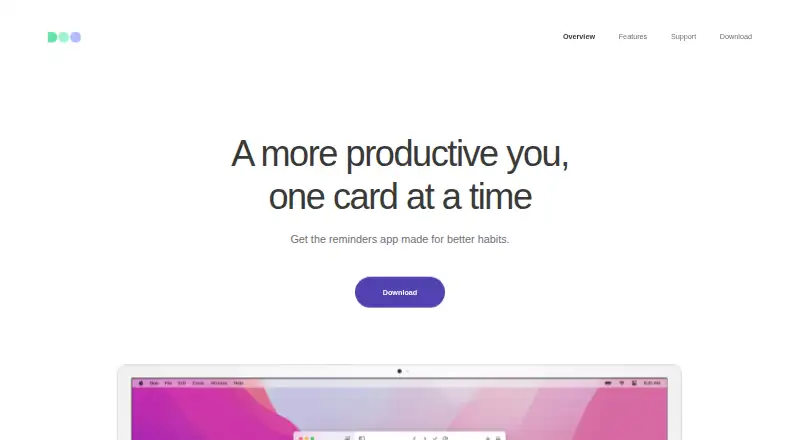
Doo is a personal to-do and reminders app for iOS and macOS, designed for people who want scheduled tasks presented as cards. It supports date-, time-, and location-based triggers, along with recurring reminders using custom intervals and weekdays. Lists, search, priorities, checklists, and notes cover everyday organization, while snoozing and swipe-to-complete actions support quick changes to a task. Its focus is personal task management on Apple devices rather than a broad, cross-platform workflow.
Reminder controls are a central strength: users can configure early alerts and notification settings per reminder, and can snooze a task instead of completing it. Location triggers and flexible recurrence make Doo suited to routines tied to places or schedules. Collaboration is available through iMessage, SMS, email, and other sharing options, but the app's feature set remains centered on individual reminders rather than larger team task management. Buyers who need sophisticated shared workflows may prefer a tool built around team coordination.
Apple ecosystem fit is the other key consideration. Doo syncs between iOS and Mac using iCloud and supports Siri task creation and completion, with widgets for iOS, Mac, Lock Screen, and Apple Watch. The app does not require a separate account, according to the vendor. It is a paid app with no free plan, so it makes most sense for Apple users who value reminders, widgets, and Siri in a focused personal task app. Those who need Android or web access, or want to compare free options, should look elsewhere. The vendor offers email and documentation support.
Your product? Our editors can test Doo in depth and publish a review, labelled as paid · from $149/mo →
Doo pricing
Doo fact sheet
| Free plan | No |
|---|---|
| Paid from | Not verified |
| Recurring tasks | Yes |
| Task reminders | Yes |
| Calendar sync | Not verified |
| Subtasks | Not verified |
| Offline access | Not verified |
| Active task limit | Not verified |
| Supported platforms | iOS, macOS |
| Deployment | Desktop, Mobile |
| Platforms | iOS, macOS |
| Support | Email, Docs |
| Built for | Solo (editorial estimate) |
| Integrations | 4 integrations: iCloud, Siri, iMessage, Apple Watch |
| Pricing | Paid |
| Website | getdooapp.com |
| Facts checked | 23 Sep 2026 |
Doo integrations
Doo lists 4 integrations on its own site.
- iCloud
- Siri
- iMessage
- Apple Watch
Alternatives to Doo
- TodoistA complete task manager with broad platform coverage, recurring tasks, and team workspaces.9.2
- TickTickA broad to-do app for users who want tasks, planning, habits, and focus tools together.9.0
- Microsoft To DoA capable free choice for daily planning, shared lists, and Microsoft-connected task management.8.8



Used Doo? Be the first to review it
The editor score above is our own research. What this page doesn't have yet is a reader's view — what you used Doo for, what worked and what didn't. No stars are seeded and no review is paid for; an editor reads every one before it appears.
Write a reviewTwo minutes · verified accounts only · read by an editor before it appears
Featured on iTechGuides

Doo is listed in our To-Do List Apps directory. Add the badge to your site — it links back to this page.
<a href="https://www.itechguides.com/products/doo/"><img src="https://www.itechguides.com/best/badge/doo.svg" alt="Featured on iTechGuides" width="230" height="46"></a>
Reviewed by iTechGuides Editors · Editorial team · Updated Oct 2026
Advertiser disclosure: iTechGuides is reader-supported. Vendors can pay for top positions in our rankings and for a place on other products' pages, and we may earn a commission when you click some links. Bought places stand at the number bought; this page and our disclosure say so. Paying vendors may get a fuller, more detailed review from our editors, and that review can change their score. How we rank.
Last updated · How we research and update