Diodon
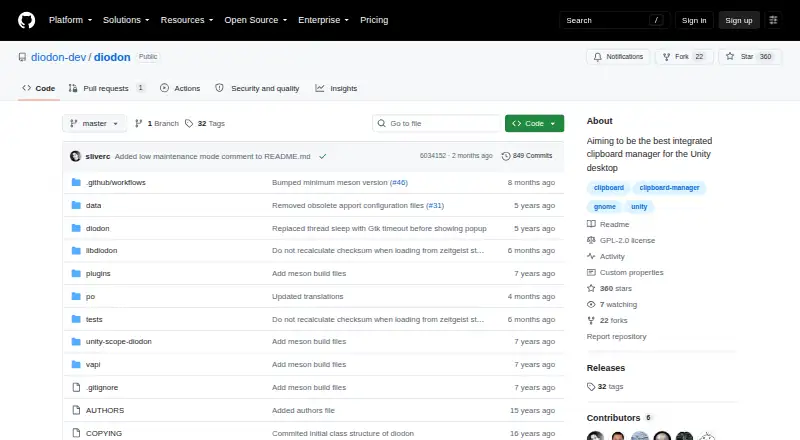
Diodon: A focused Linux clipboard history manager with plugins for extra actions. Ranked #36 of 39 in Clipboard Manager Software by our editors (4.5/10); pricing: Open source; best for linux users wanting a basic history manager.
At a glance
- Editor score4.5 / 10
- PricingOpen source
- Best forLinux users wanting a basic history manager
- Paid fromFree
- Facts checked20 Sep 2026
Where it wins
- Persistent clipboard history remains available after reboots
- Unity and application-indicator integration support Linux desktop workflows
- Plugins add numbering, editing, bulk paste, and post-paste removal
Where it doesn't
- Focused on Linux rather than cross-platform clipboard management
- Wayland support is partial
- Low maintenance mode limits expected ongoing attention
Our verdict on Diodon
Diodon is an open-source clipboard manager for Linux desktops, with a particular focus on Unity integration. It stores clipboard items through Zeitgeist and normally keeps them in a database, so clipboard history remains available after reboot. The application-indicator integration provides desktop access, while plugin support extends the basic history workflow. It is suited to Linux users who want persistent clipboard history without a broader cross-platform feature set.
Its strongest fit is the combination of persistence and desktop integration. Zeitgeist provides the clipboard history storage, while Unity desktop and application-indicator integrations connect Diodon to supported Linux environments. Plugins add numbered clipboard menu items, allow users to paste all recent items, enable editing of the active clipboard item, and remove an item after pasting. Installation paths include an official Ubuntu PPA, with source or release-tarball options for other systems. These options make the project relevant to users comfortable choosing a Linux-specific installation route.
The main consideration is the project's maintenance direction and platform scope. The maintainer announced low maintenance mode in July 2026, with packaging, translation, and security issues expected to receive attention. Wayland support is partial, which matters for Linux users on newer desktop sessions. Diodon makes the most sense for someone seeking a straightforward, persistent clipboard history manager on Linux, especially where Unity or application-indicator integration fits the desktop. Users who need broader platform coverage, full Wayland support, or an actively expanding feature set should consider an alternative clipboard manager.
Your product? Our editors can test Diodon in depth and publish a review, labelled as paid · from $149/mo →
Diodon pricing
Diodon fact sheet
| Free plan | Not verified |
|---|---|
| Paid from | Free |
| History search | Not verified |
| Cross-device sync | Not verified |
| Snippets | Not verified |
| Rich text support | Not verified |
| History limit | Not verified |
| Supported platforms | Linux |
| Deployment | Desktop |
| Platforms | Linux |
| Support | Community |
| Built for | Solo, Small business (editorial estimate) |
| Integrations | 3 integrations: Zeitgeist, Unity desktop, Application indicator |
| Pricing | Open source |
| Website | github.com |
| Facts checked | 20 Sep 2026 |
Diodon integrations
Diodon lists 3 integrations on its own site.
- Zeitgeist
- Unity desktop
- Application indicator
Alternatives to Diodon
- DittoPowerful free clipboard history, search, organization, and scripting for Windows.9.1
- CopyQA flexible, cross-platform clipboard history tool for users who want control and automation.8.5
- Screenshot CaptorA Windows screenshot tool with scrolling capture, annotation, image editing, and clipboard copying.7.9

Used Diodon? Be the first to review it
The editor score above is our own research. What this page doesn't have yet is a reader's view — what you used Diodon for, what worked and what didn't. No stars are seeded and no review is paid for; an editor reads every one before it appears.
Write a reviewTwo minutes · verified accounts only · read by an editor before it appears
Featured on iTechGuides

Diodon is listed in our Clipboard Manager Software directory. Add the badge to your site — it links back to this page.
<a href="https://www.itechguides.com/products/diodon/"><img src="https://www.itechguides.com/best/badge/diodon.svg" alt="Featured on iTechGuides" width="230" height="46"></a>
Reviewed by iTechGuides Editors · Editorial team · Updated Oct 2026
Advertiser disclosure: iTechGuides is reader-supported. Vendors can pay for top positions in our rankings and for a place on other products' pages, and we may earn a commission when you click some links. Bought places stand at the number bought; this page and our disclosure say so. Paying vendors may get a fuller, more detailed review from our editors, and that review can change their score. How we rank.
Last updated · How we research and update